Data Settings
Last updated: November 5, 2026
Data Settings control how Polar calculates your sales and order metrics, such as which items are included in Total Sales and which orders count toward Total Orders. The settings apply to every Card, custom table and chart in your workspace.
Changes apply to both historical and future data across all dashboards, so review each setting before you change it.
Changing your Data Settings
Click your profile icon in the bottom left corner.
Select Settings.
Open the Data Settings tab.
Use the toggle next to each option to turn it on or off.
Changes save automatically and update data across your whole workspace.
Available settings
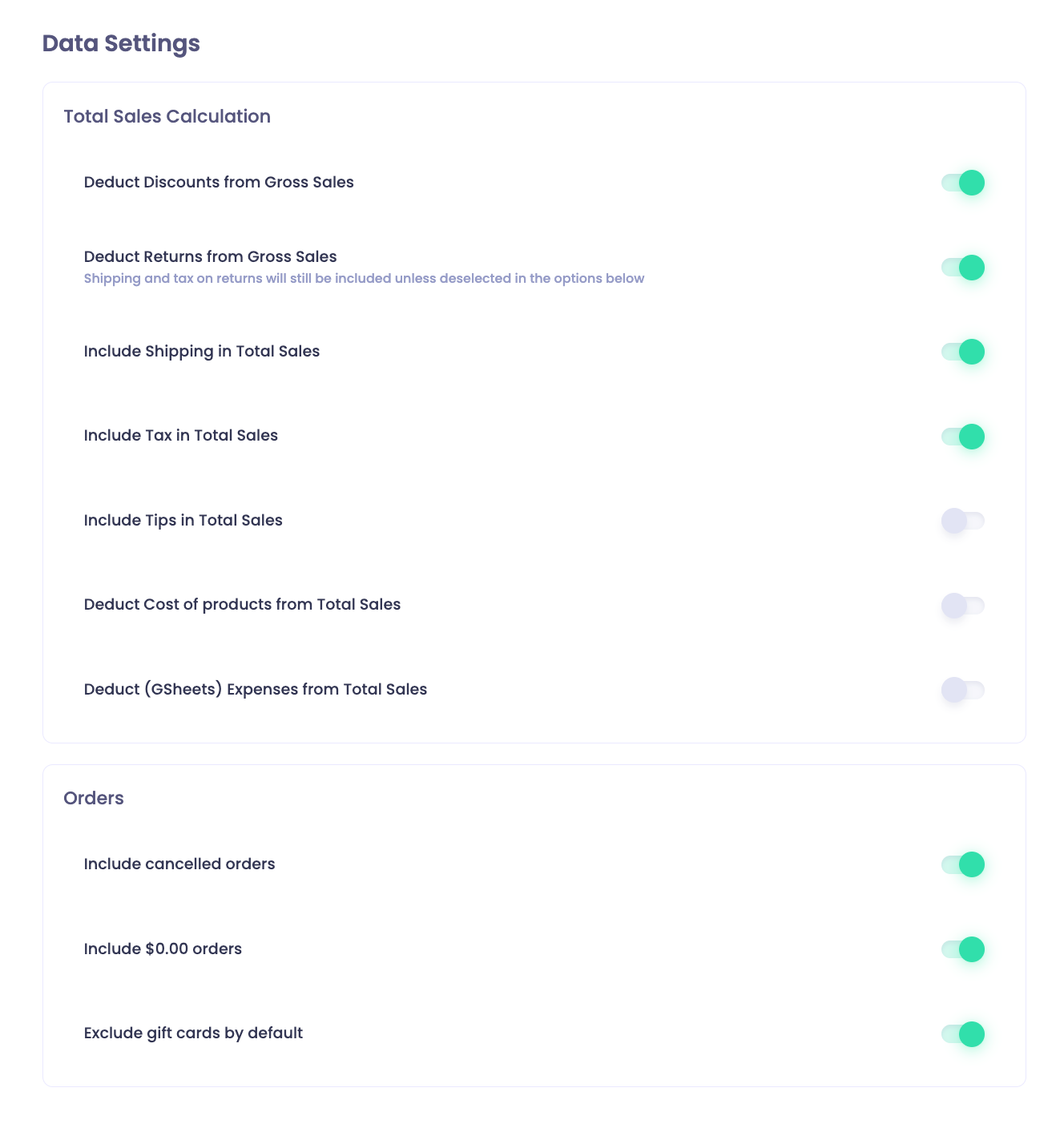
The settings are in two groups.
Group | Setting | When it's on |
|---|---|---|
Total Sales Calculation | Deduct Discounts from Gross Sales | Discounts are deducted from gross sales |
Total Sales Calculation | Deduct Returns from Gross Sales | Returns are deducted from gross sales. Shipping and tax on returns are still included unless you turn off the shipping and tax settings below. |
Total Sales Calculation | Include Shipping in Total Sales | Shipping is included in total sales |
Total Sales Calculation | Include Tax in Total Sales | Tax is included in total sales |
Total Sales Calculation | Include Tips in Total Sales | Tips are included in total sales |
Total Sales Calculation | Deduct Cost of products from Total Sales | The cost of products (COGS) is deducted from total sales |
Total Sales Calculation | Deduct (GSheets) Expenses from Total Sales | Expenses from a connected Google Sheet are deducted from total sales |
Orders | Include cancelled orders | Cancelled orders count toward Total Orders |
Orders | Include $0.00 orders | Orders with a total of zero count toward Total Orders |
Orders | Exclude gift cards by default | Gift cards are excluded by default |
To change how numbers are formatted, see General Settings.