Use Polar MCP in n8n (with Gmail)
Last updated: October 30, 2026
Use the Polar MCP in n8n to build a workflow that pulls KPIs from Polar, summarizes them with an AI agent, and emails the report through Gmail on a schedule.
Demo video
Connection details
Use these connection details for n8n:
Endpoint:
https://api.polaranalytics.com/mcpServer Transport:
HTTP StreamableAuthentication:
Bearer AuthFor the Bearer Token, use your API Key available at: https://app.polaranalytics.com/mcp
Make sure the MCP has access to your data sources.
To skip the build, import the workflow JSON at the end of this article.
Build the workflow
The workflow does three things:
Pull KPIs from a Polar dashboard
Repeat for each of a set of regional Views
Send the report by email
You will need:
A Polar account
An n8n account (the free plan works)
A paid Anthropic API key
A Gmail account
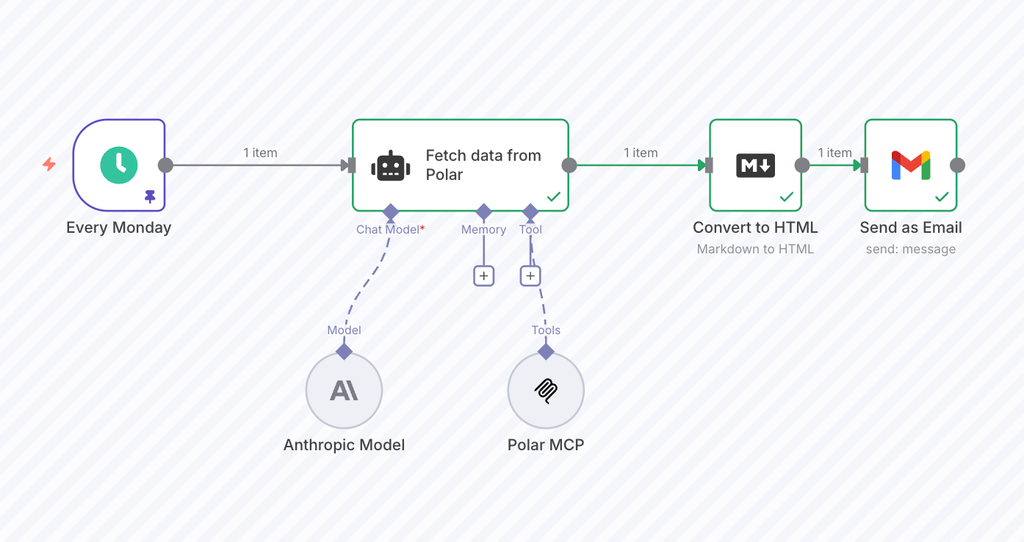
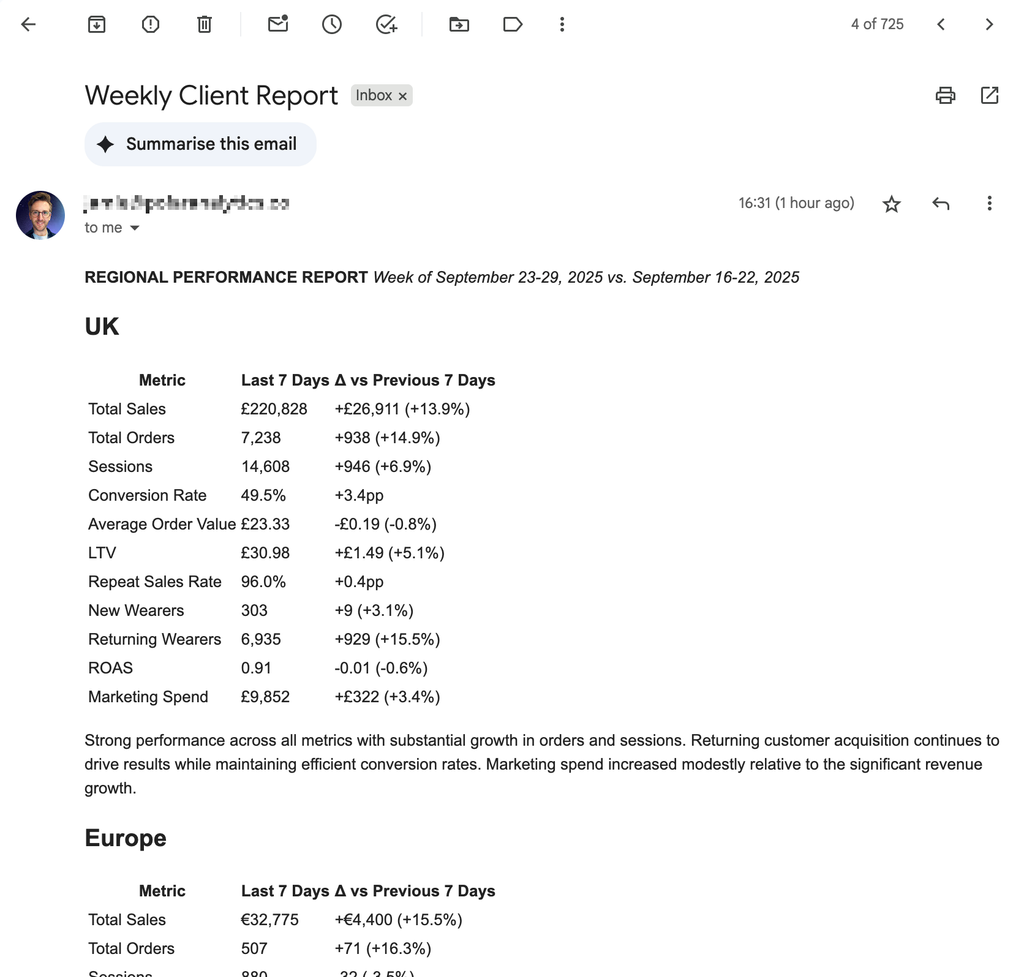
1. Set up a trigger
Add a schedule trigger
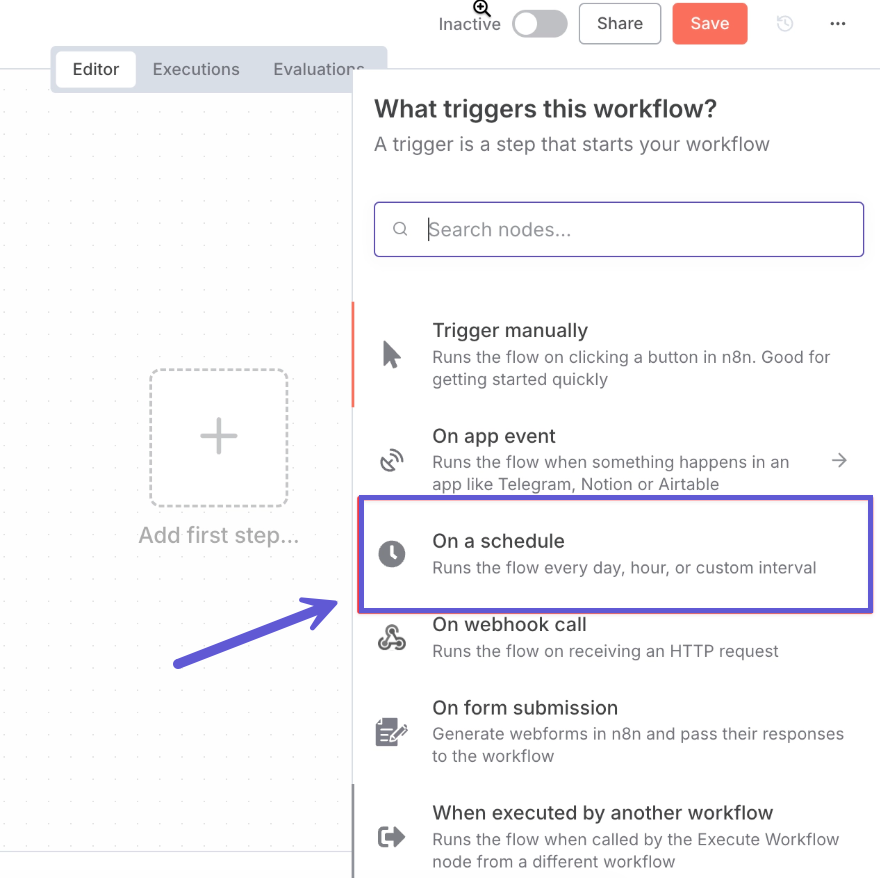
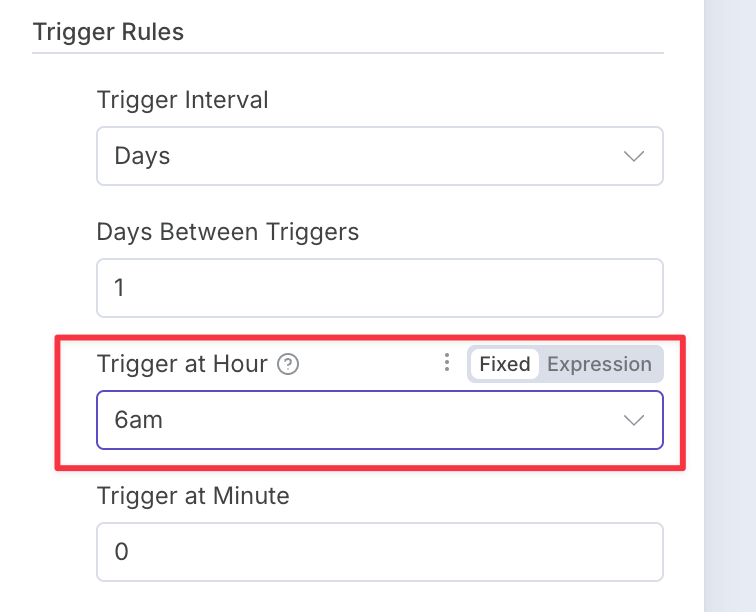
Set it to trigger daily at 6am.
Click “Back to canvas” to close this popup.
2. Add an AI agent
Click the plus button
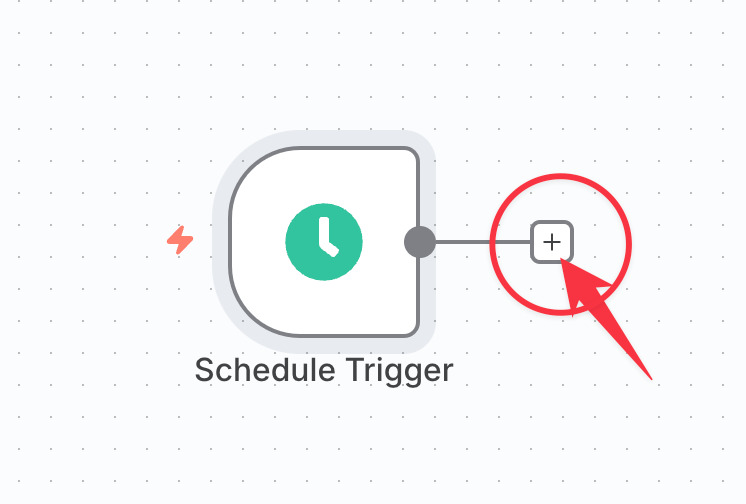
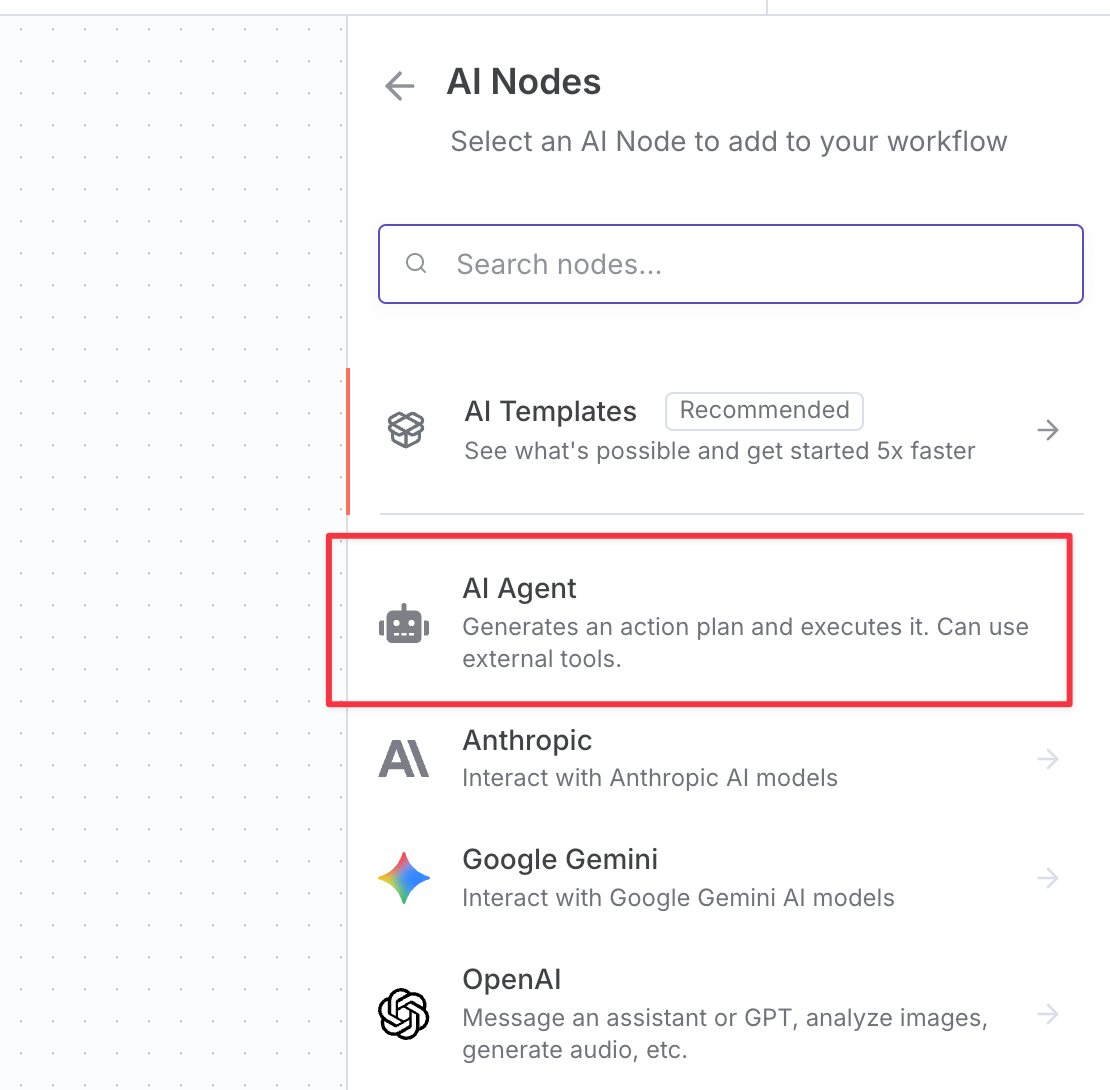
Choose AI Agent
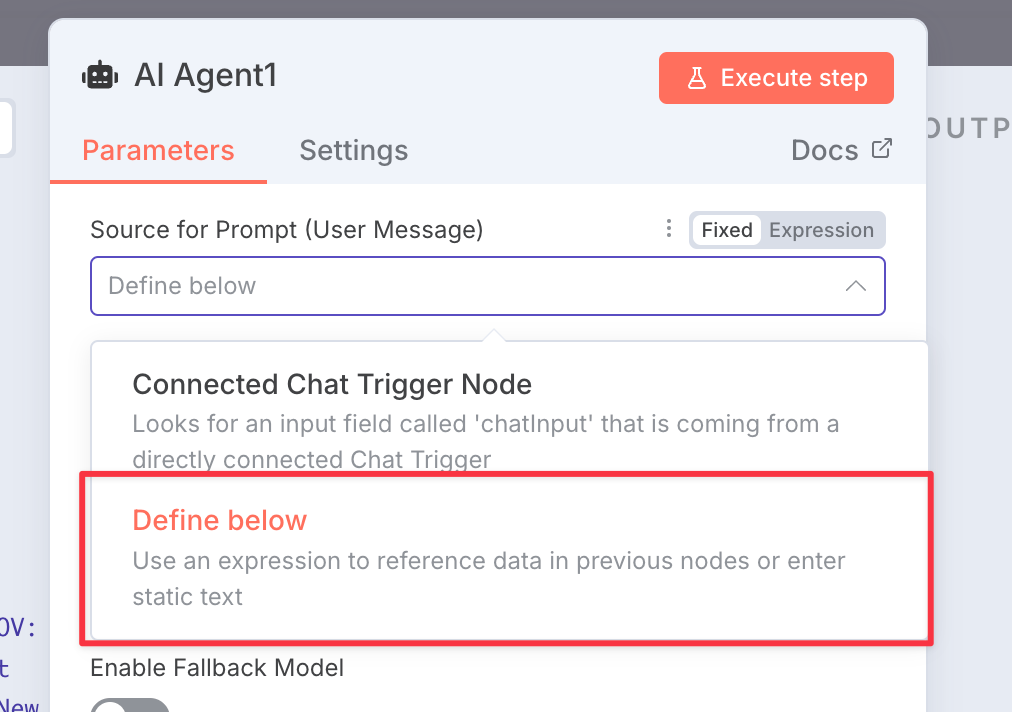
In the popup, change the prompt to “Define below”
Change the prompt to “Expression”
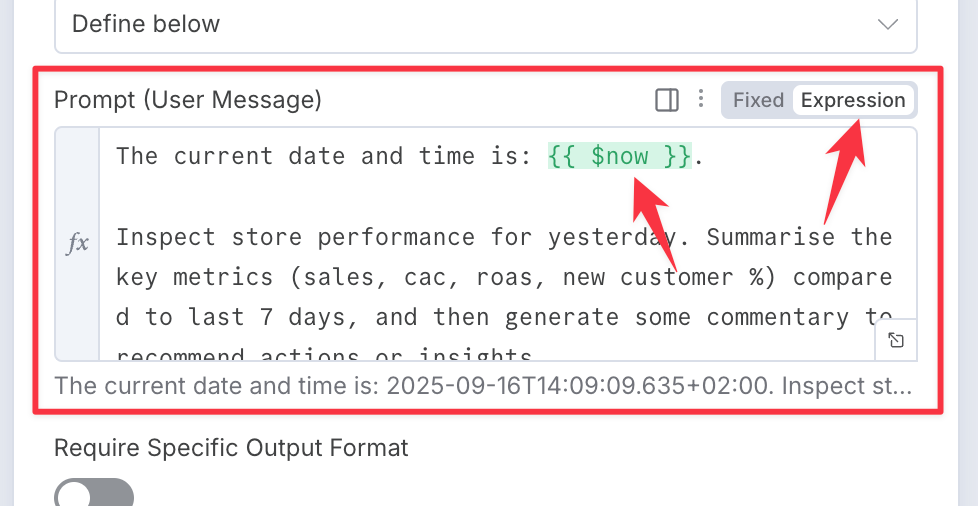
Paste in the prompt below:
The current date is #{{ $now }}.

Using my `FolderName > DashboardName > BlockName` indicator section, and using each of my `Region` views create a rich text report showing:

For each Region:

  Heading: Region name

  Table: {for each metric} The last 7d value, with the delta vs the previous 7 days.

  Link: Deep link to the report with correct view applied in Polar

  Text: Brief summary in text of the key improvements/concerns

Style: Concise, business-like, no alarmist language (e.g. plummeted, crashed etc).

IMPORTANT: Do not explain what you are doing or have done, only output the final report. Your output will be sent straight to an email formatter.
Edit the
FolderName > DashboardName > BlockNamepart to describe which Polar table or Card Grid you want summarized.Edit the
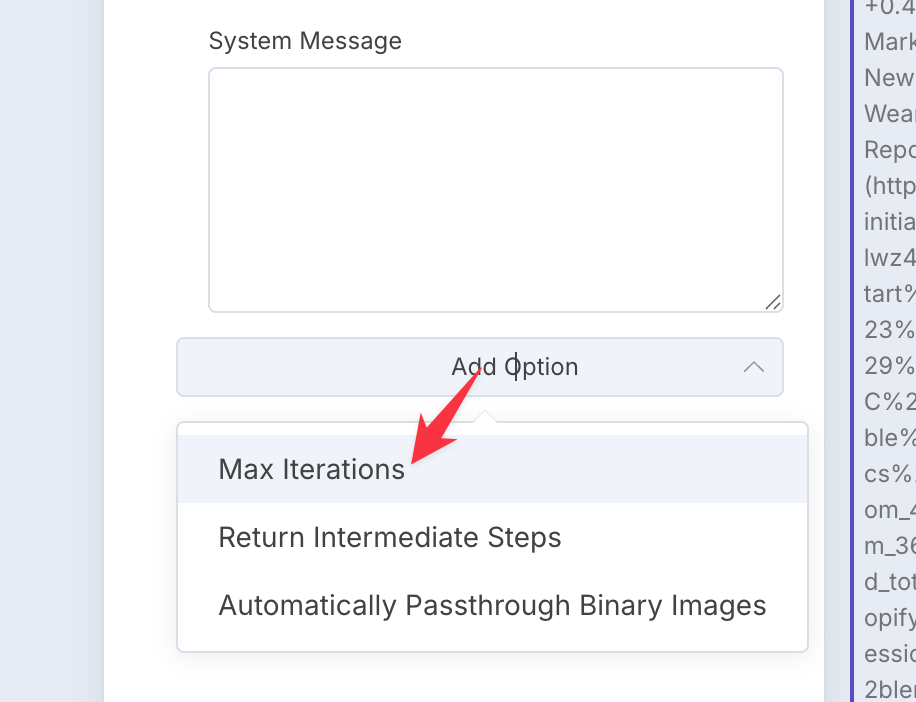
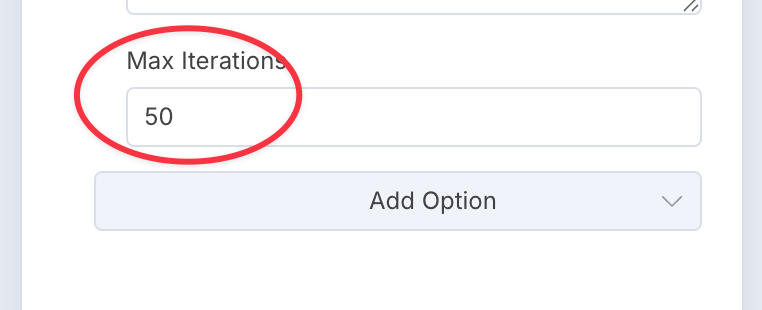
each of my 'Region' viewspart to describe which Polar Views it should apply when fetching the data.Increase the default “Max iterations” option to 50
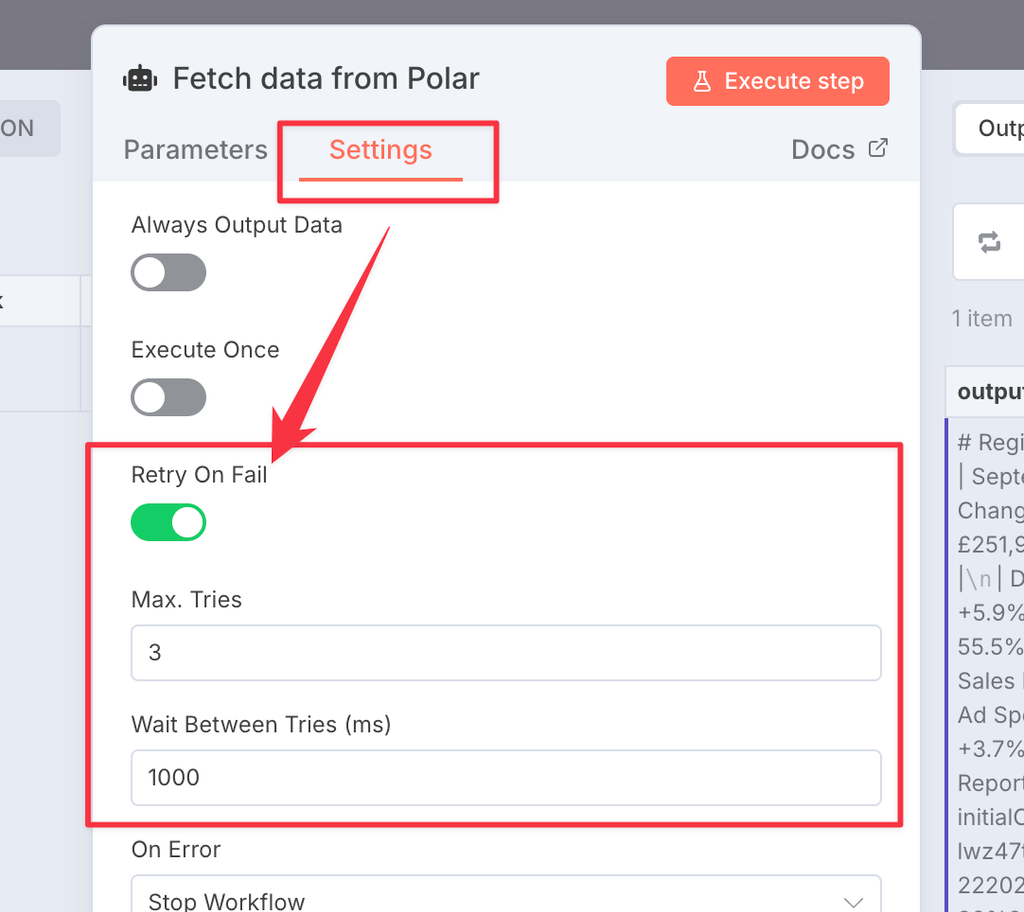
In the Settings tab, enable “retry on fail” in case the Anthropic API is unreliable. We suggest 3 times with 1000ms wait.
Click “Back to canvas”.
Models don’t know the current date, so the prompt passes it in with n8n’s #{{ $now }} placeholder. This lets the agent work out what “last 7 days” means.
3. Add a chat model
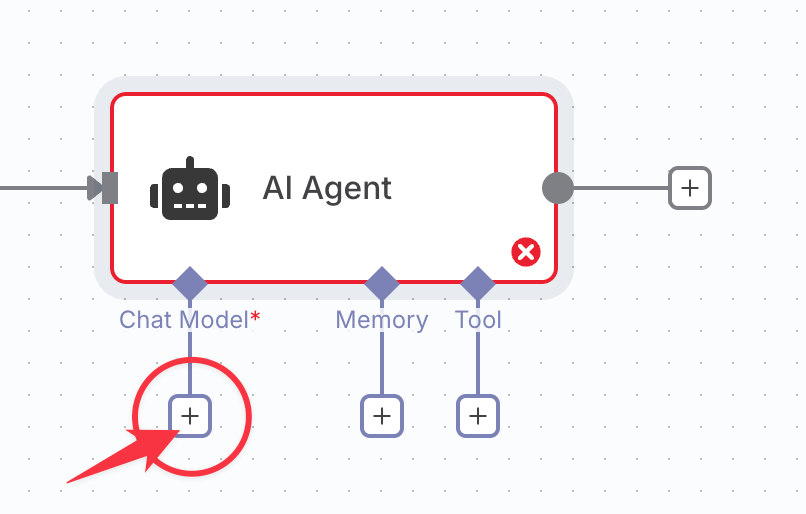
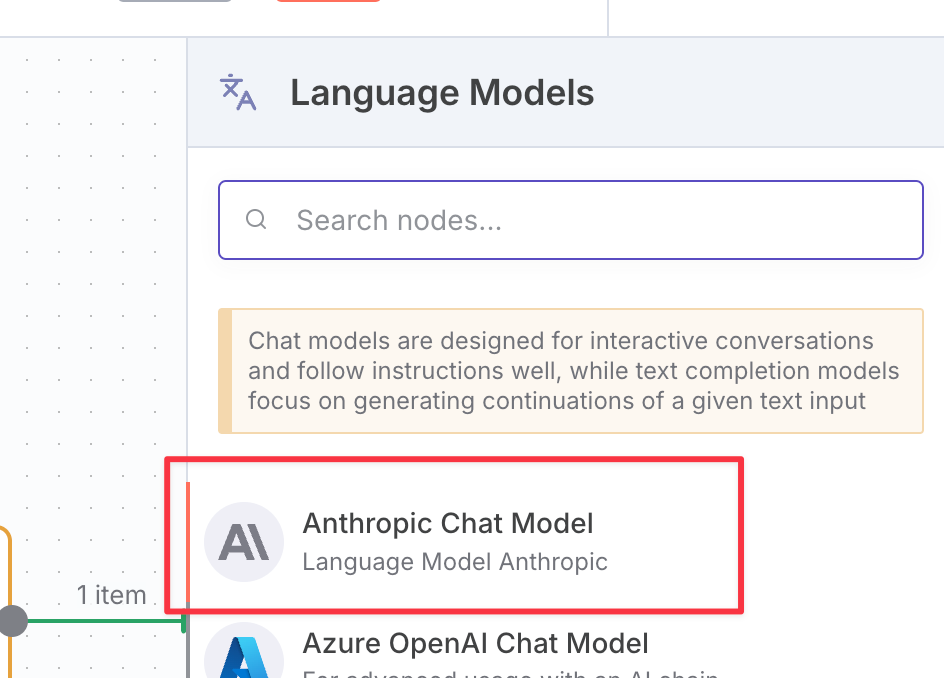
Click the plus Chat Model button
Choose Anthropic Chat Model
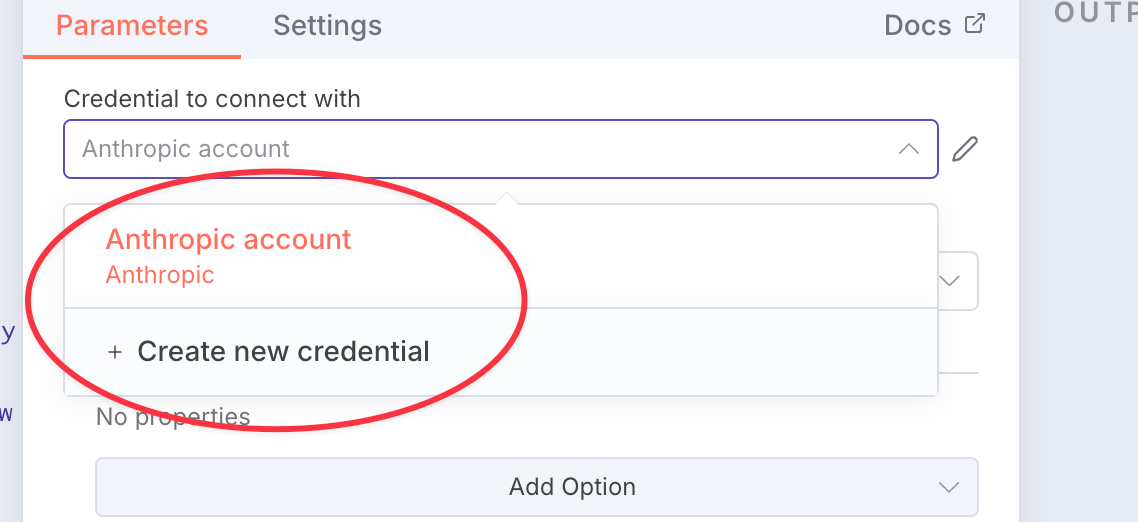
Create a new credential and add your Anthropic API key
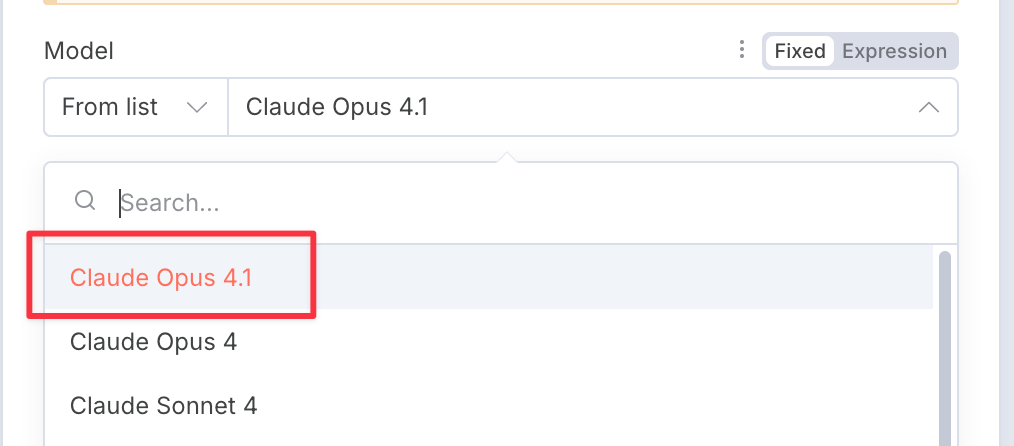
Choose a Claude model.
Click “Back to canvas”
4. Add the Polar MCP
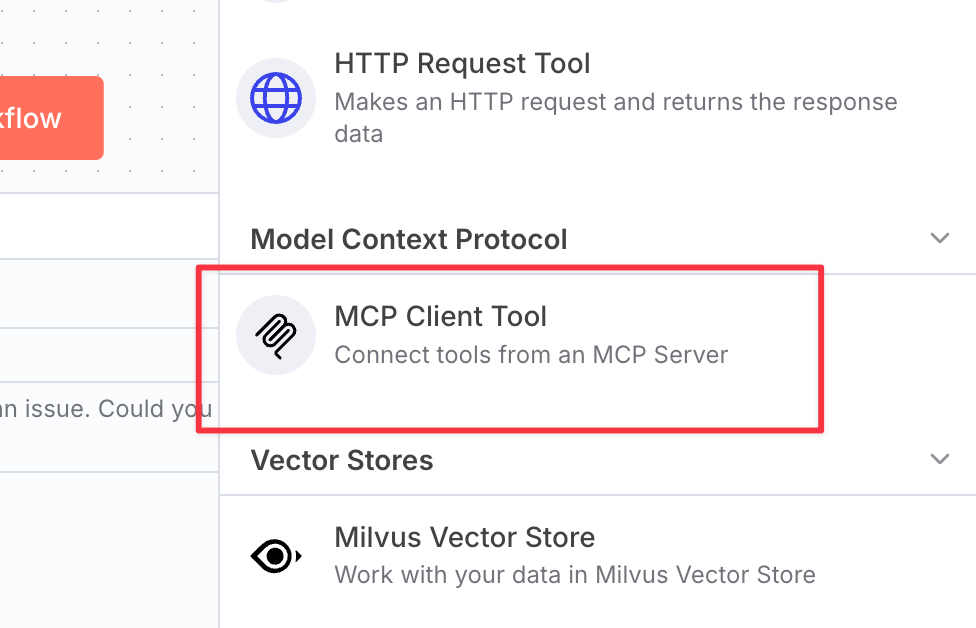
Click to add a tool
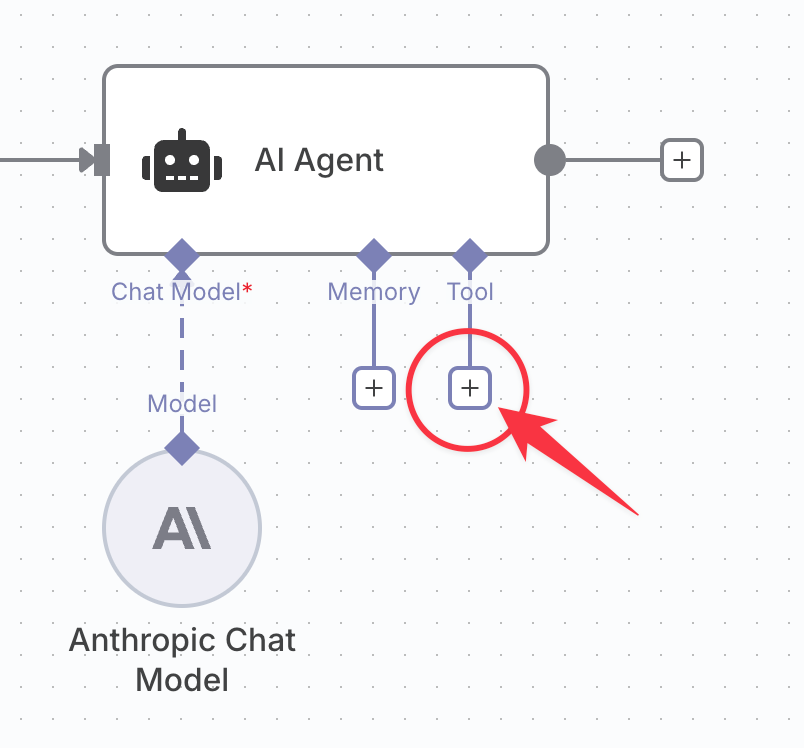
Choose “MCP Client Tool”
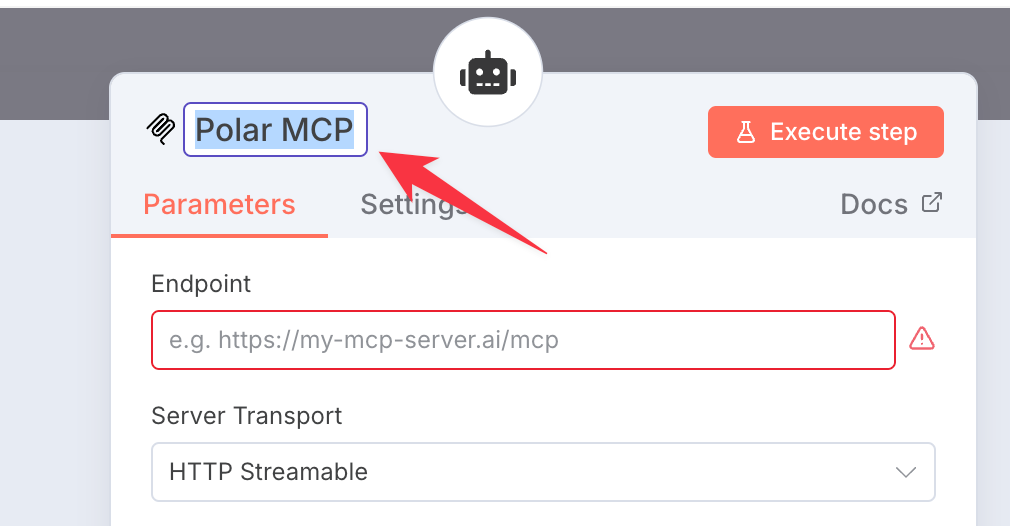
Give it a useful name like “Polar MCP”
Enter the Polar MCP connection details
Endpoint:
https://api.polaranalytics.com/mcpServer Transport:
HTTP StreamableAuthentication:
Bearer Auth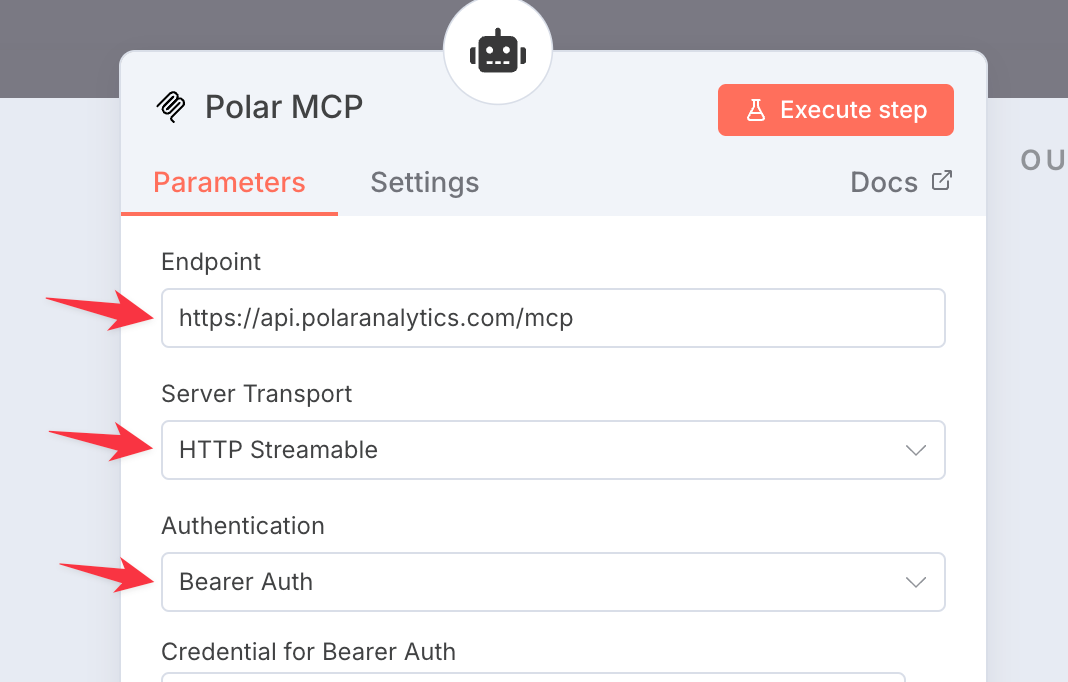
Create a new credential for Bearer Auth
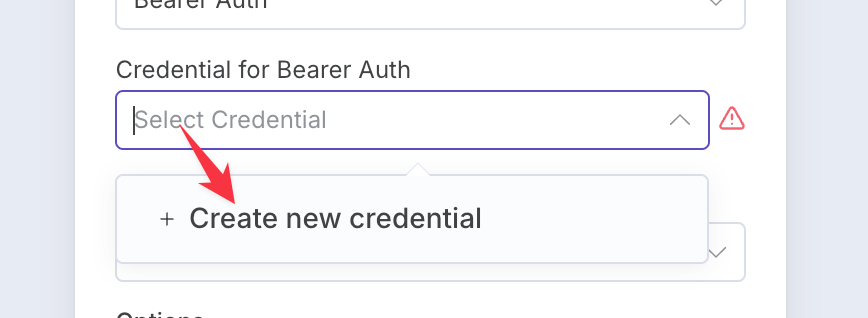
Get your Polar MCP API Key
Generate an API key
Copy to the clipboard
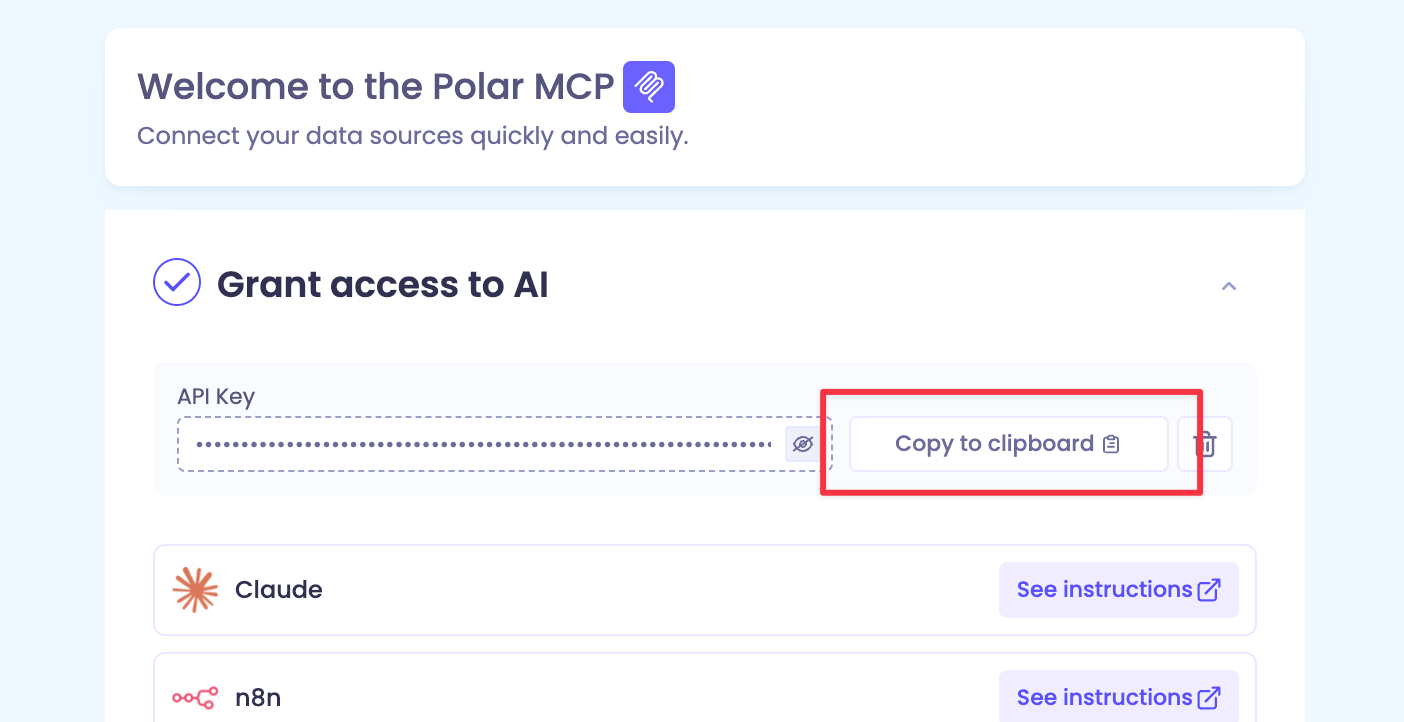
Paste in your Polar API Key as the Bearer Token
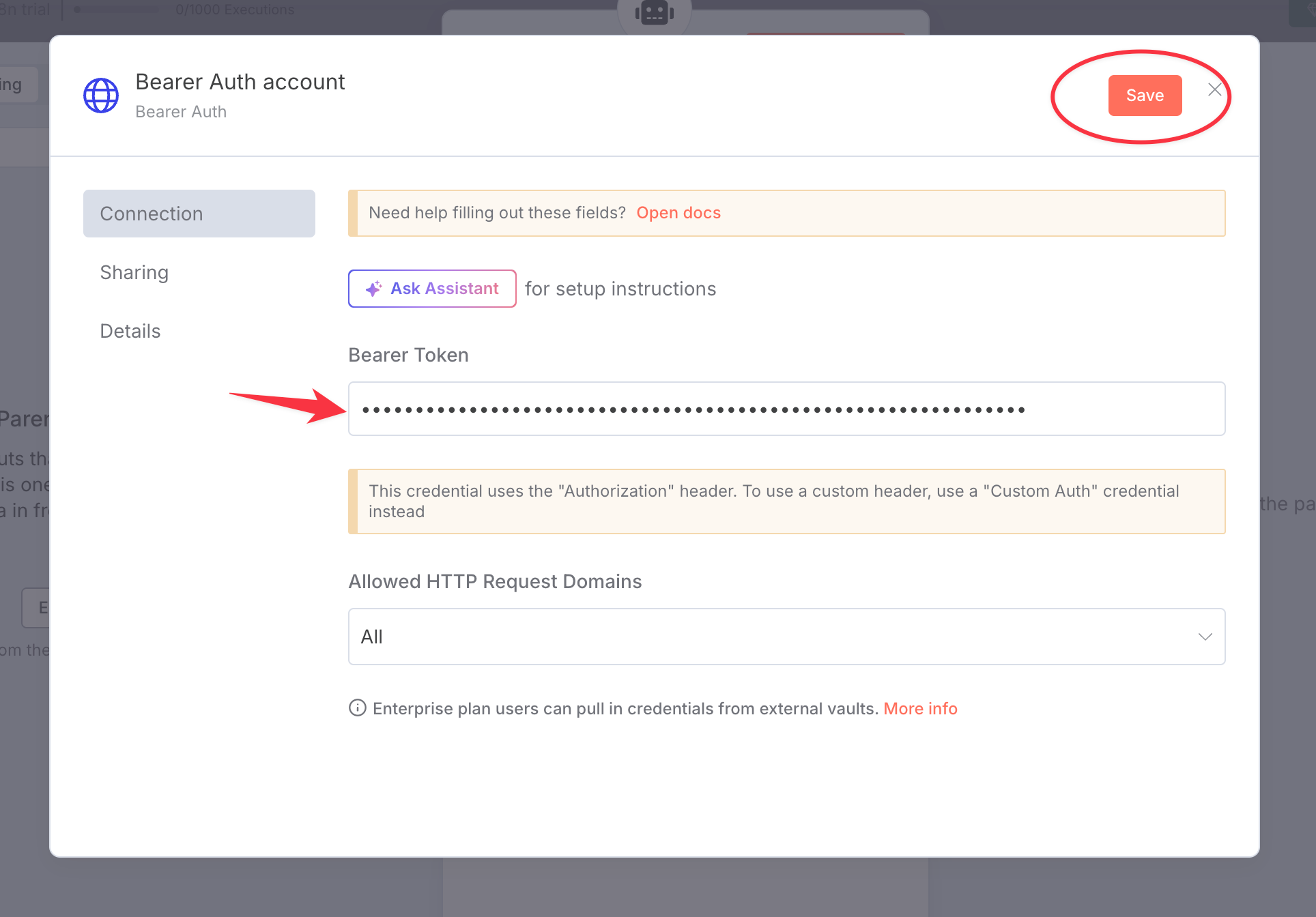
Then save and close the popup.
Go “Back to canvas”
5. Convert the output to HTML
Click the AI Agent’s output plus button
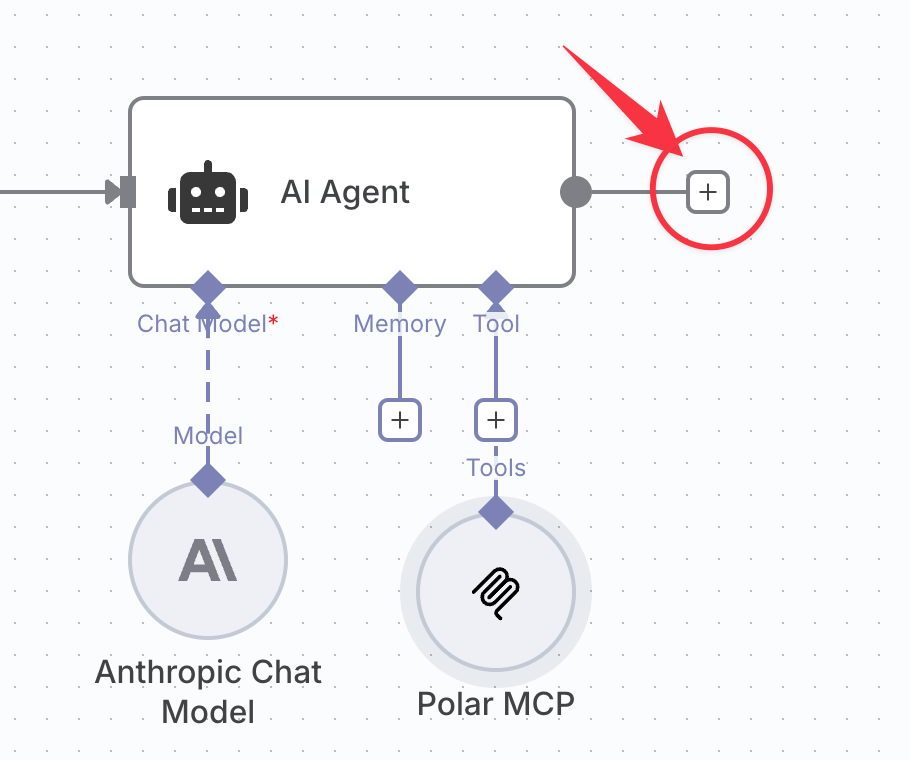
Choose "Markdown"
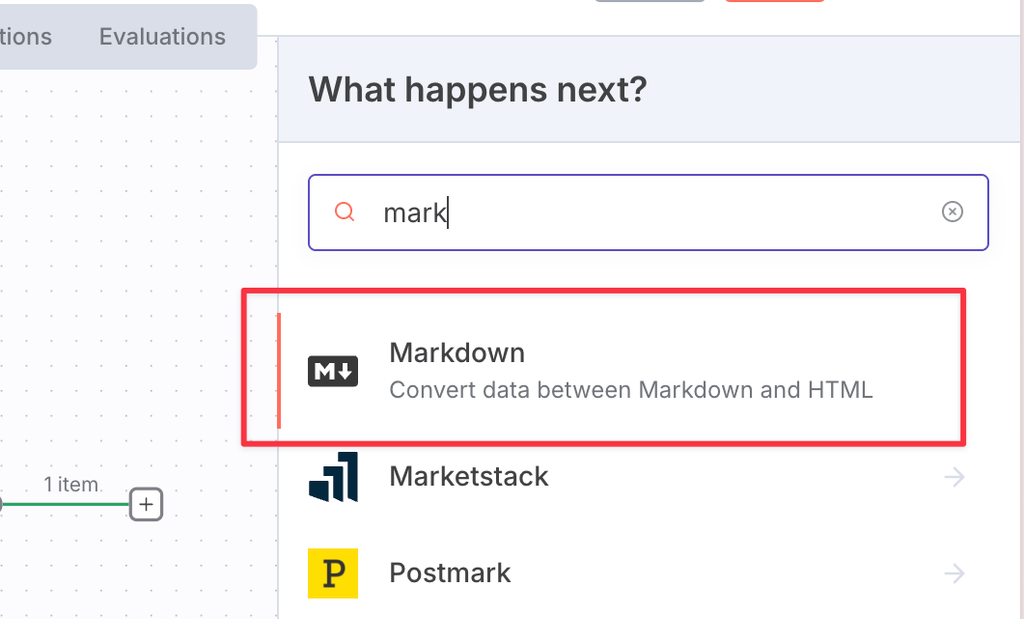
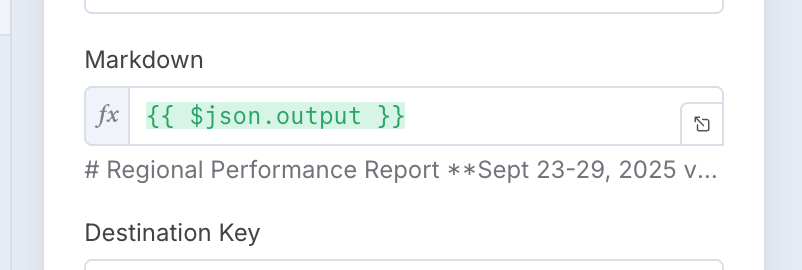
Set the Markdown value to #{{ $json.output }}
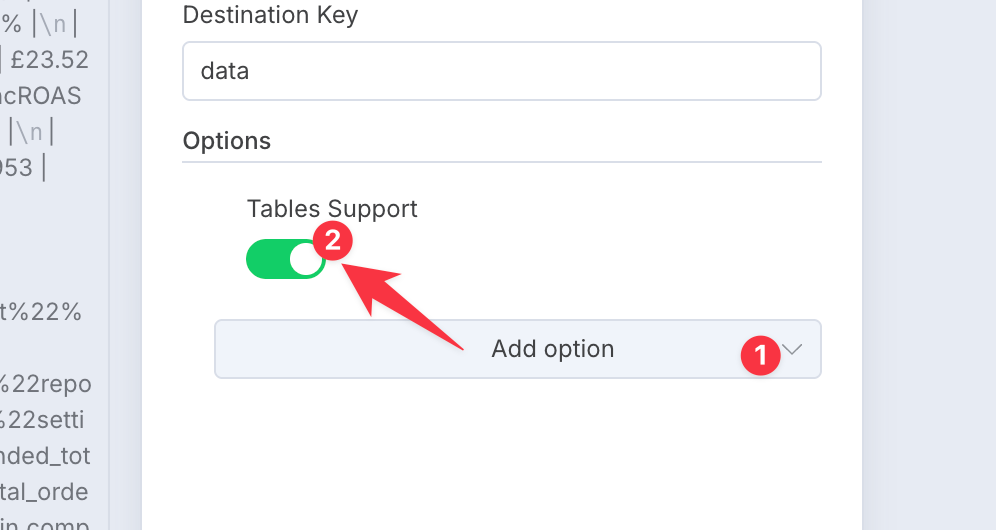
Add the “Tables Support” option and turn it on
6. Connect to Gmail
Click the plus and choose Gmail
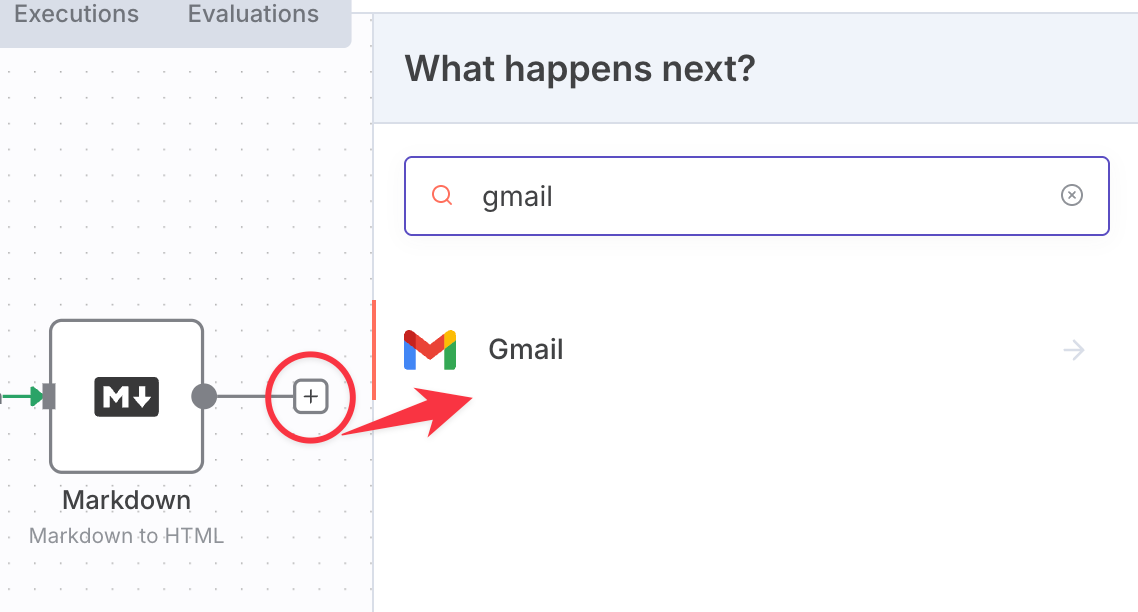
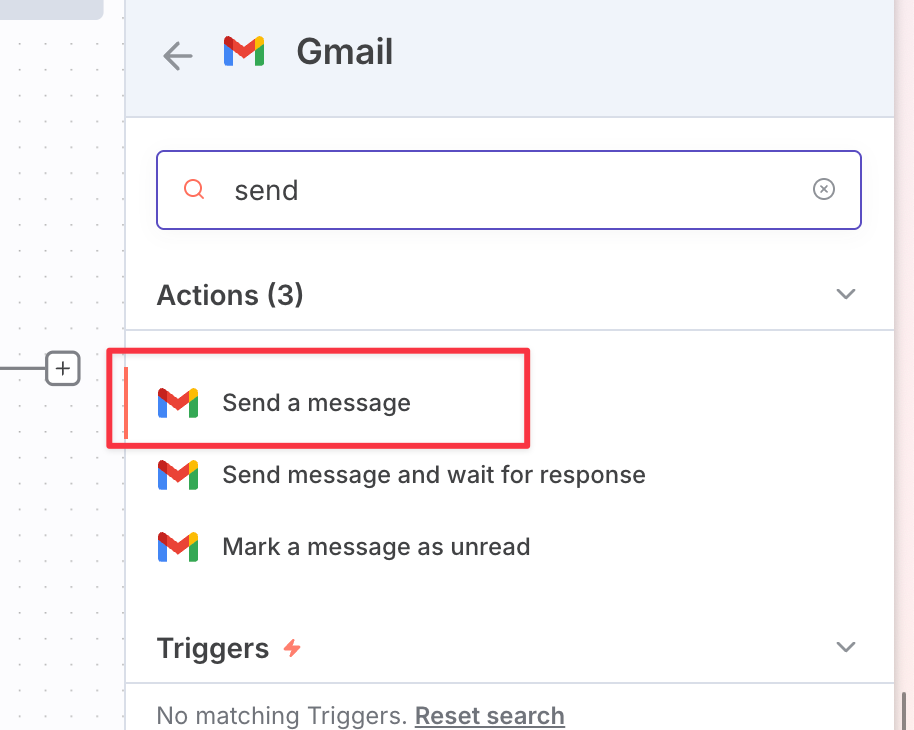
Choose “Send a message”
Choose an existing credential or create a new one
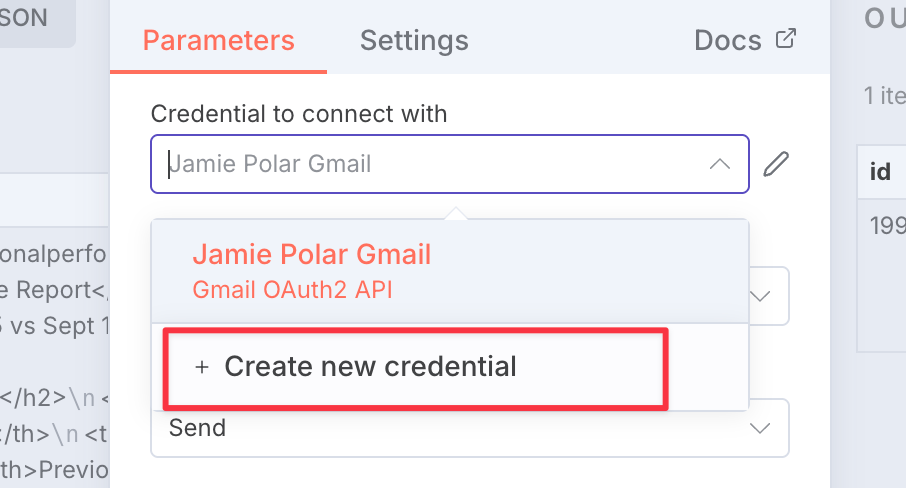
Fill in the fields as follows:
Resource:
MessageOperation:
SendTo:
Subject:
Email type:
HTMLMessage:
#{{ $json.data }}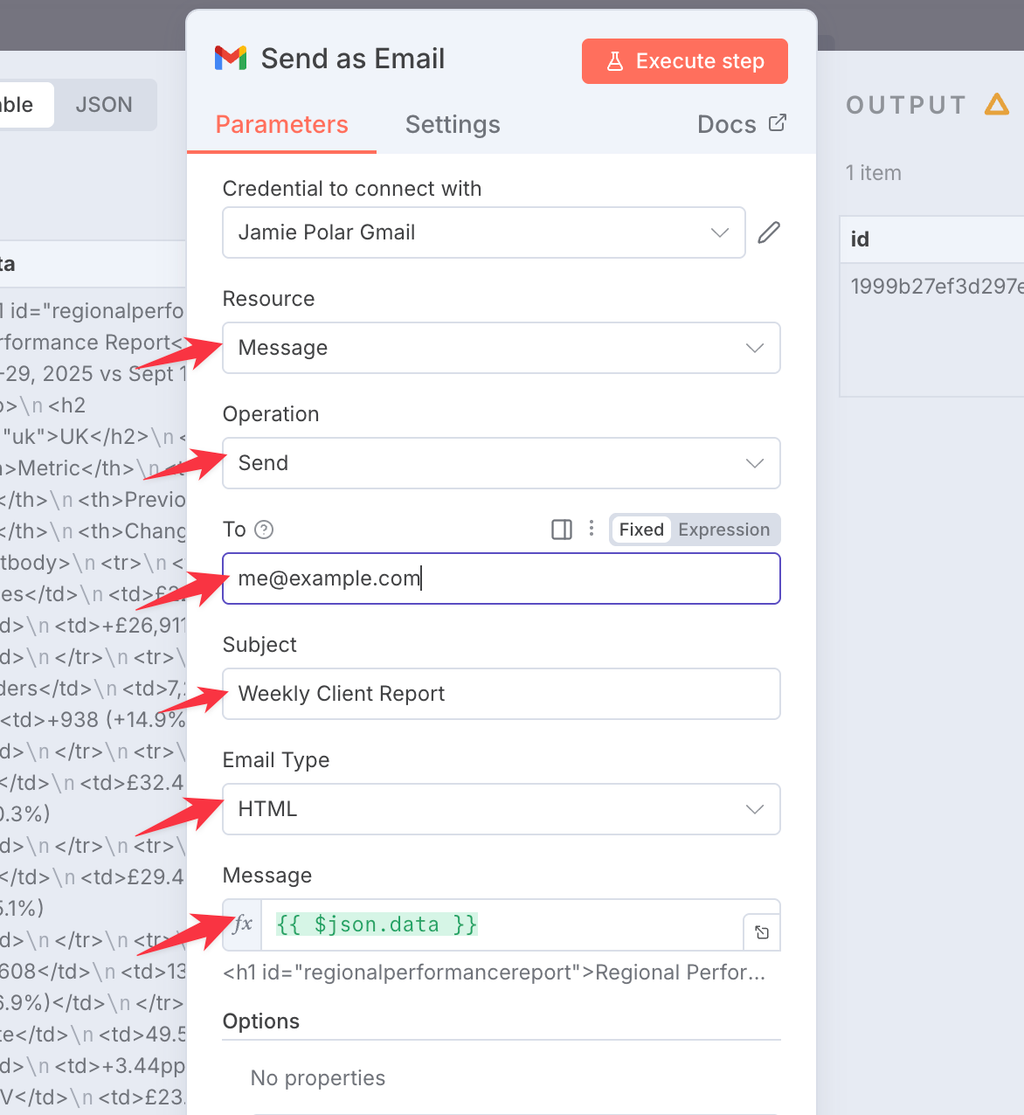
7. Run your workflow to test
Click “Execute workflow”
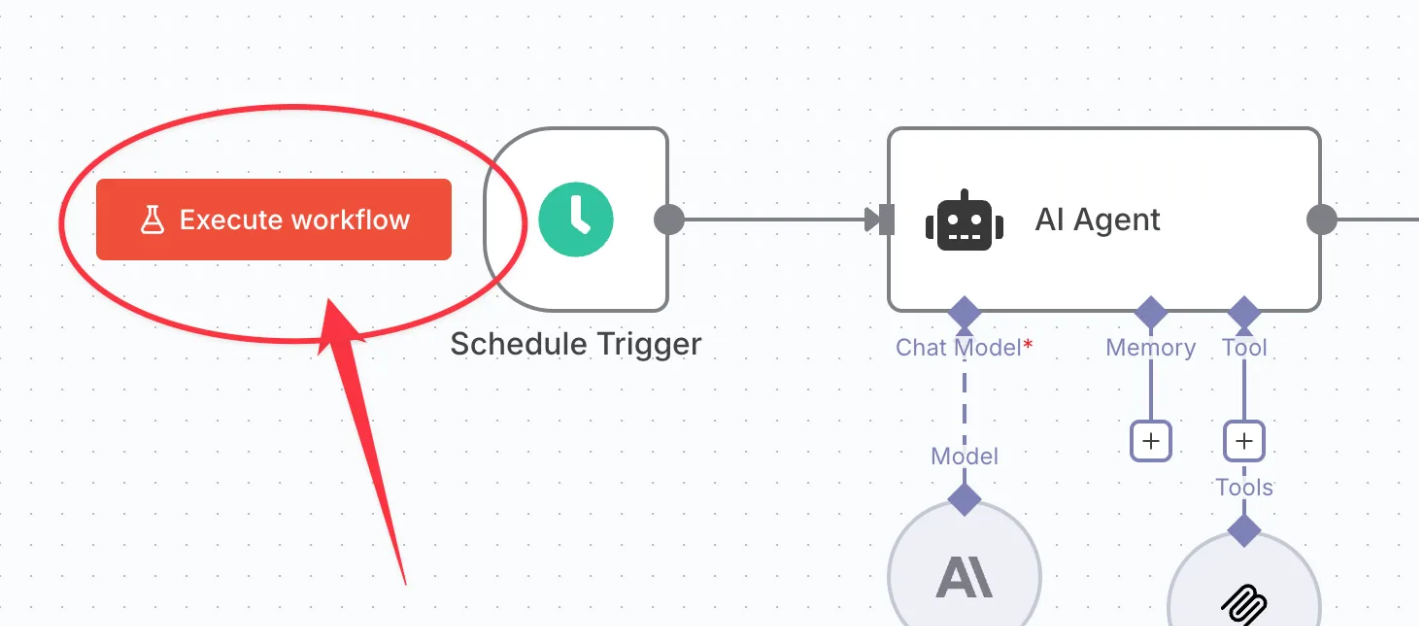
Wait for the workflow to complete and check you received an email:
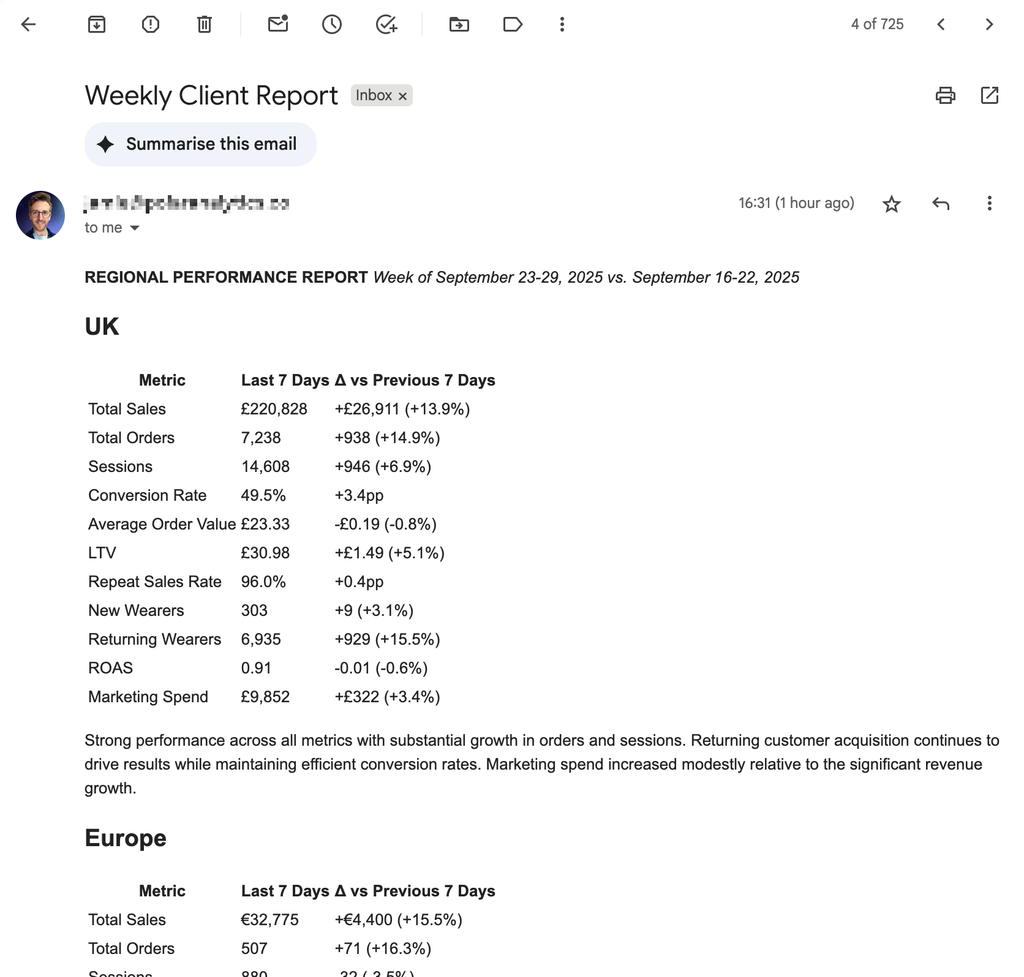
8. Set it live
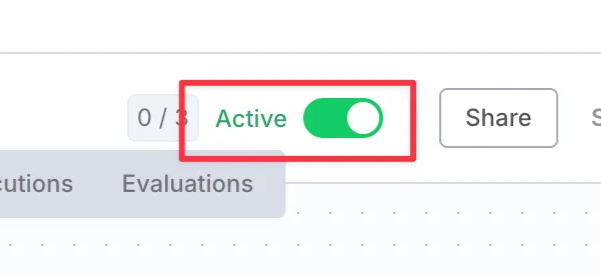
Set your workflow to “Active” at the top of the screen.
Workflow JSON
Copy this and import it into n8n. Then add your own Anthropic, Polar MCP and Gmail credentials, and set the email address in the Gmail node.
{
  "nodes": [
    {
      "parameters": {
        "promptType": "define",
        "text": "=The current date is {{ $now }}.\n\nUsing my `FolderName > DashboardName > BlockName` indicator section, and using each of my `Region` views create a rich text report showing:\n\nFor each Region:\n  Heading: Region name\n  Table: {for each metric} The last 7d value, with the delta vs the previous 7 days.\n  Link: Deep link to the report with correct view applied in Polar\n  Text: Brief summary in text of the key improvements/concerns\n\nStyle: Concise, business-like, no alarmist language (e.g. plummeted, crashed etc).\n\nIMPORTANT: Do not explain what you are doing or have done, only output the final report. Your output will be sent straight to an email formatter.",
        "options": {
          "systemMessage": "",
          "maxIterations": 50
        }
      },
      "id": "20775145-4c4a-4608-b8f3-89465d37b7b7",
      "name": "Fetch data from Polar",
      "type": "@n8n/n8n-nodes-langchain.agent",
      "position": [
        240,
        1712
      ],
      "typeVersion": 1.9,
      "retryOnFail": true
    },
    {
      "parameters": {
        "sendTo": "me@example.com",
        "subject": "Weekly Client Report",
        "message": "={{ $json.data }}",
        "options": {}
      },
      "type": "n8n-nodes-base.gmail",
      "typeVersion": 2.1,
      "position": [
        800,
        1712
      ],
      "id": "b9e7ce03-b32c-4028-aa76-d3eed24f4eab",
      "name": "Send as Email"
    },
    {
      "parameters": {
        "model": {
          "__rl": true,
          "value": "claude-sonnet-4-20250514",
          "mode": "list",
          "cachedResultName": "Claude Sonnet 4"
        },
        "options": {}
      },
      "type": "@n8n/n8n-nodes-langchain.lmChatAnthropic",
      "typeVersion": 1.3,
      "position": [
        192,
        2032
      ],
      "id": "29ec64da-7146-4bc8-bdb6-687033e40634",
      "name": "Anthropic Model"
    },
    {
      "parameters": {
        "endpointUrl": "https://api.polaranalytics.com/mcp",
        "serverTransport": "httpStreamable",
        "authentication": "bearerAuth",
        "options": {}
      },
      "type": "@n8n/n8n-nodes-langchain.mcpClientTool",
      "typeVersion": 1.1,
      "position": [
        464,
        2016
      ],
      "id": "da0b86a7-4f35-4906-b73e-415970b5c5a8",
      "name": "Polar MCP"
    },
    {
      "parameters": {
        "mode": "markdownToHtml",
        "markdown": "={{ $json.output }}",
        "options": {
          "tables": true
        }
      },
      "type": "n8n-nodes-base.markdown",
      "typeVersion": 1,
      "position": [
        608,
        1712
      ],
      "id": "375efc27-9797-45e7-8664-5939c8d17f3d",
      "name": "Convert to HTML",
      "notesInFlow": false
    },
    {
      "parameters": {
        "content": "Edit the Prompt to instruct the AI which dashboards to check and how to build the report.",
        "height": 272,
        "width": 304,
        "color": 7
      },
      "type": "n8n-nodes-base.stickyNote",
      "position": [
        208,
        1600
      ],
      "typeVersion": 1,
      "id": "ed3e69f2-c359-4c0a-b8d7-4fb59736e70b",
      "name": "Sticky Note"
    },
    {
      "parameters": {
        "content": "1. Connect your Gmail account\n2. Specify the destination email and subject",
        "height": 272,
        "width": 304,
        "color": 7
      },
      "type": "n8n-nodes-base.stickyNote",
      "position": [
        768,
        1600
      ],
      "typeVersion": 1,
      "id": "49a97e7a-4a8a-4202-aed0-49ae3134b5a7",
      "name": "Sticky Note1"
    },
    {
      "parameters": {
        "content": "Set your timing",
        "height": 272,
        "width": 176,
        "color": 7
      },
      "type": "n8n-nodes-base.stickyNote",
      "position": [
        -80,
        1600
      ],
      "typeVersion": 1,
      "id": "f38eeec8-b9d2-46ab-97b9-0238d3537d59",
      "name": "Sticky Note2"
    },
    {
      "parameters": {
        "rule": {
          "interval": [
            {
              "field": "weeks",
              "triggerAtDay": [
                1
              ],
              "triggerAtHour": 6
            }
          ]
        }
      },
      "id": "e53ddcec-efc2-4b79-9e85-0b8f456fa02d",
      "name": "Scheduler",
      "type": "n8n-nodes-base.scheduleTrigger",
      "position": [
        -32,
        1712
      ],
      "typeVersion": 1.2
    },
    {
      "parameters": {
        "content": "Add your Anthropic API Key",
        "height": 240,
        "width": 224,
        "color": 7
      },
      "type": "n8n-nodes-base.stickyNote",
      "position": [
        112,
        1952
      ],
      "typeVersion": 1,
      "id": "a1cbf668-6276-4035-b86a-c8a2bd7d84f8",
      "name": "Sticky Note3"
    },
    {
      "parameters": {
        "content": "Add your PolarMCP Bearer Token",
        "height": 240,
        "width": 224,
        "color": 7
      },
      "type": "n8n-nodes-base.stickyNote",
      "position": [
        400,
        1952
      ],
      "typeVersion": 1,
      "id": "8f94f10b-b9ee-4a00-b356-b56473c069cf",
      "name": "Sticky Note4"
    }
  ],
  "connections": {
    "Fetch data from Polar": {
      "main": [
        [
          {
            "node": "Convert to HTML",
            "type": "main",
            "index": 0
          }
        ]
      ]
    },
    "Anthropic Model": {
      "ai_languageModel": [
        [
          {
            "node": "Fetch data from Polar",
            "type": "ai_languageModel",
            "index": 0
          }
        ]
      ]
    },
    "Polar MCP": {
      "ai_tool": [
        [
          {
            "node": "Fetch data from Polar",
            "type": "ai_tool",
            "index": 0
          }
        ]
      ]
    },
    "Convert to HTML": {
      "main": [
        [
          {
            "node": "Send as Email",
            "type": "main",
            "index": 0
          }
        ]
      ]
    },
    "Scheduler": {
      "main": [
        [
          {
            "node": "Fetch data from Polar",
            "type": "main",
            "index": 0
          }
        ]
      ]
    }
  },
  "pinData": {},
  "meta": {
    "templateCredsSetupCompleted": true
  }
}