Use Polar MCP in Manus
Last updated: September 17, 2026
How to connect Polar MCP to Manus from Meta
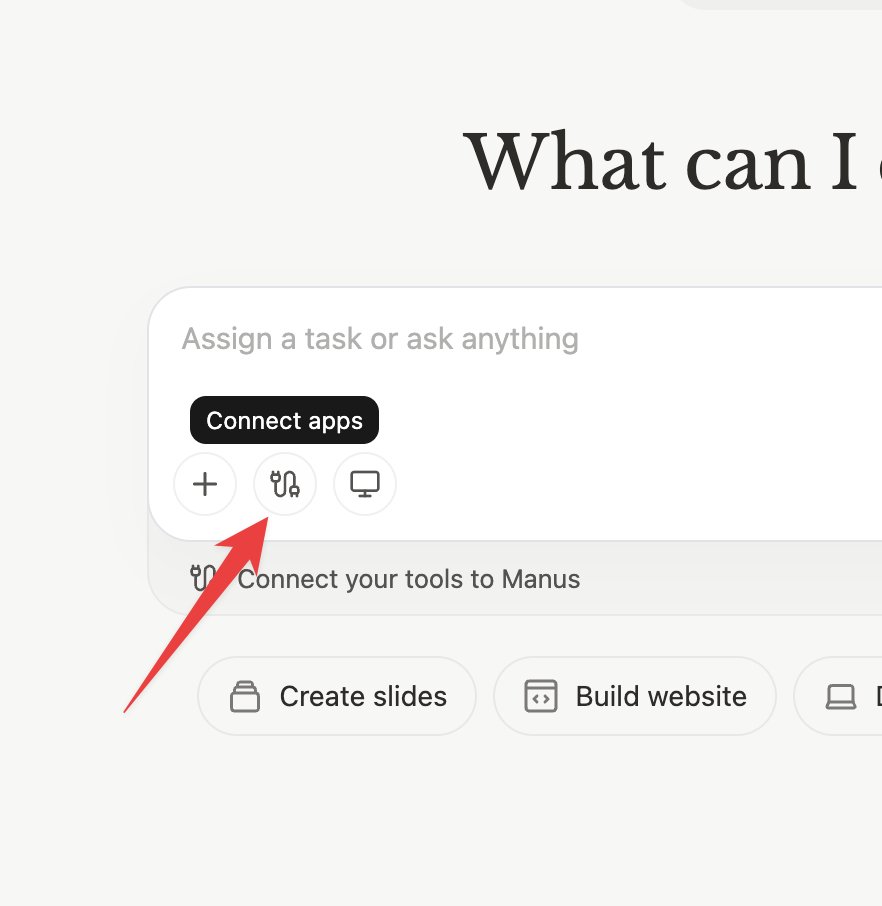
Click the Connect apps button
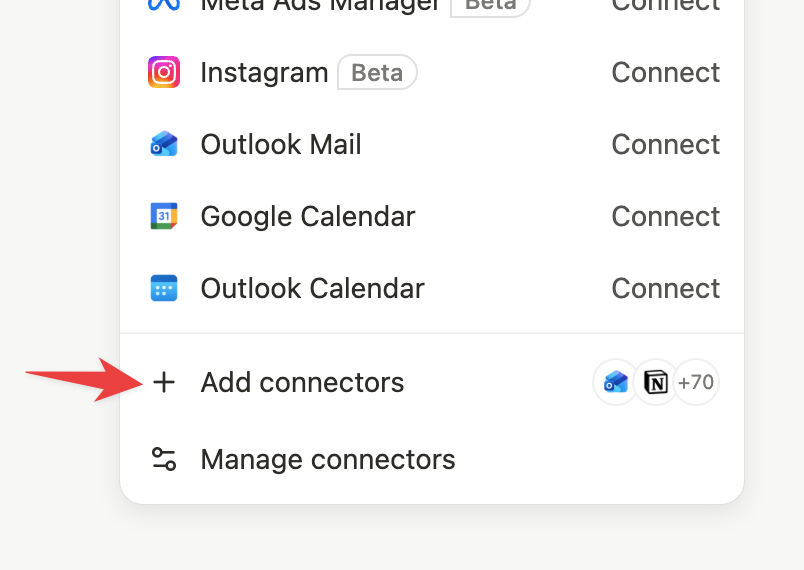
Click “Add connectors”
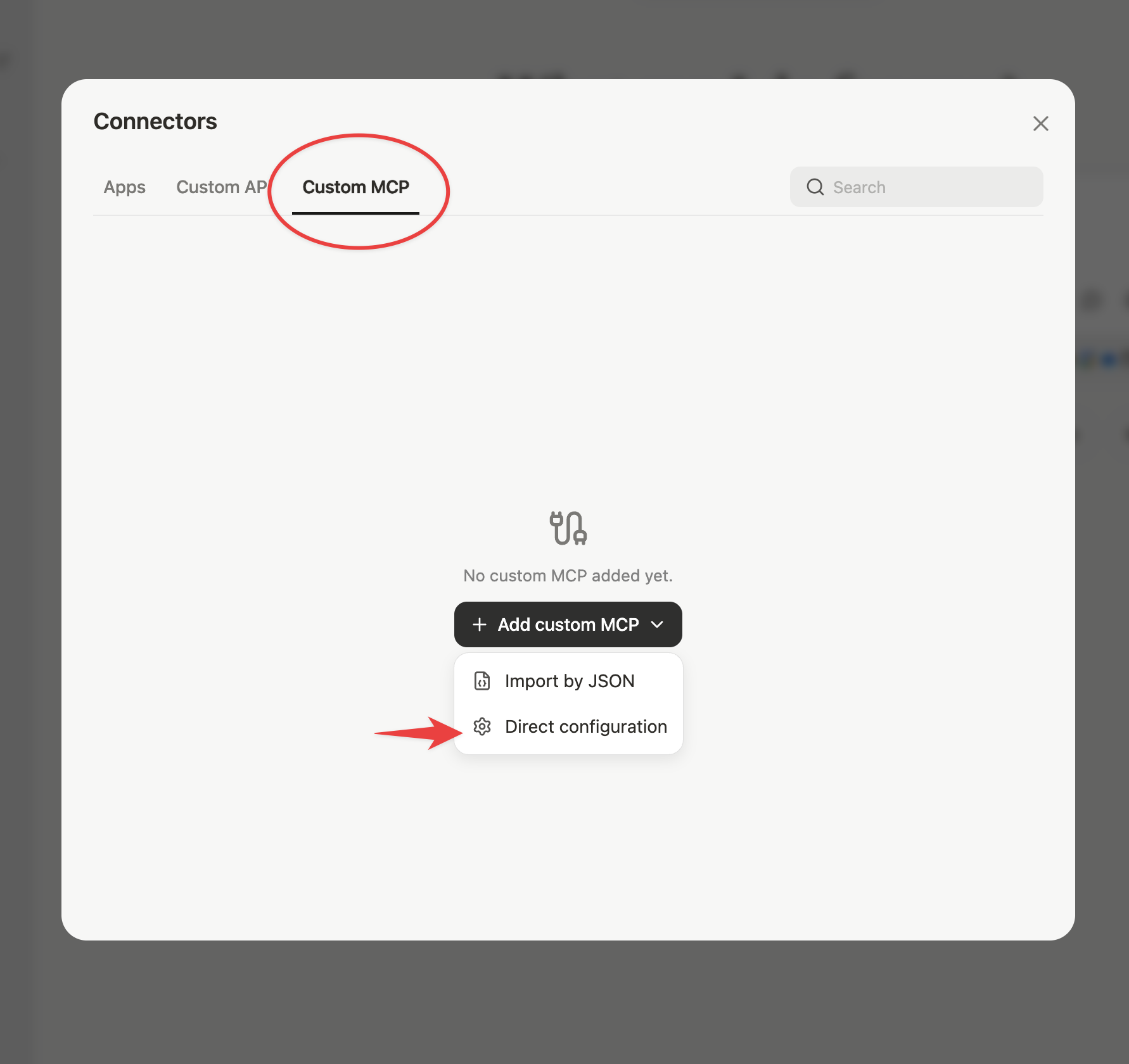
Go to “Custom MCP” and click “Add custom MCP > Direct Configuration”
Put these details in the form:
Server Name:
PolarTransport Type:
HTTPIcon:
https://app.polaranalytics.com/logo180.pngNote: Something to describe when to use Polar, suggestion:
Polar provides retail, ecommerce and marketing data about my businessServer URL:
https://api.polaranalytics.com/mcpCustom Headers:
Header name:
AuthorizationHeader Value:
Bearer YOUR_API_KEY(Replace
YOUR_API_KEYwith a Key from the Polar MCP page. Ensure you have a single space betweenBearerand the key.)
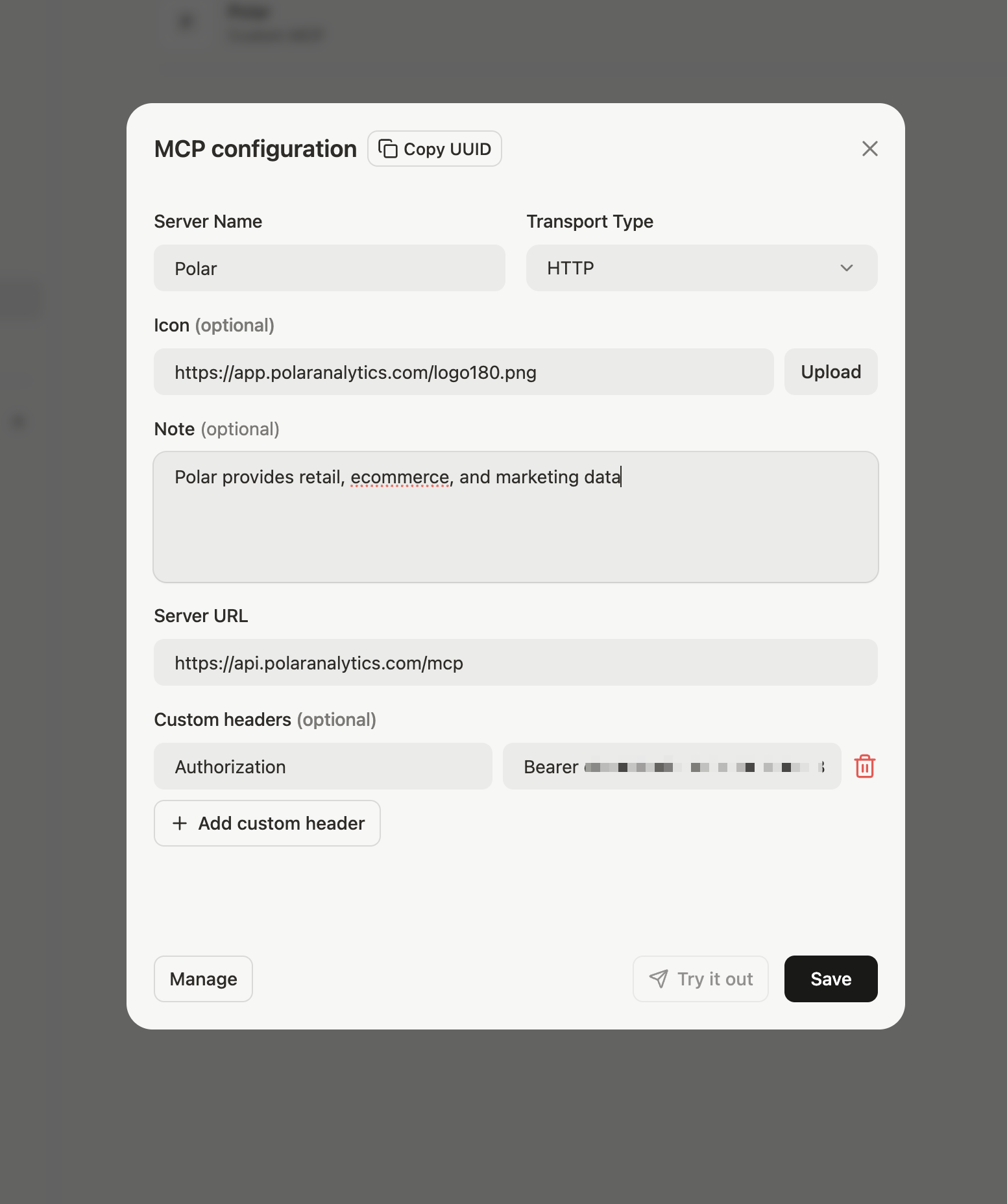
Press Save and then press Try it out.