Troubleshooting Data Discrepancies between Shopify and Polar
Last updated: September 25, 2026
If revenue, orders, refunds or taxes in Polar don't match Shopify, it's usually because the two use different reporting logic, filters, or settings, not because data is missing. This article explains the most common causes and how to reconcile the numbers.
How Polar processes Shopify data
Polar imports raw transactional data from the Shopify API: orders and line items, discounts, taxes, full and partial refunds, and cancellations. It then applies consistent analytics logic so metrics behave the same way across time periods, reports, and stores. Shopify's dashboards, by contrast, apply their own filters, rounding and inclusions.
Use the right Shopify report
Comparing Polar to the wrong Shopify view is the most common cause of confusion. Don't use Shopify's Home dashboard to validate numbers. Use one of these instead:
Sales › Total Sales by Date: best for high-level revenue trends. Select Net Sales when comparing to Polar revenue.
Analytics › Reports › Finances Summary: useful for payouts, refunds and fees, and often closest to Polar's net revenue logic.
Orders › Export Orders (CSV): best for comparing individual orders.
Common causes of discrepancies
Date range and time zone
Shopify reports use your store's local time zone. Make sure the date range and time zone match in both tools before comparing.
Gross vs. net revenue
Both tools may say "revenue" but mean different things. Shopify dashboards often show Gross Sales, while Polar typically reports net revenue, which accounts for discounts, refunds and cancellations. See the metric definitions in the Shopify article.
Refund timing
Depending on the report, Shopify may attribute a refund to the original order date or to the refund date. Polar always records refunds on the refund transaction date. So a refund issued today for last month's order can land in different periods in each tool.
Order edits and exchanges
Shopify Analytics can count edited orders, such as item exchanges, twice: once on the day the order was placed and again on the day it was edited. Polar uses the original order data from the API, so it doesn't double-count them. Returns are recorded on the day they're processed in both tools.
Canceled, voided and test orders
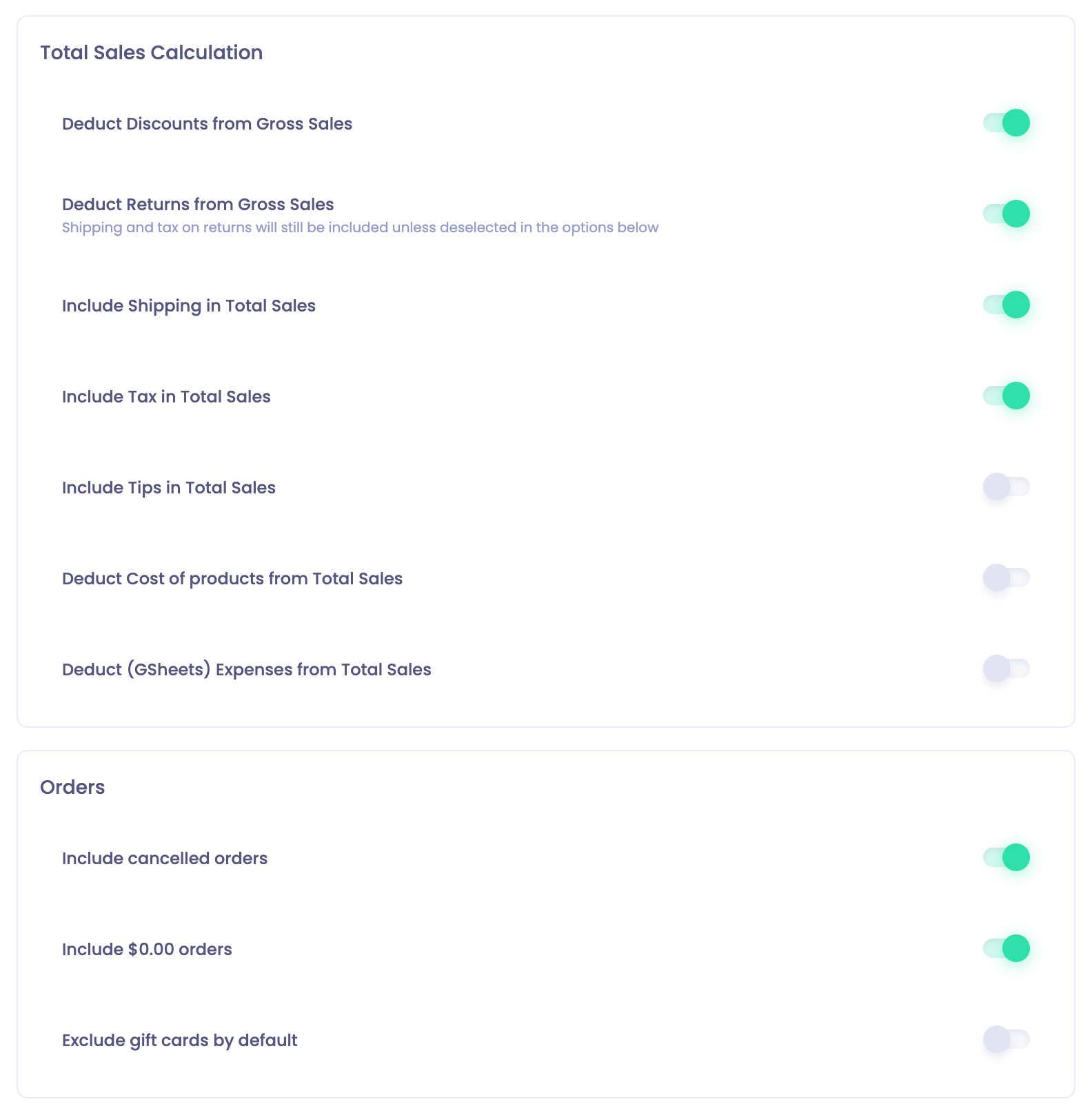
Shopify reports may include or exclude these depending on filters. Polar automatically excludes test orders and applies consistent rules to canceled or voided orders. You can review these rules in Polar under Settings › Data Settings › Order Inclusion Rules.
Multiple currencies
If you sell in several currencies, Shopify may show the presentment currency, while Polar converts values using consistent exchange rates. This can cause small, expected differences, especially over long date ranges.
Sales channel attribution
If a return or exchange happens in a different channel from the original sale (for example, bought online and returned in store), your numbers by channel depend on which sales channel dimension you use. See Shopify Sales Channels.
Reconciliation checklist
Confirm you're comparing the same metric in both tools.
Match the date range and time zone.
Use a detailed Shopify report, not the Home dashboard.
Review your Polar Data Settings for revenue, refunds, orders and currency.
Compare at the order level (below).
Compare order by order
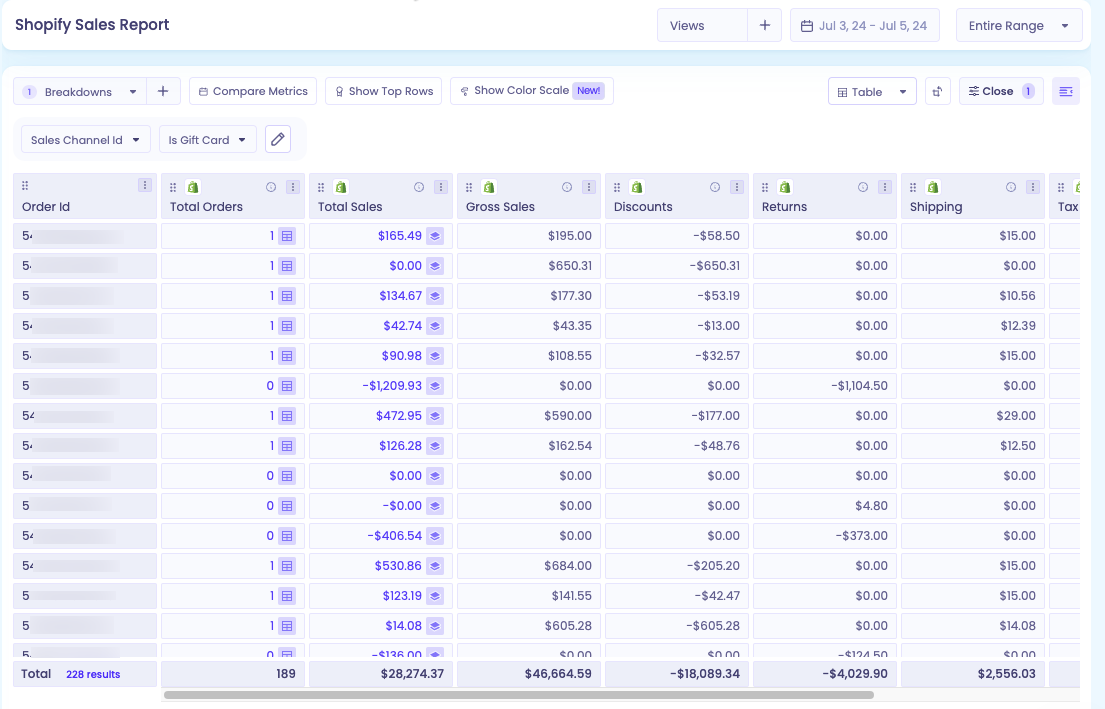
If the numbers still don't line up, compare Polar and Shopify at the same level of detail. Build a custom table in Polar that matches Shopify's Sales over time report: use the same metric (for example, Gross Sales, Discounts or Returns) and the same date range, with no extra filters.
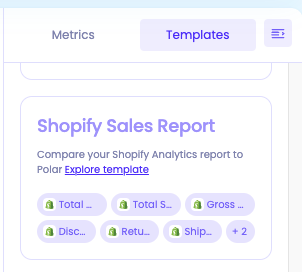
Pick a small date range.
Break down the table by Order ID and sort by the highest values.
If an order doesn't match, open it in Shopify under Orders to see what changed.
If you still can't reconcile the numbers, reach out through the in-app chat and include the metric name, date range, the Shopify report you used, and screenshots.