Understanding the Retention Tab
Last updated: November 5, 2026
The Retention tab shows your LTV (lifetime value) metrics and cohort tables.
LTV metrics
The LTV summary at the top of the Retention tab shows your LTV, average order value (AOV), and average number of orders per customer. The date range at the top right of the page doesn't affect these numbers. They change only when you change the Customer Lifespan In Days filter at the top of the dashboard.
The video below walks through the LTV summary. For how LTV is calculated, see How is LTV calculated in Polar?
Cohort tables
The video below walks through the cohort tables. To learn how to read them, see Understanding Cohort Analysis.
What New Sales includes
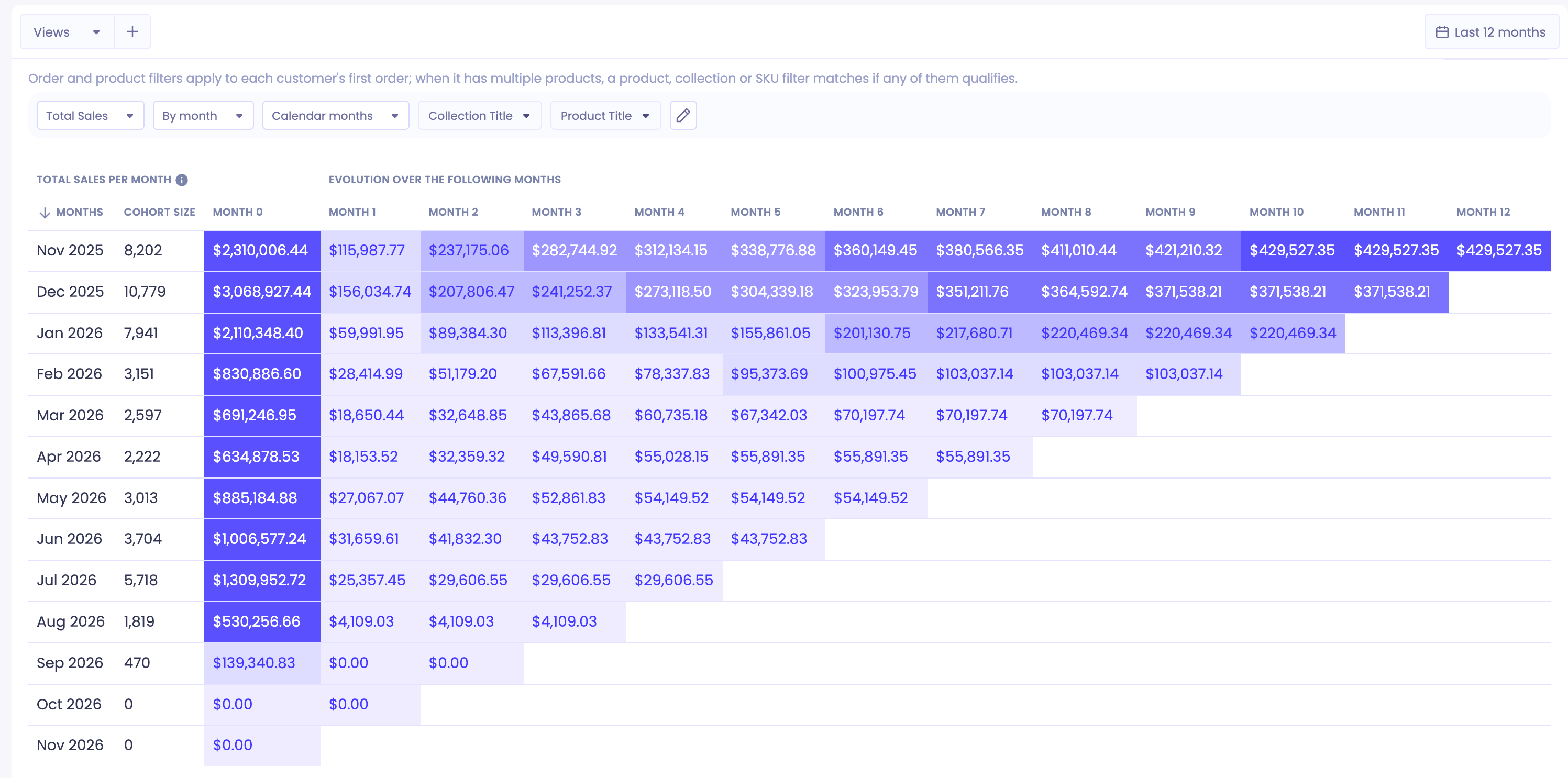
To see New Sales in the cohort tables, select Total Sales in the metric picker and set the period to Calendar months. The first column (Month 0) shows each cohort's New Sales.
New Sales for a cohort includes:
Sales from customers' first orders in that month
Sales from any other orders those customers place before the end of that same month
For example, a customer places their first order on 1 November and a second order on 20 November. Both orders count toward New Sales for the November cohort.
Polar includes gift card sales unless Exclude gift cards by default is turned on in Data Settings. Shopify doesn't include them, so New Sales in Polar can be higher than in Shopify.
To match these New Sales figures in a custom table, see How can I match my cohort table New Sales in a Custom Table?