Use Polar MCP in Make
Last updated: September 17, 2026
Learn how to connect Polar MCP to Make so you can automate workflows that use your unified ecommerce and marketing data.
This guide shows you how to integrate Polar MCP with Make so you can build automated workflows that tap directly into your ecommerce data — no code needed. Whether you're automating reports, alerts, or cross-platform processes, following these steps will get you up and running quickly.
Create an Agent and give it a system prompt
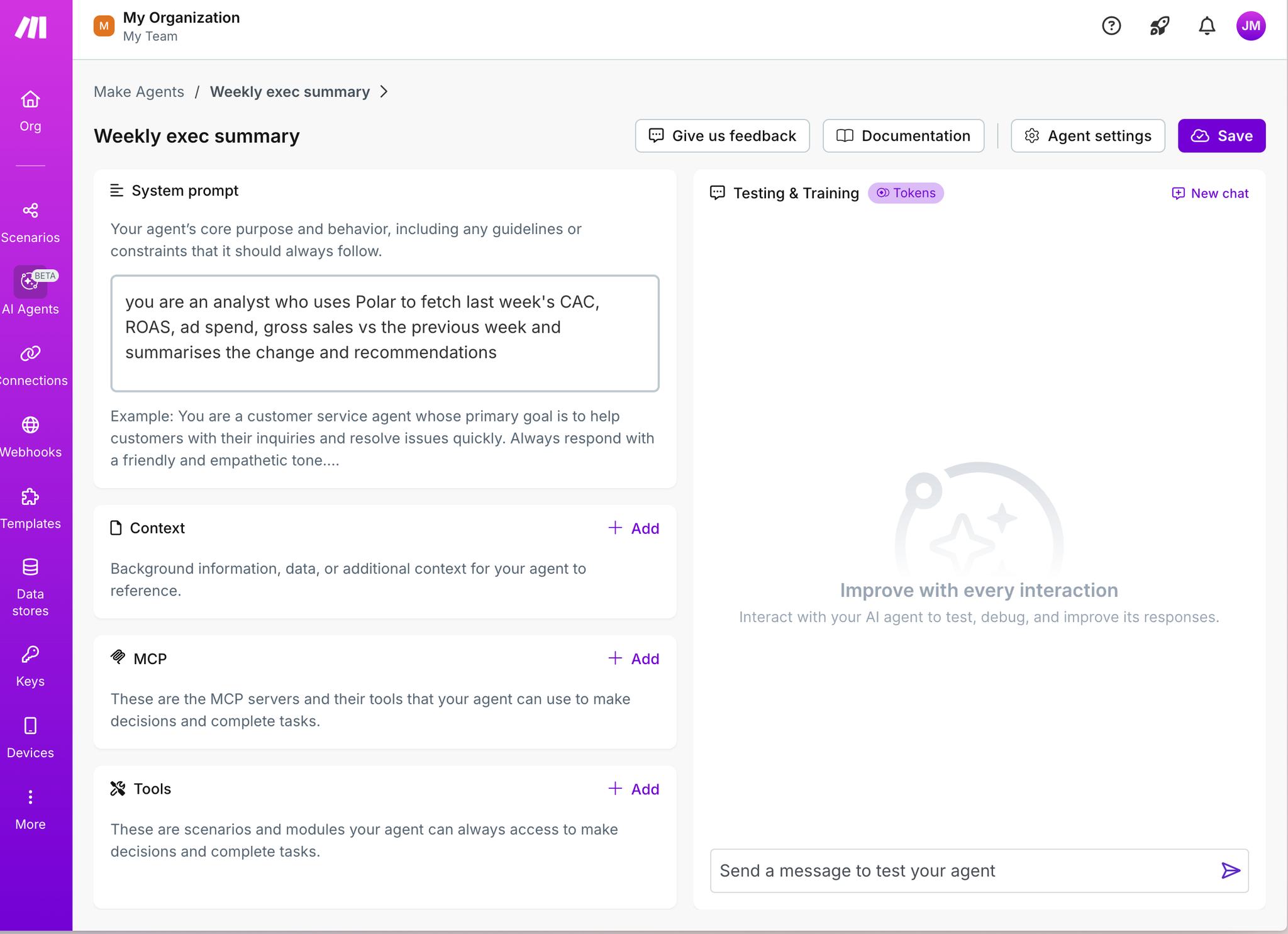
Add an MCP server
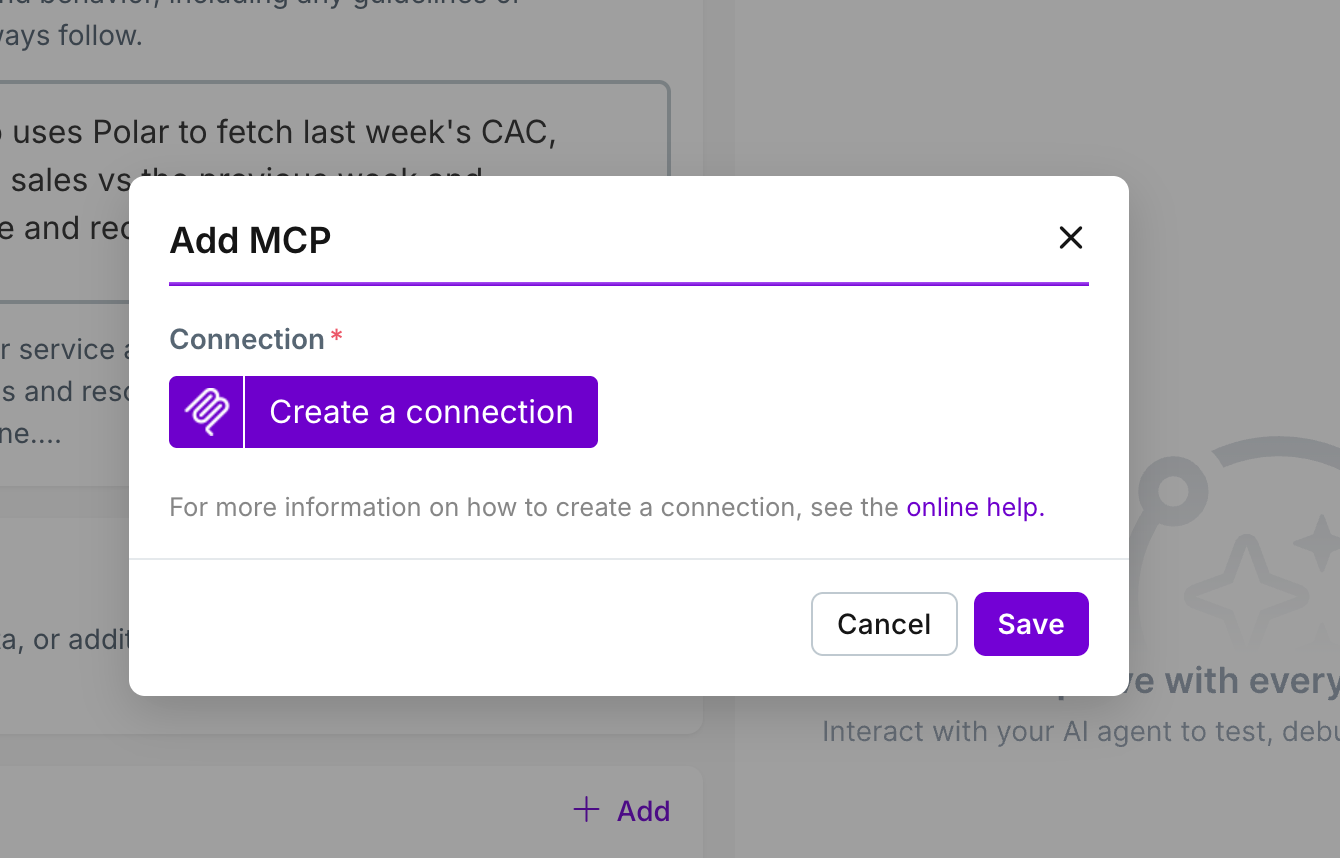
Choose a new MCP server
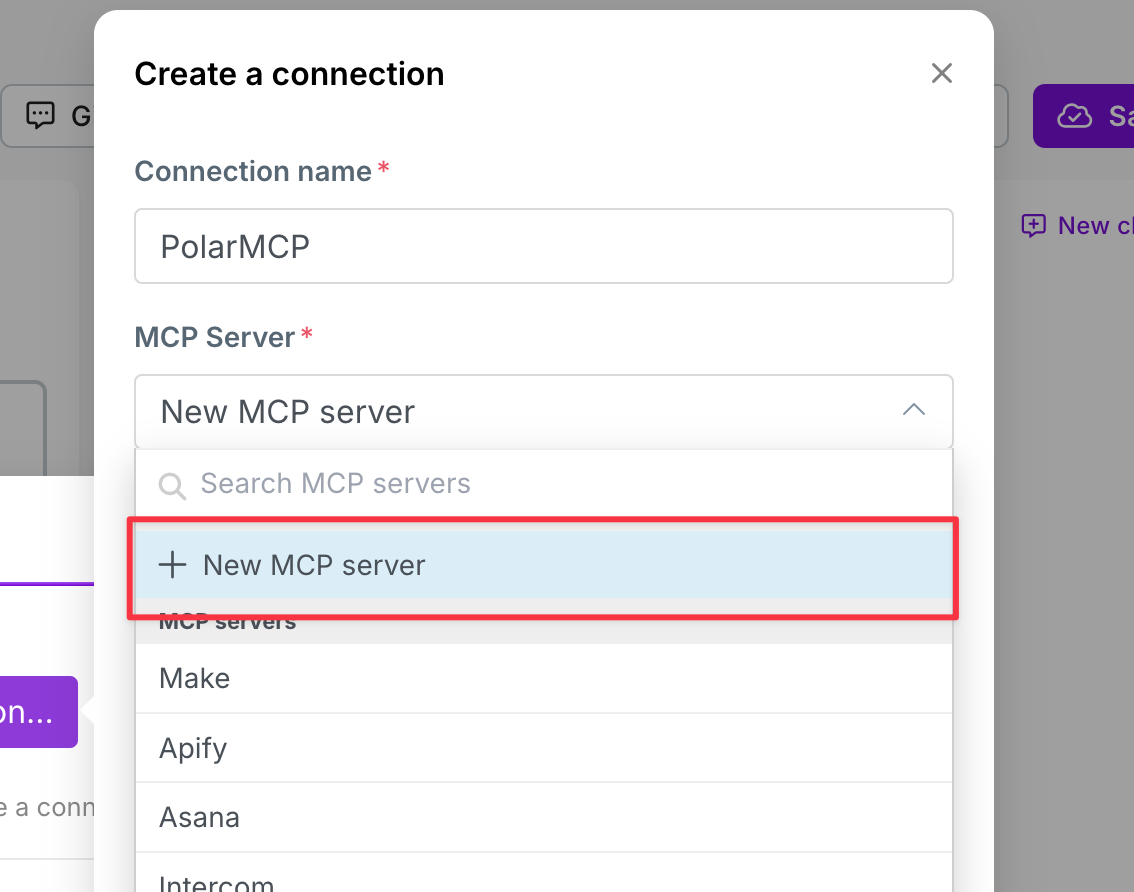
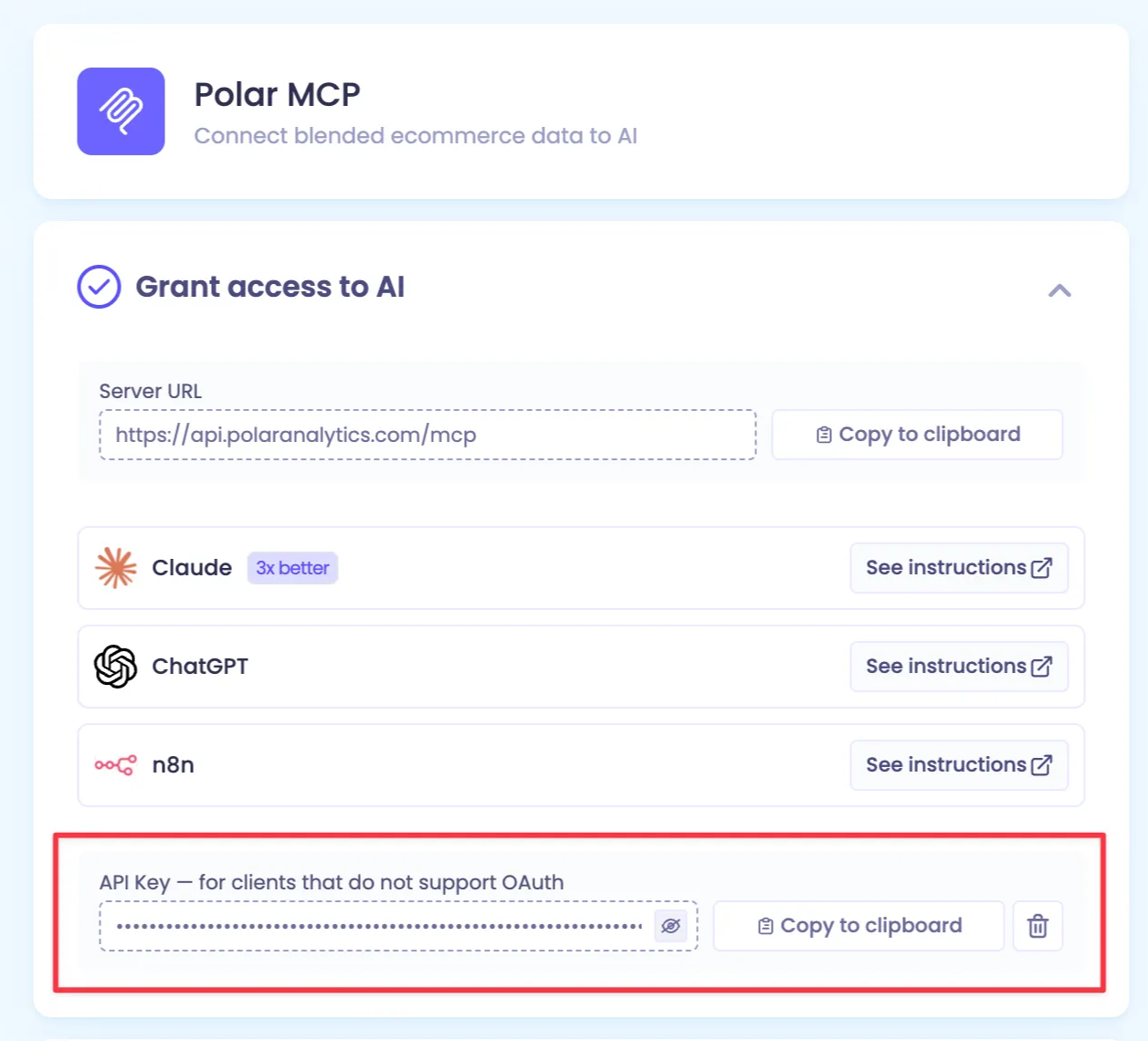
Add Polar MCP Details
URL: https://api.polaranalytics.com/mcp
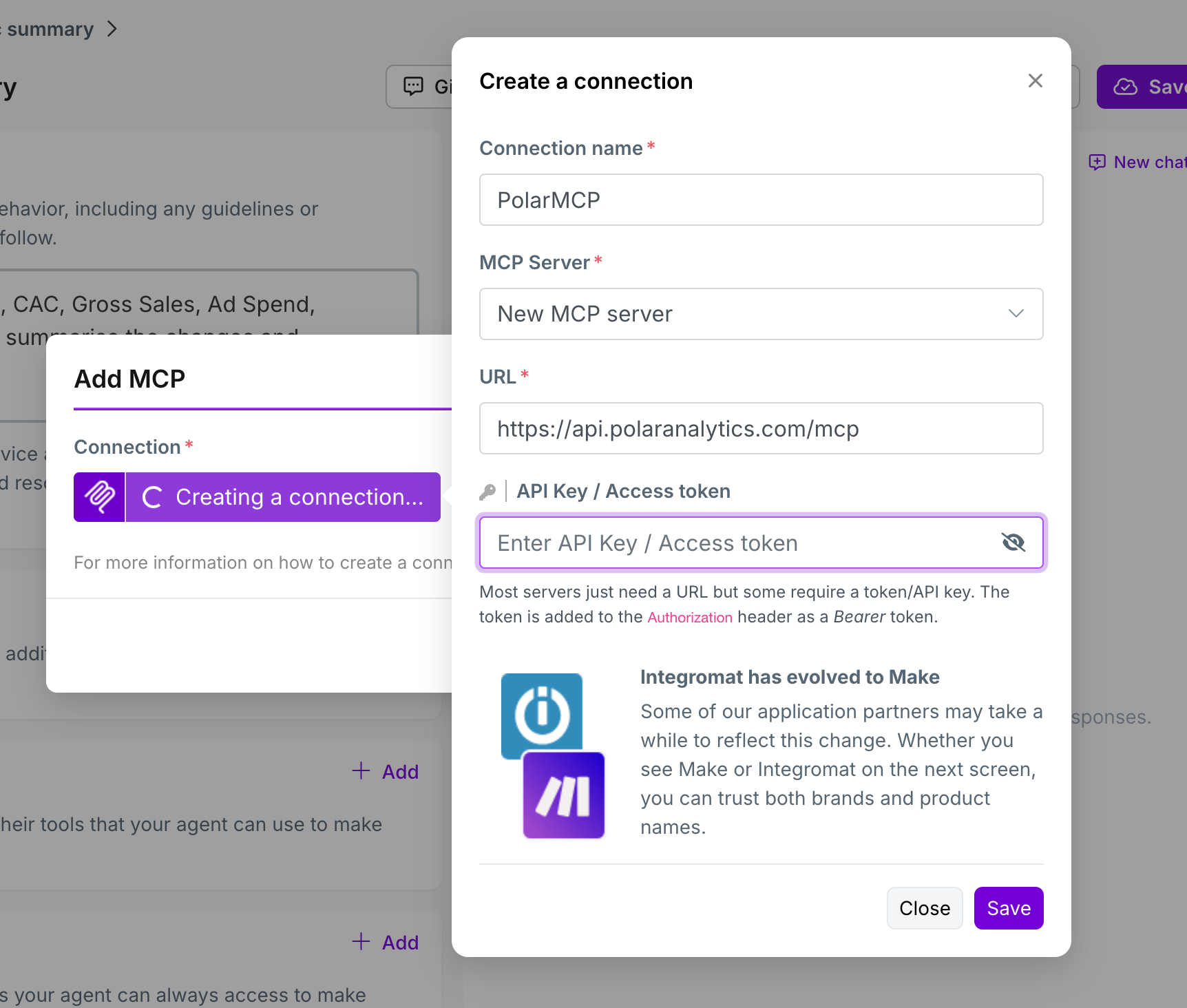
Find the API key in Polar: https://app.polaranalytics.com/m
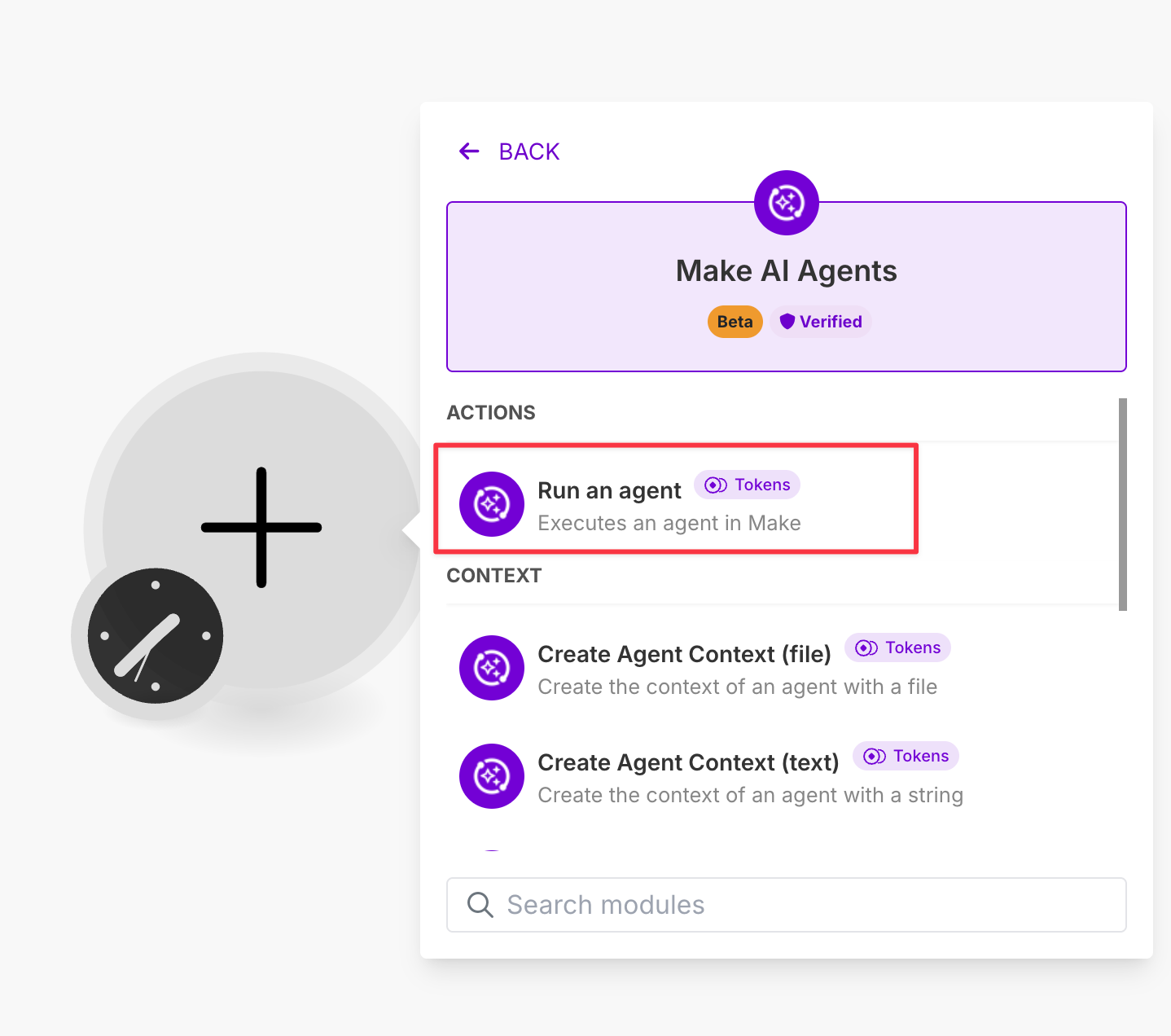
Add an “Run an agent” to your scenario
Choose your new agent
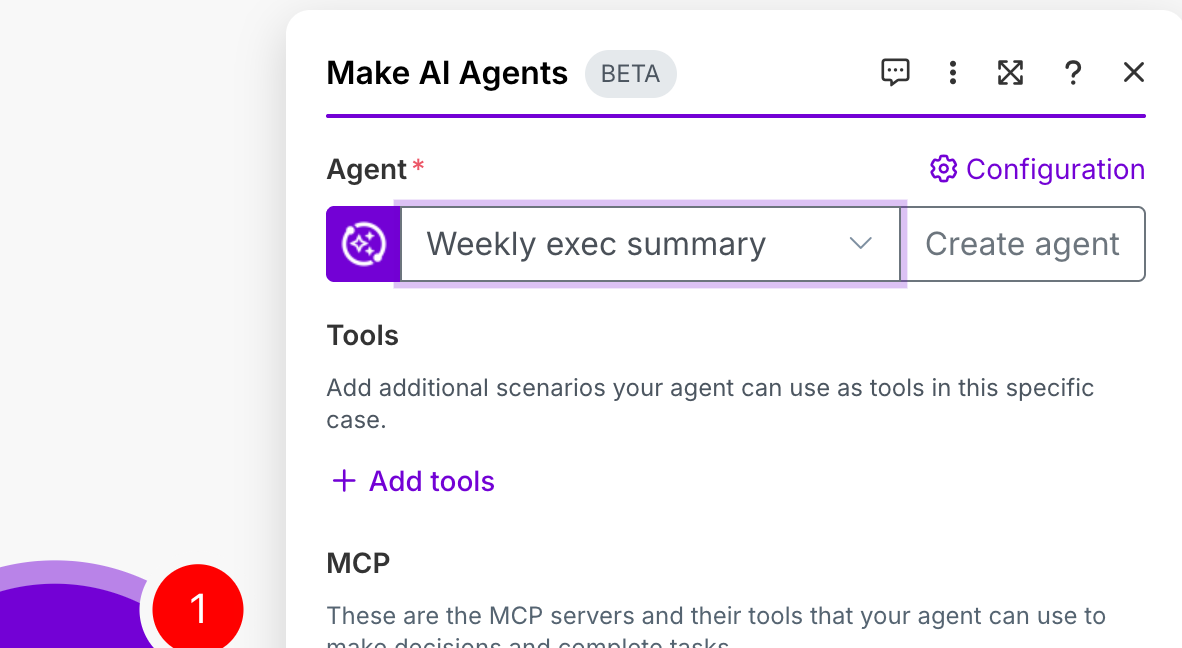
Close the pop-up
Add a Markdown to Html node
Choose
responsefrom the agent as the Markdown input
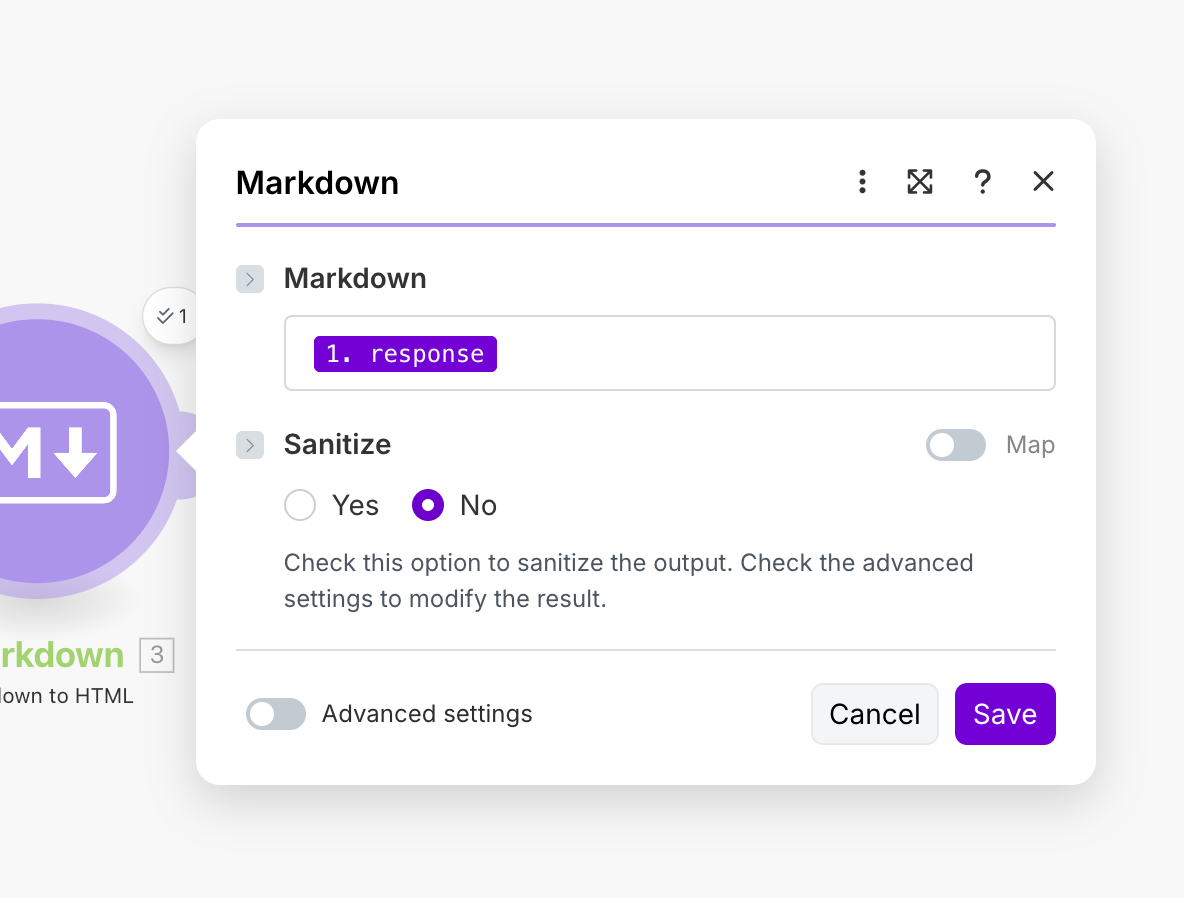
Add a Gmail node
Create a connection to gmail, and add the
HTMLvalue from the markdown node to the email content.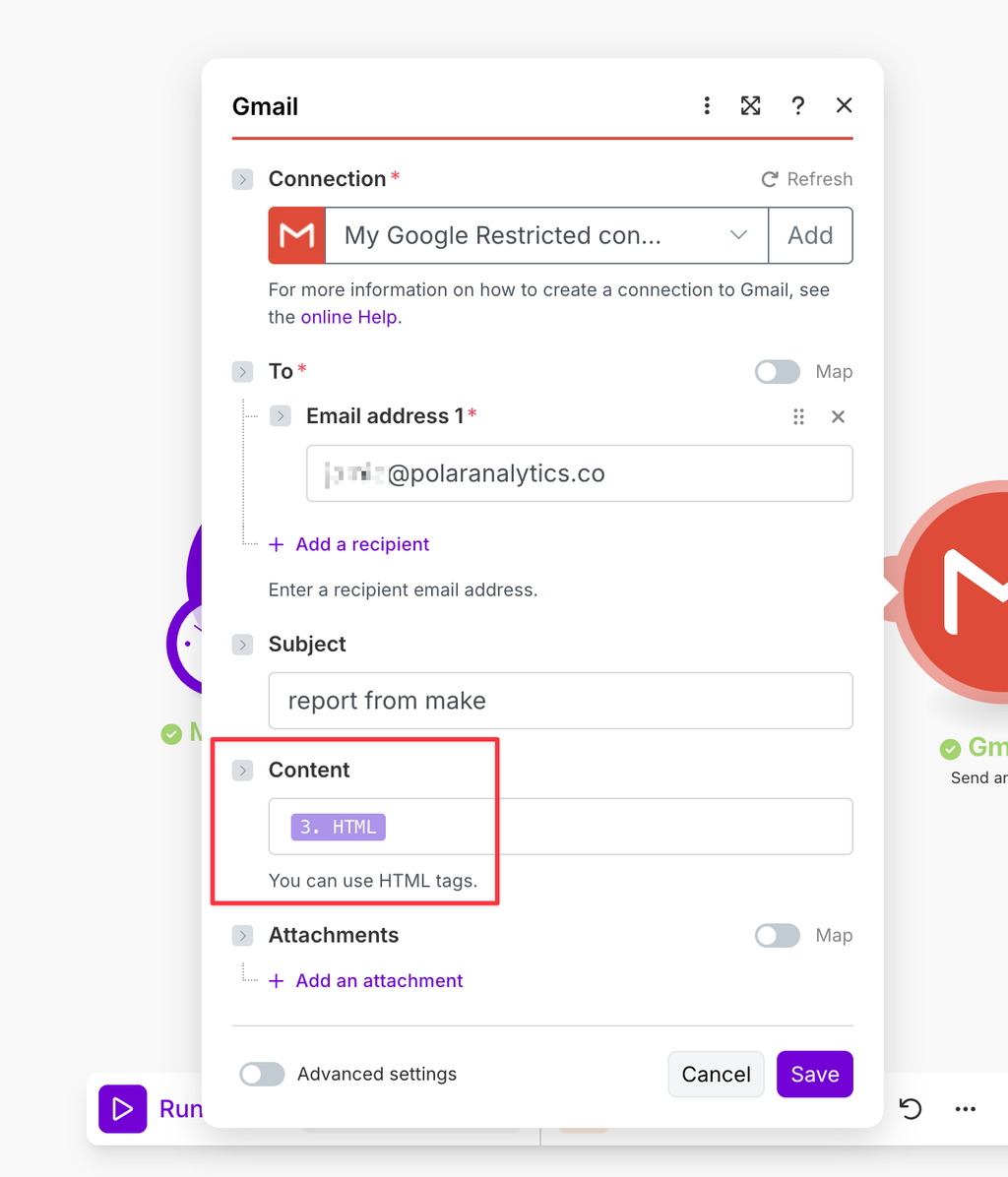
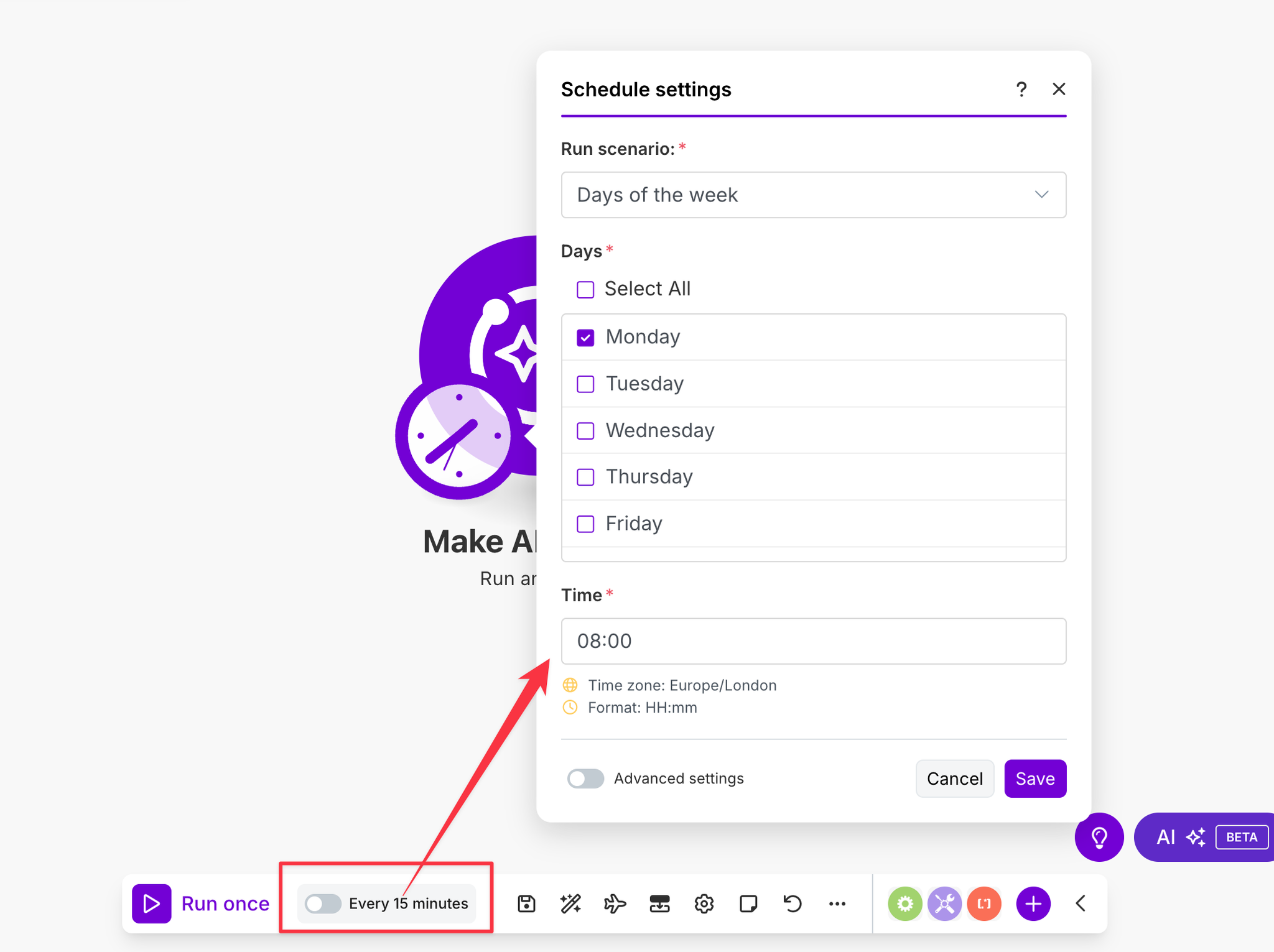
Set up your schedule
Click “Every 15 minutes” and change it to weekly on Monday at 8am
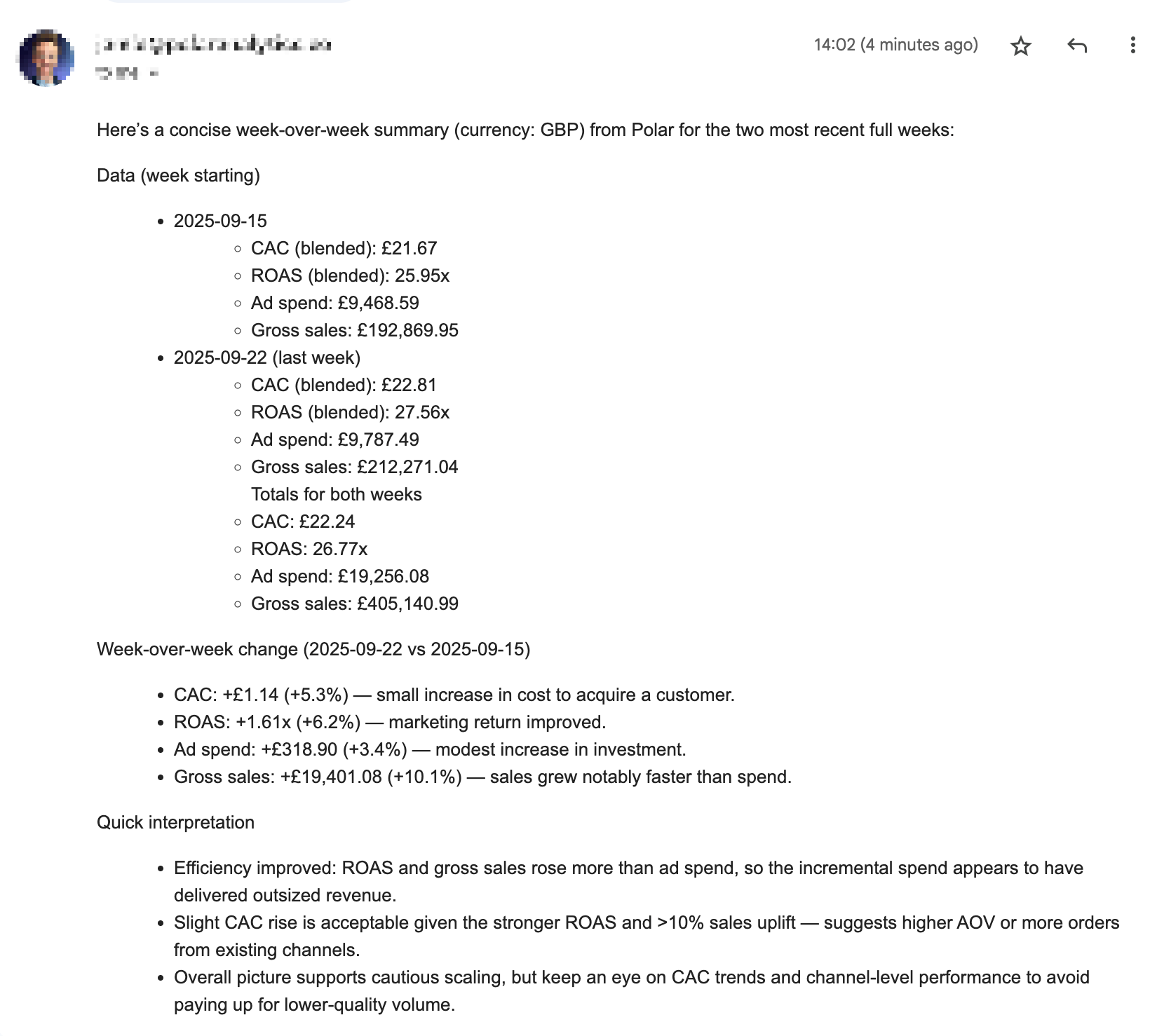
Click "Run Once" to test immediately
Check your inbox for an email
Now that you’ve connected Polar MCP to Make and built your first automation, you’re free to leverage unified ecommerce metrics (like CAC, ROAS, LTV, inventory levels, and more) in powerful, hands-off workflows. If you ever hit a snag, refer back to the troubleshooting or configuration sections — then sit back and let your data drive action.