Use the Polar MCP with n8n (with Slack)
Last updated: September 17, 2026
Step-by-step guide on how to install the Polar MCP in n8n with Slack
This guide walks you through how to use Polar MCP inside n8n to generate automated KPI summaries and send them directly to Slack each morning. Using Polar as a data source, Anthropic’s Claude as your reasoning engine, and Slack as your output channel, you can build a fully automated reporting workflow in just a few steps.
We’ll provide the required connection settings, a complete workflow you can copy, and a step-by-step tutorial to help you get everything running smoothly—even if you’re new to n8n or MCP.
Getting Started
To complete the Polar MCP installation in n8n, you will need:
Polar account (sign up here)
n8n account (both paid and free accounts can be used)
A paid Anthropic API key
In this article, we’ll build a simple workflow to:
Pull KPIs from Polar Dashboards
Iterating through a set of regional Views
and send an email report.
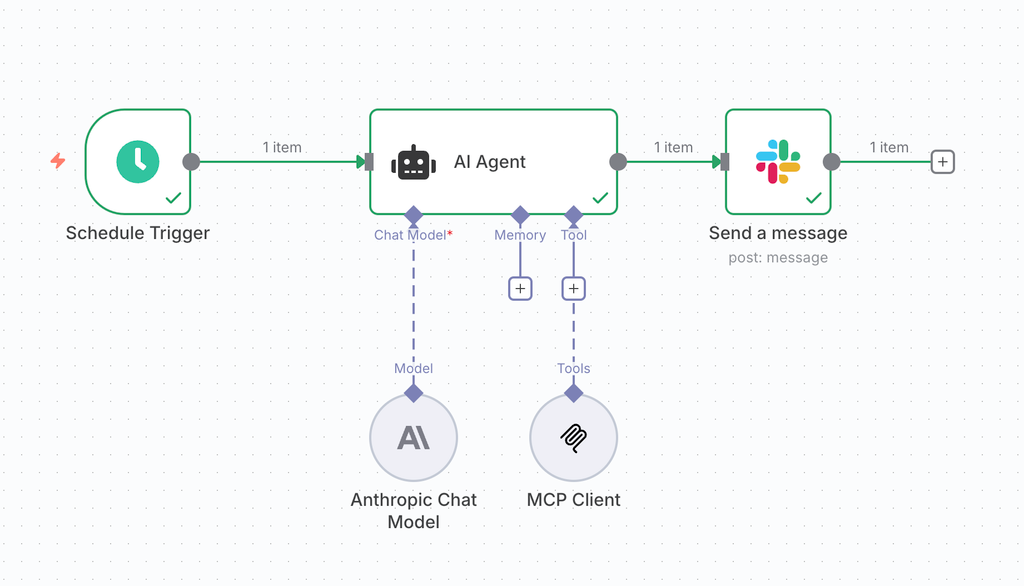
Workflow
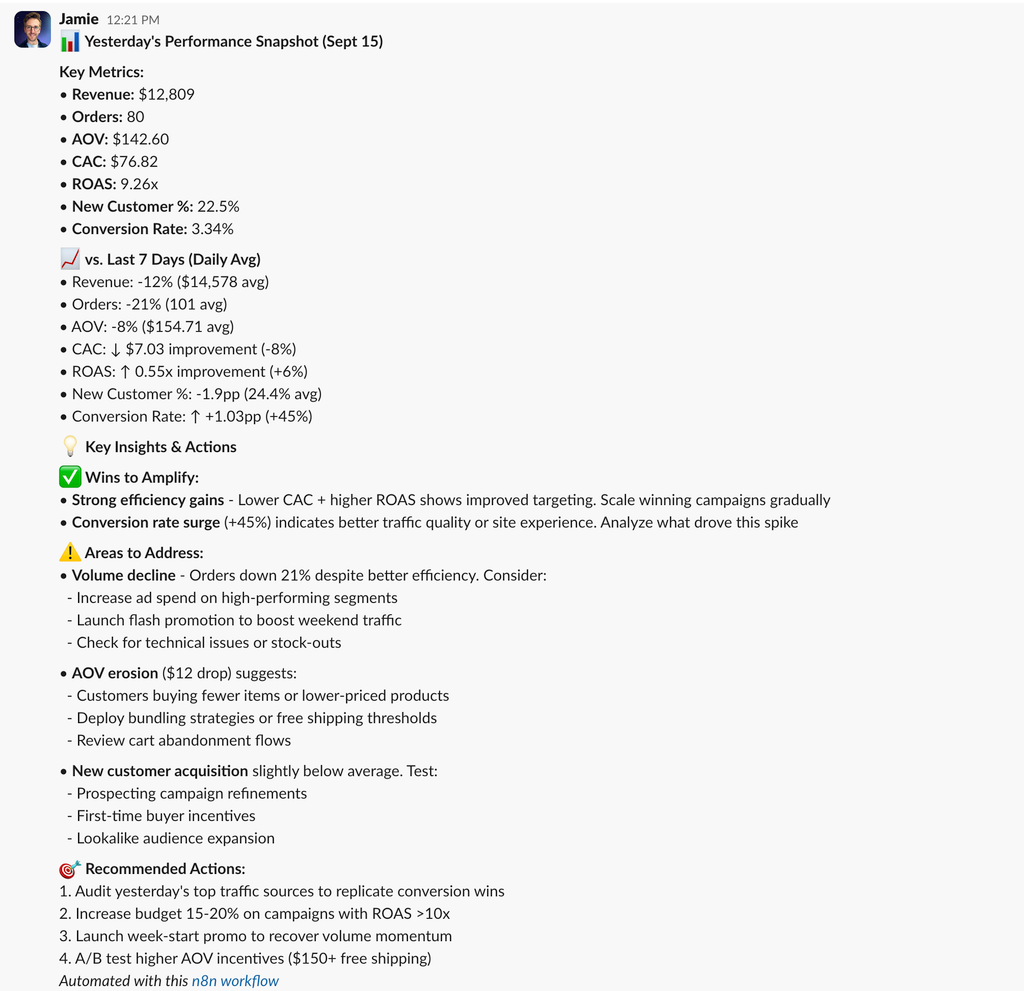
Example output in Slack
1. Add a schedule trigger
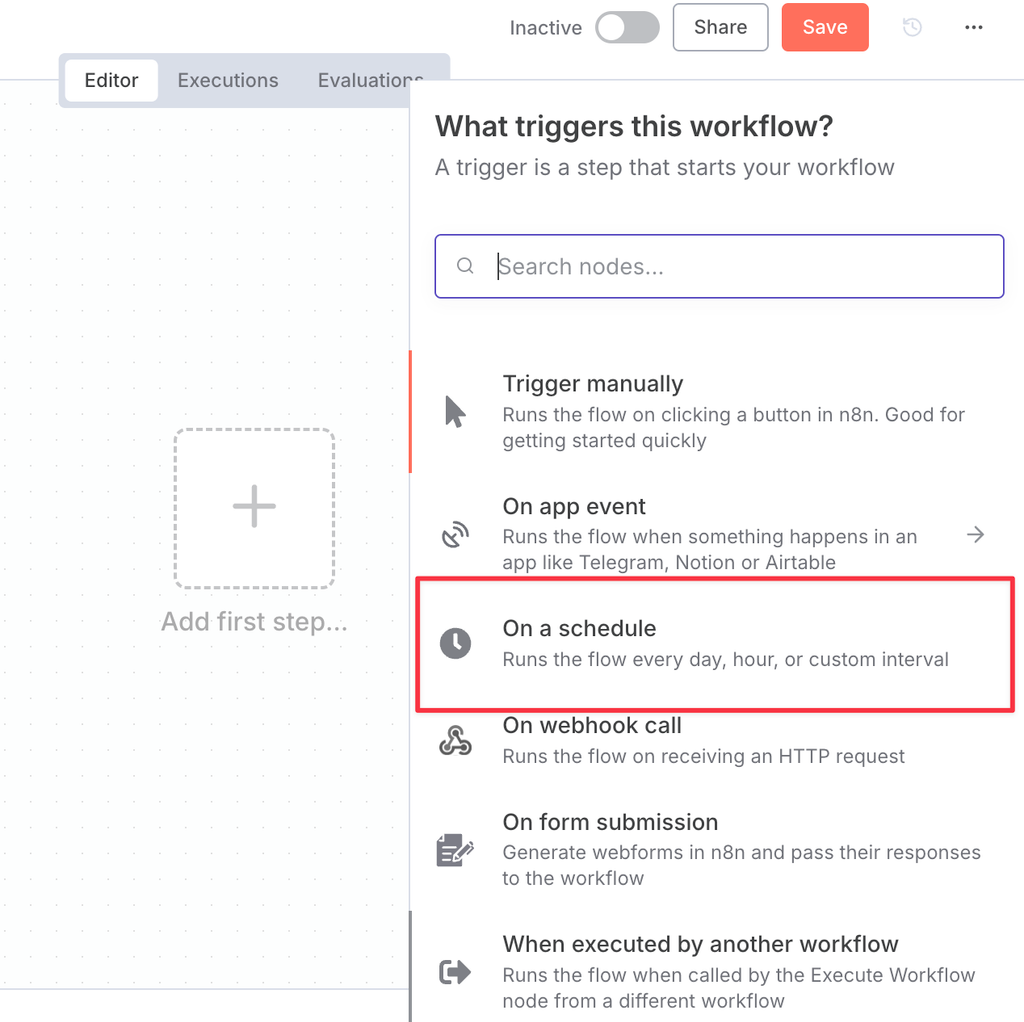
Set to trigger daily at 6am
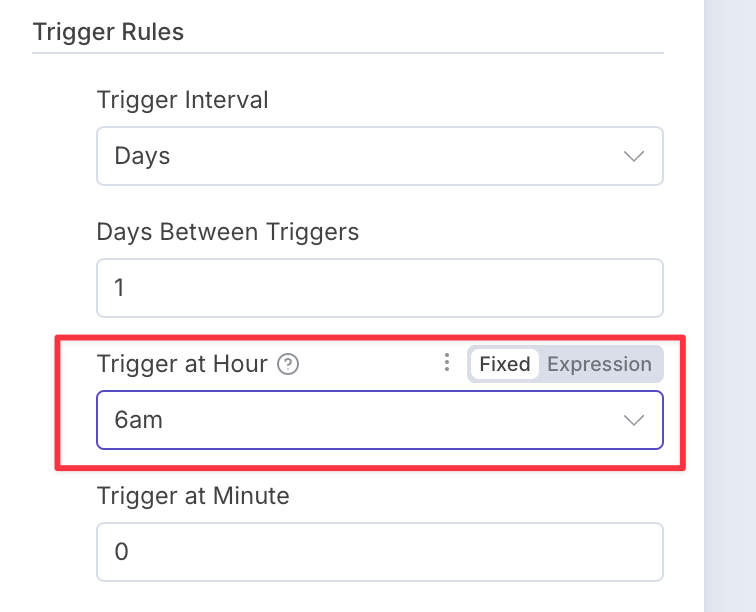
Click “Back to canvas” to close this popup.
2. Add an AI Agent
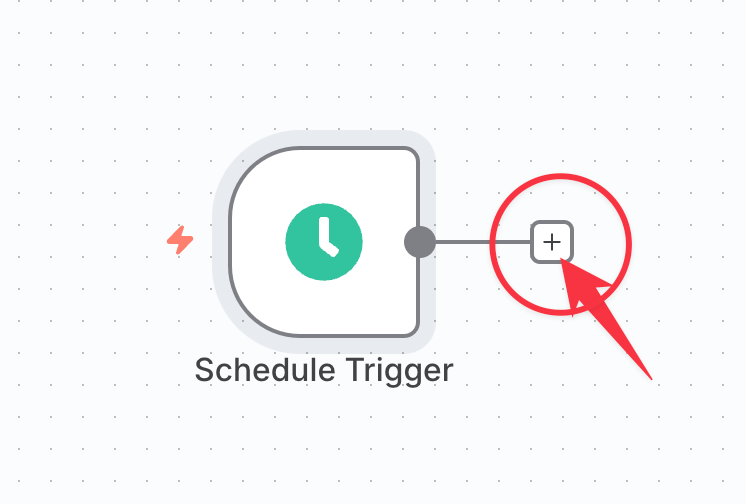
Click the + button
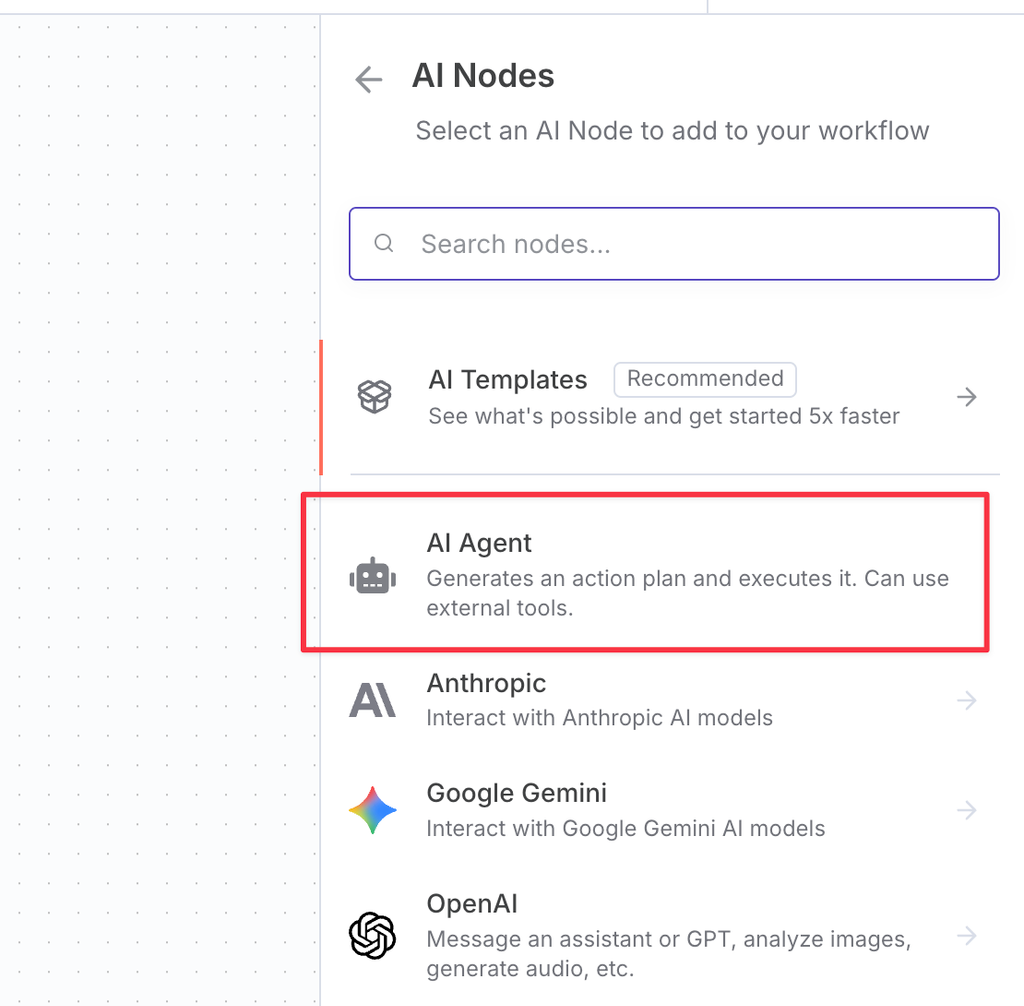
Choose AI Agent
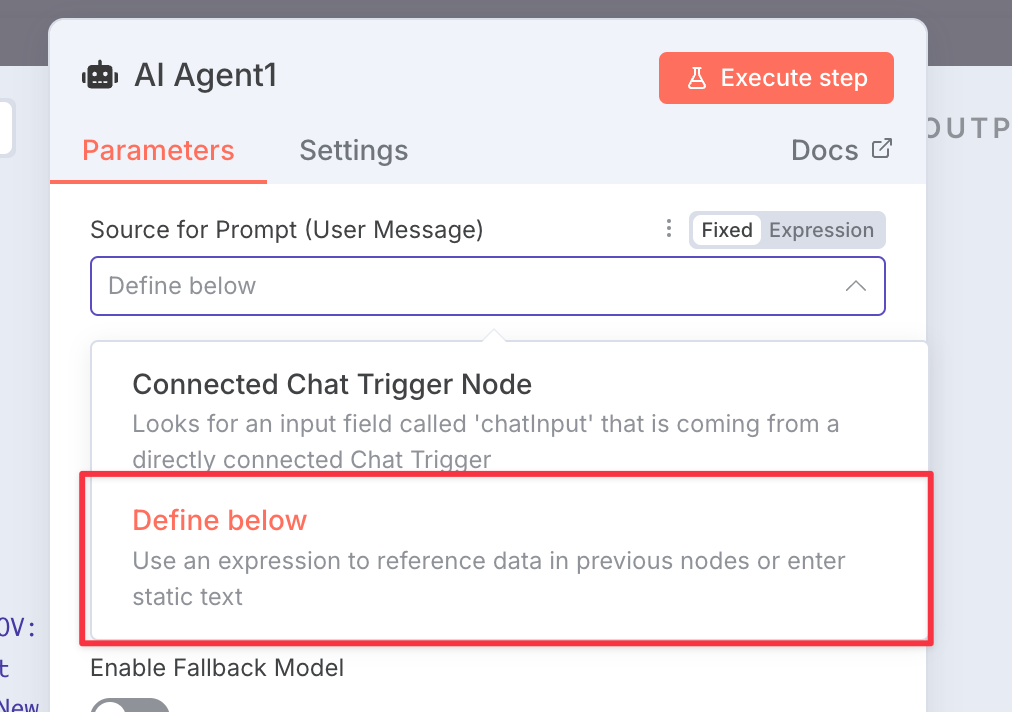
In the pop-up, change the prompt to "Define below"
Change the prompt to "Expression"
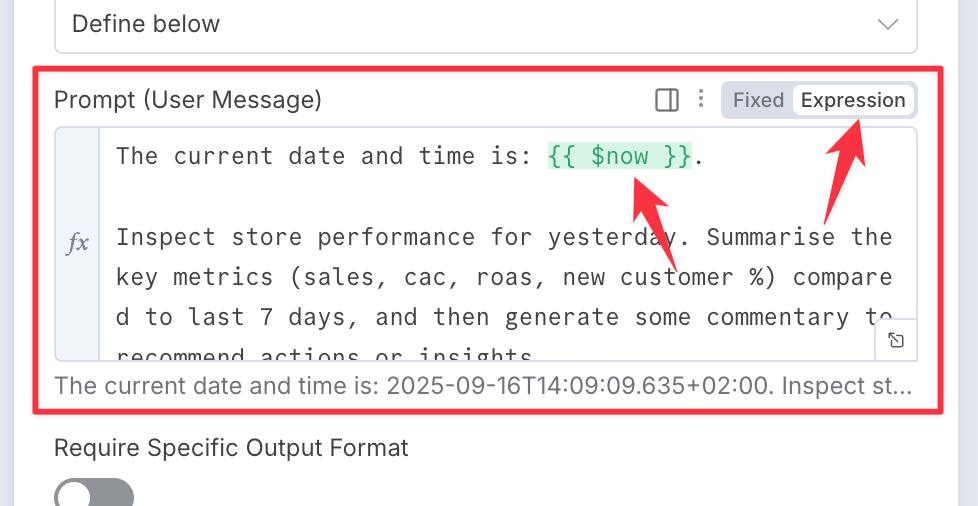
And paste in the prompt from below:
The current date and time is: #{{ $now }}.


Inspect store performance for yesterday. Summarise the key metrics (sales, cac, roas, new customer %) compared to last 7 days, and then generate some commentary to recommend actions or insights.


Output Slack's simplified `mrkdwn` format suitable to be sent in a slack message. (`mrkdwn` does not support headings or lists, and is styled with: _italic_ *bold* ~strike~, >blockquote and ```codeblock``` )


Do not explain what you are doing or ask for a rating afterwards, output only the message which will be sent directly.Notice that:
Models don’t know the current date and time, so you need to tell it with n8n’s special
#{{ $now }}placeholder. This will allow it to understand what you mean by ‘yesterday’.We tell it not to add any explanatory text. This avoids text in your slack message like
Here's your store performance summary in Slack mrkdwn format:.Models need guidance on the special version rich text syntax used by slack, called
mrkdwn.
Increase the default “Max iterations” option to 50
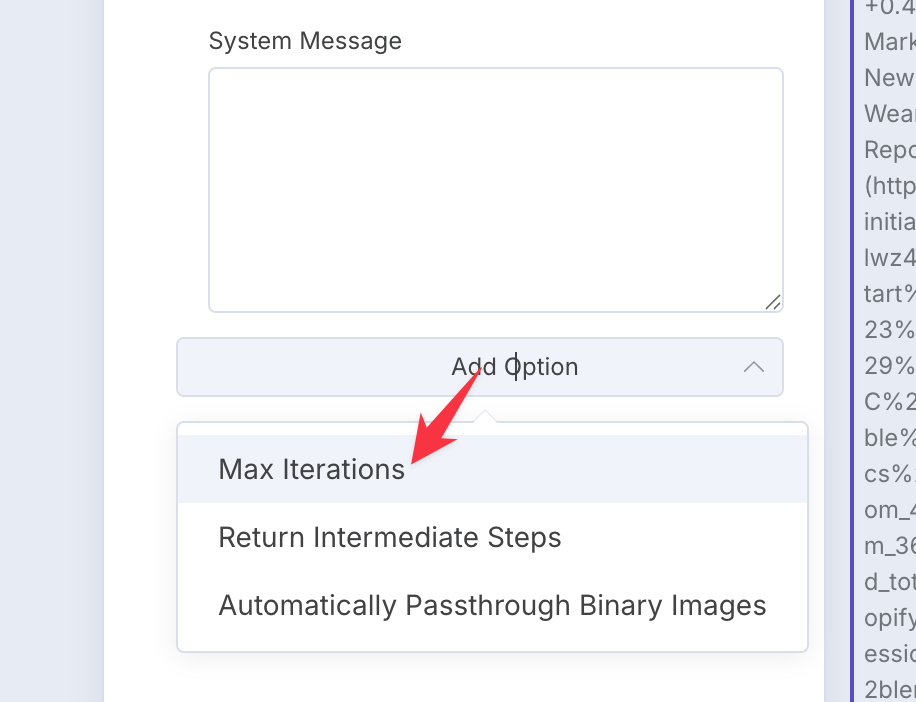
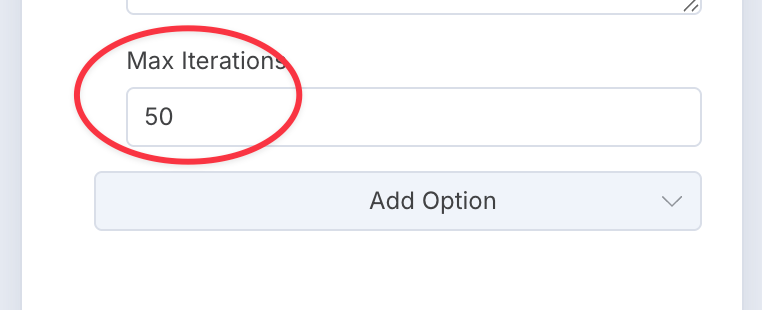
Click "back to canvas"
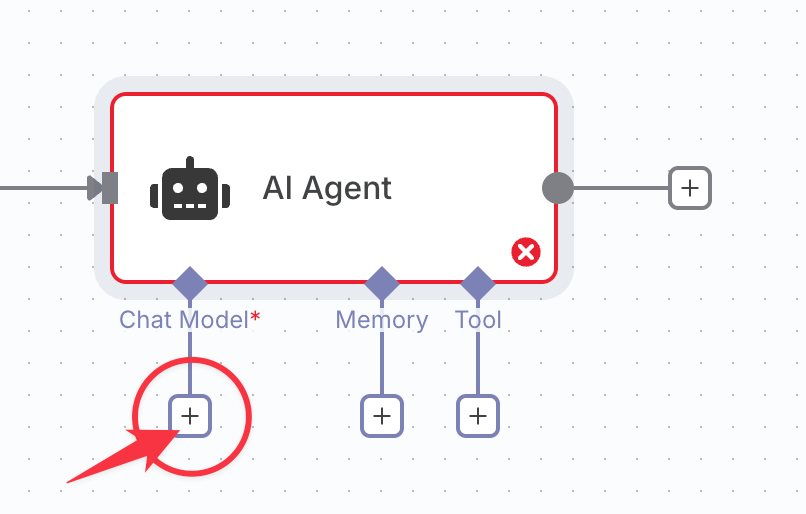
3. Add a Chat Agent
Click the plus Chat Model button
Choose Anthropic Chat Model
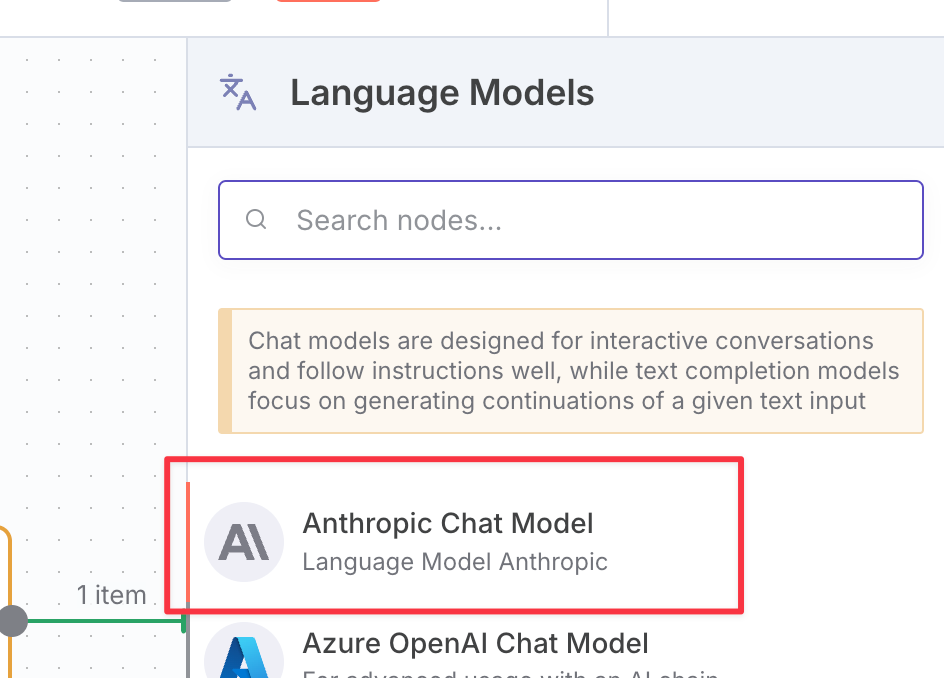
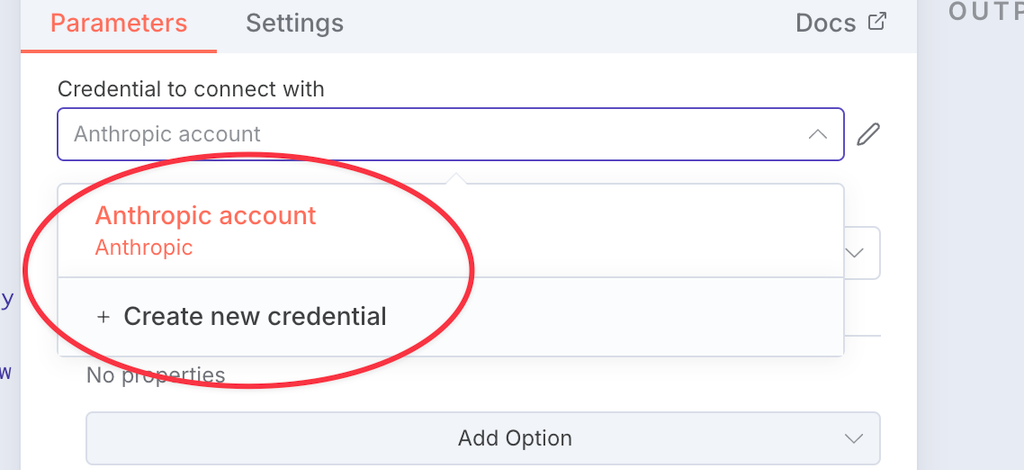
Create a new credential and add your Anthropic API key
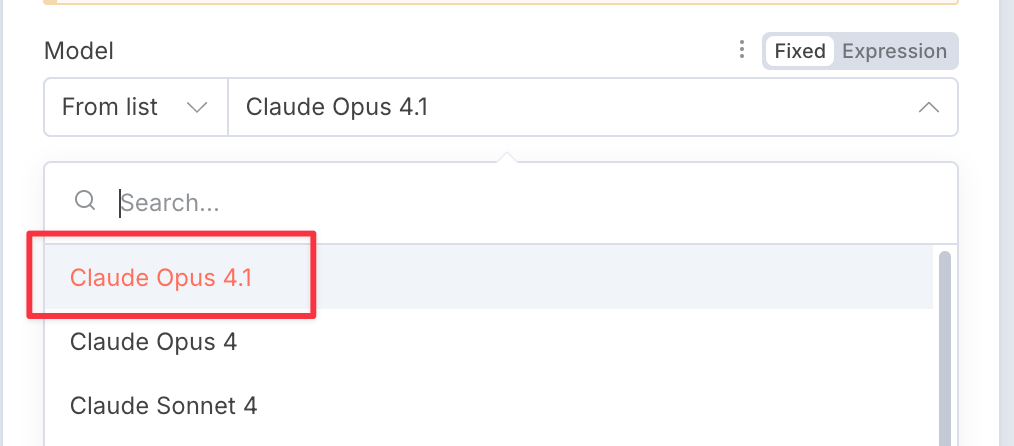
Choose Claude Opus as the model for best performance
Click "back to canvas"
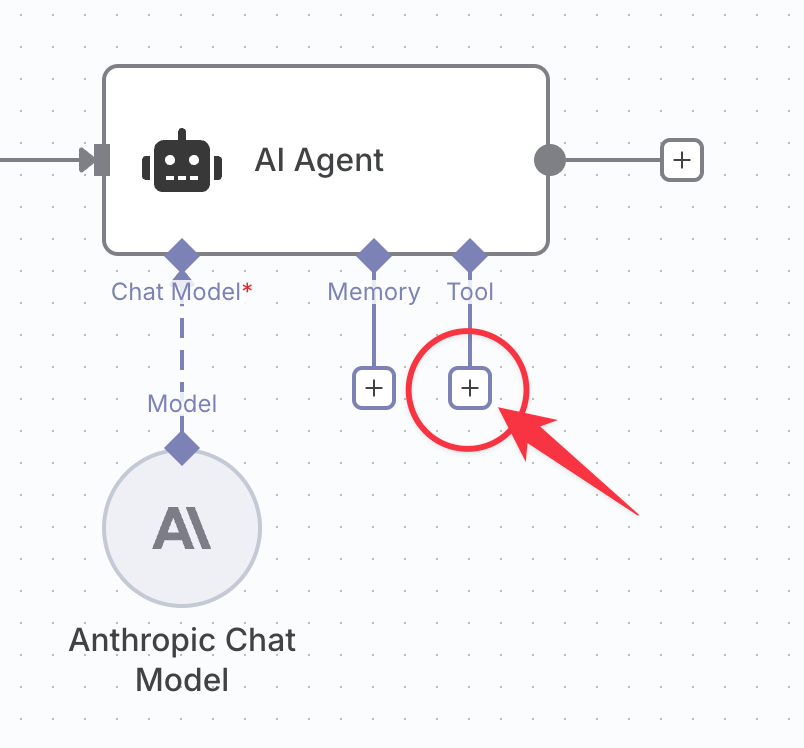
4. Add the Polar MCP tool
Click to add a tool
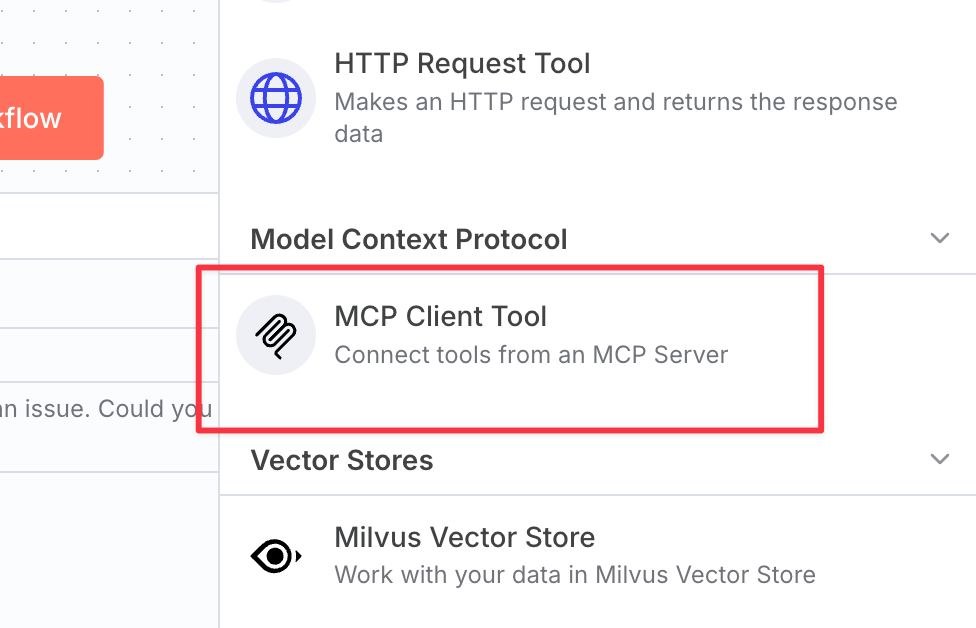
Choose "MCP Client Tool"
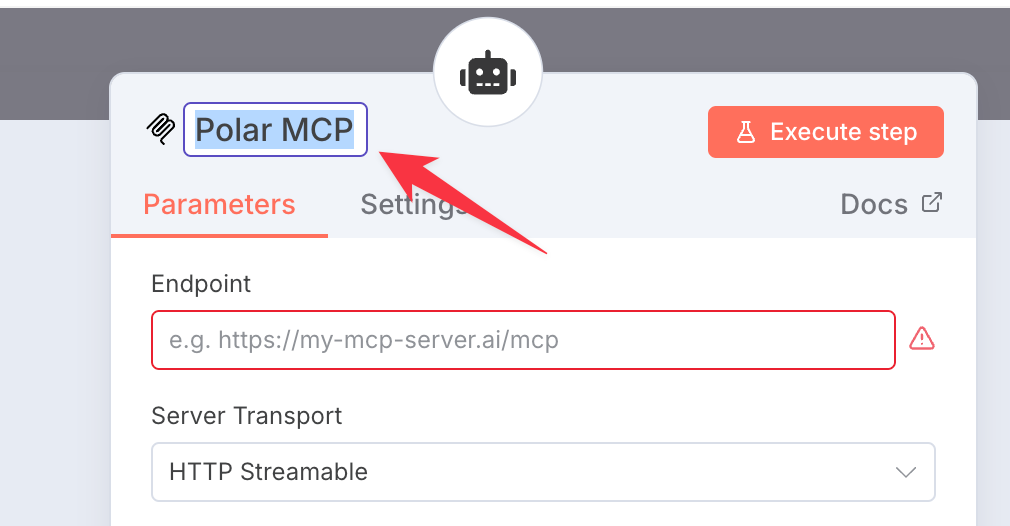
Give it a useful name like "Polar MCP"
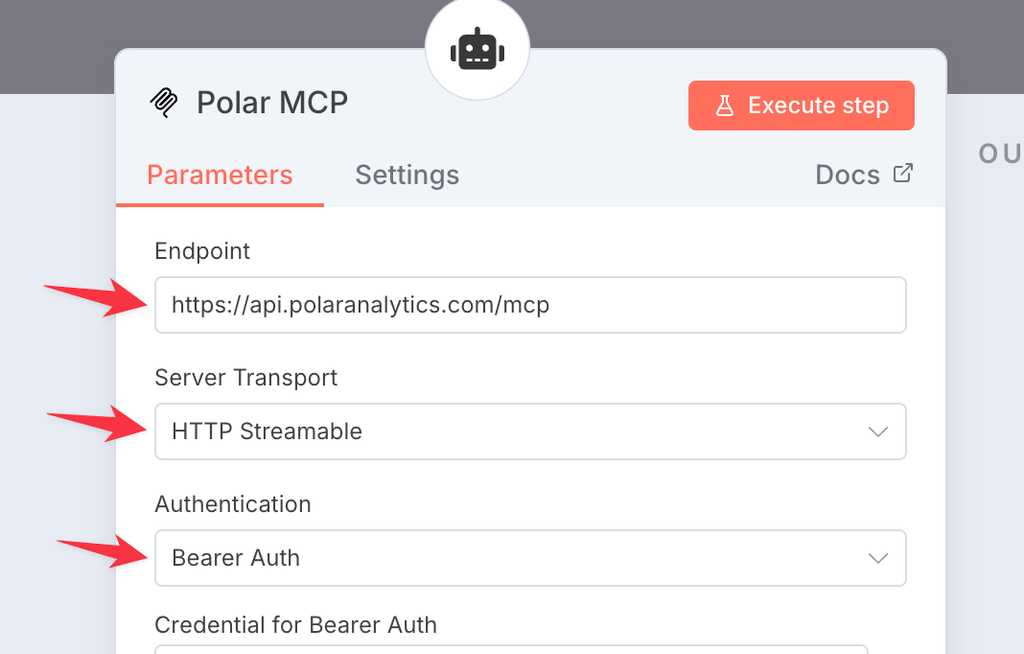
Enter the Polar MCP connection details
Endpoint: https://api.polaranalytics.com/mcp
Server Transport: HTTP Streamable
Authentication: Bearer Auth
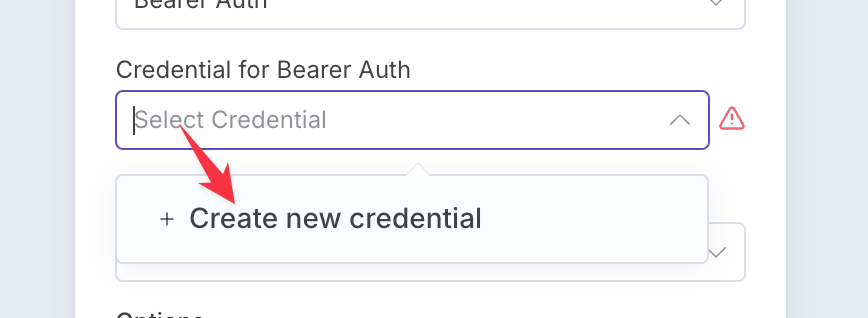
Create a new credential for Bearer Auth
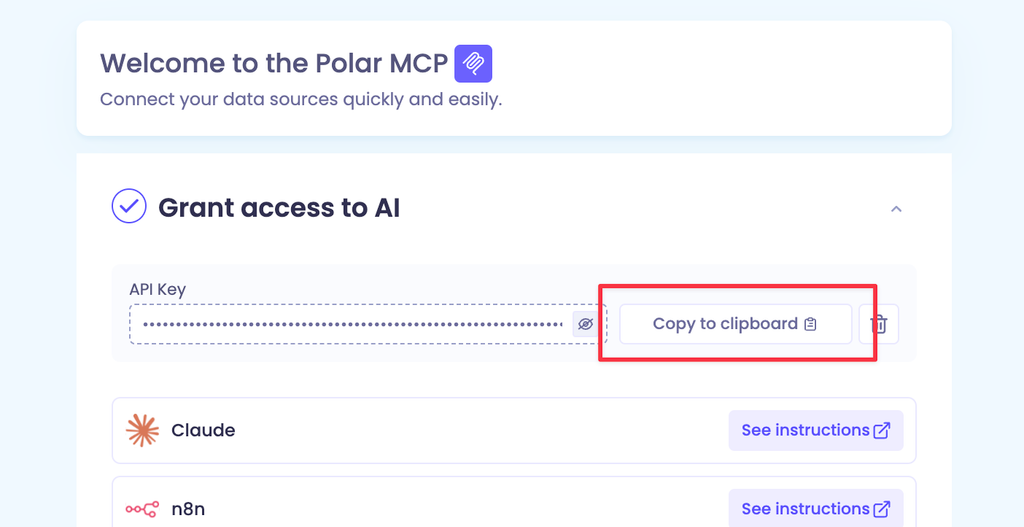
Get your Polar MCP API Key
generate an API key
copy to the clipboard
Paste in your Polar API key as the Bearer Token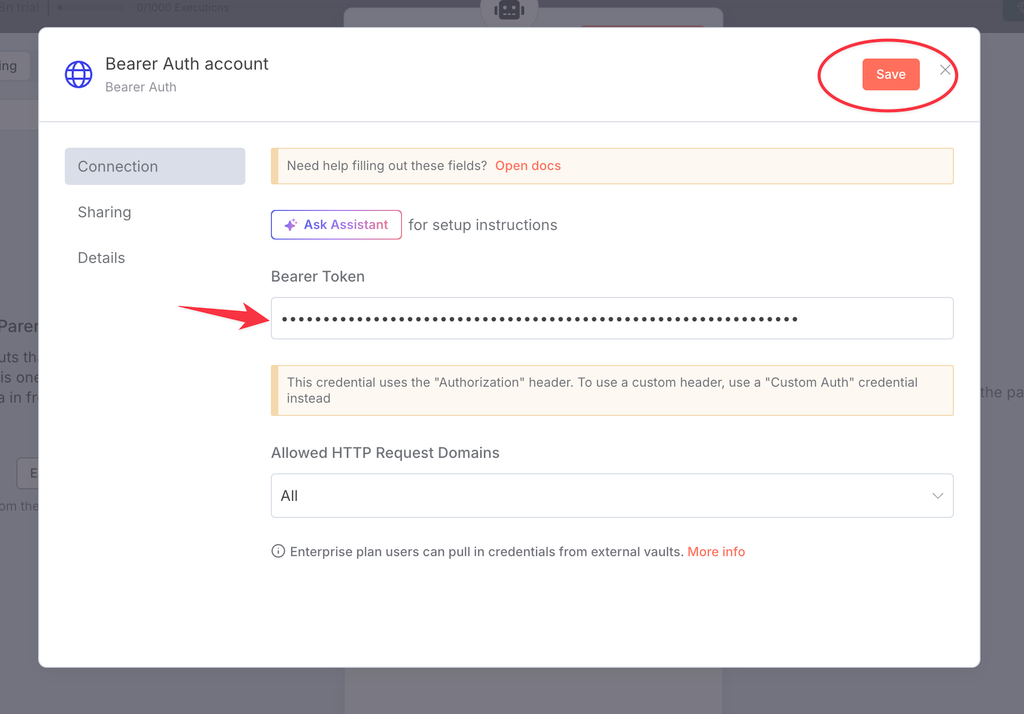
Then save and close the popup.
Go “Back to canvas”
5. Connect to Slack
Click the AI Agent’s output plus button
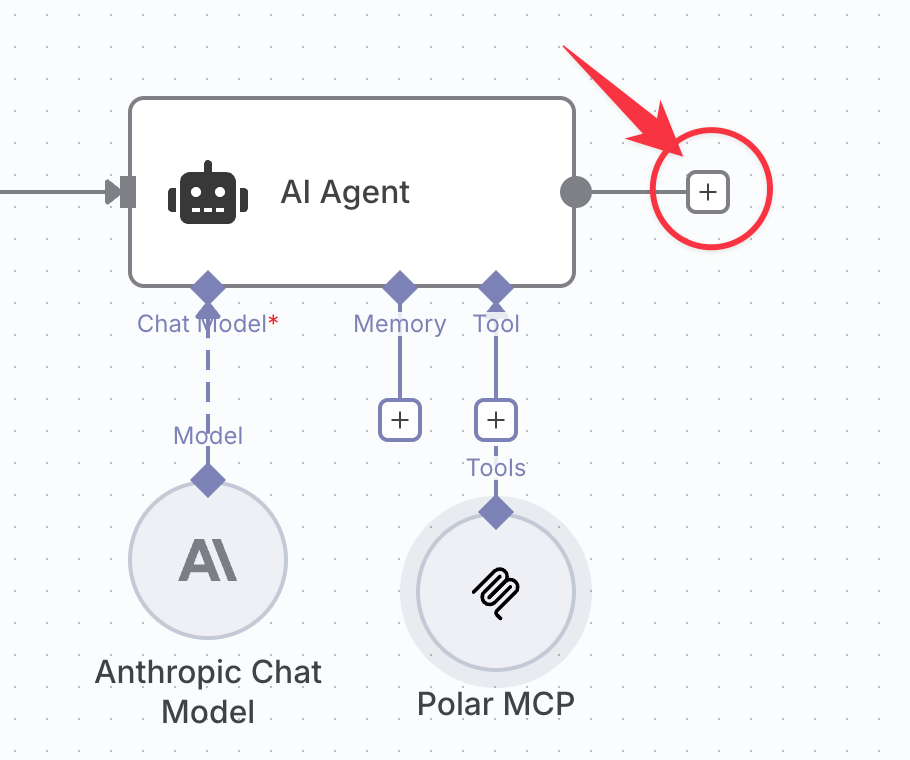
Find the Slack connector and choose “Send a message”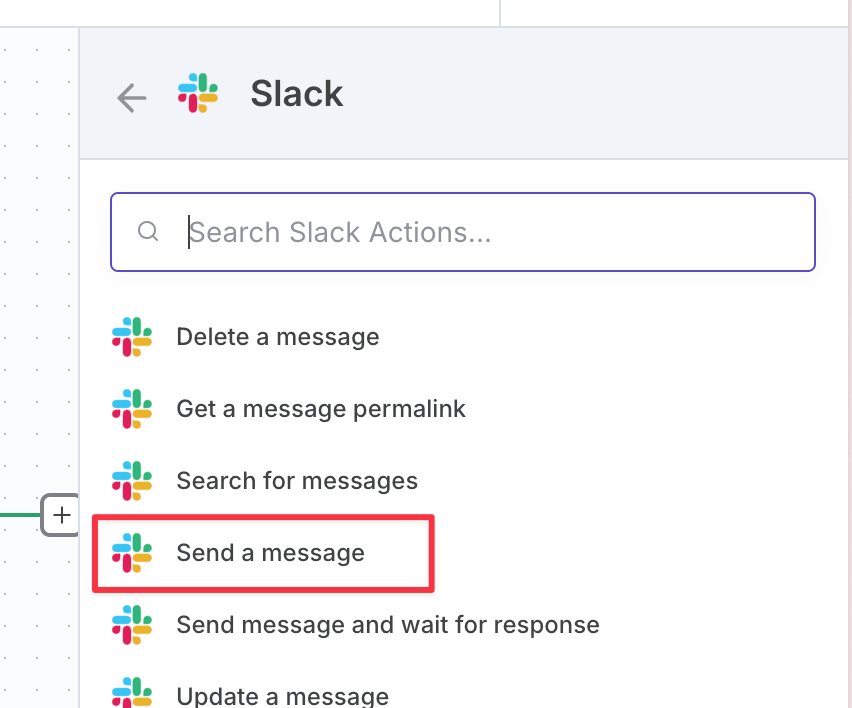
Create a new credential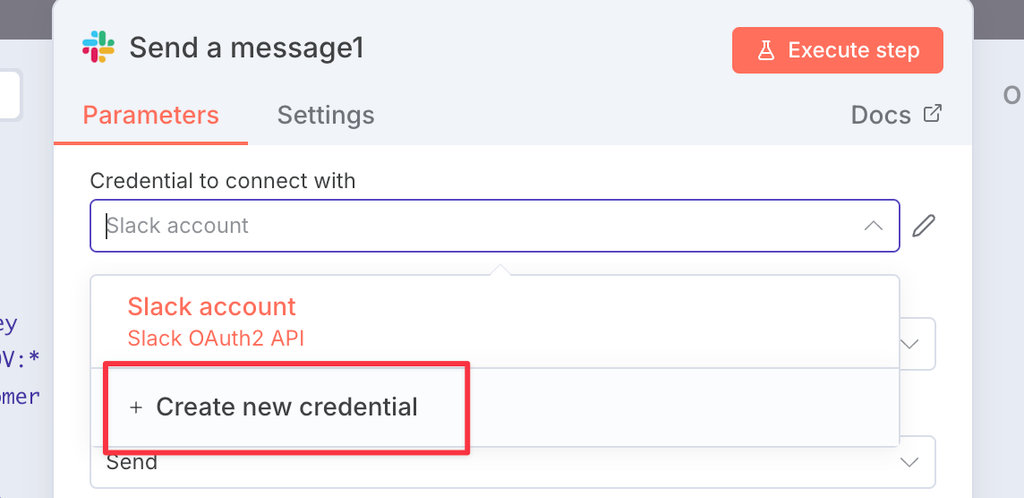
Choose OAuth2 and click “Connect my account”, then allow access in the following screen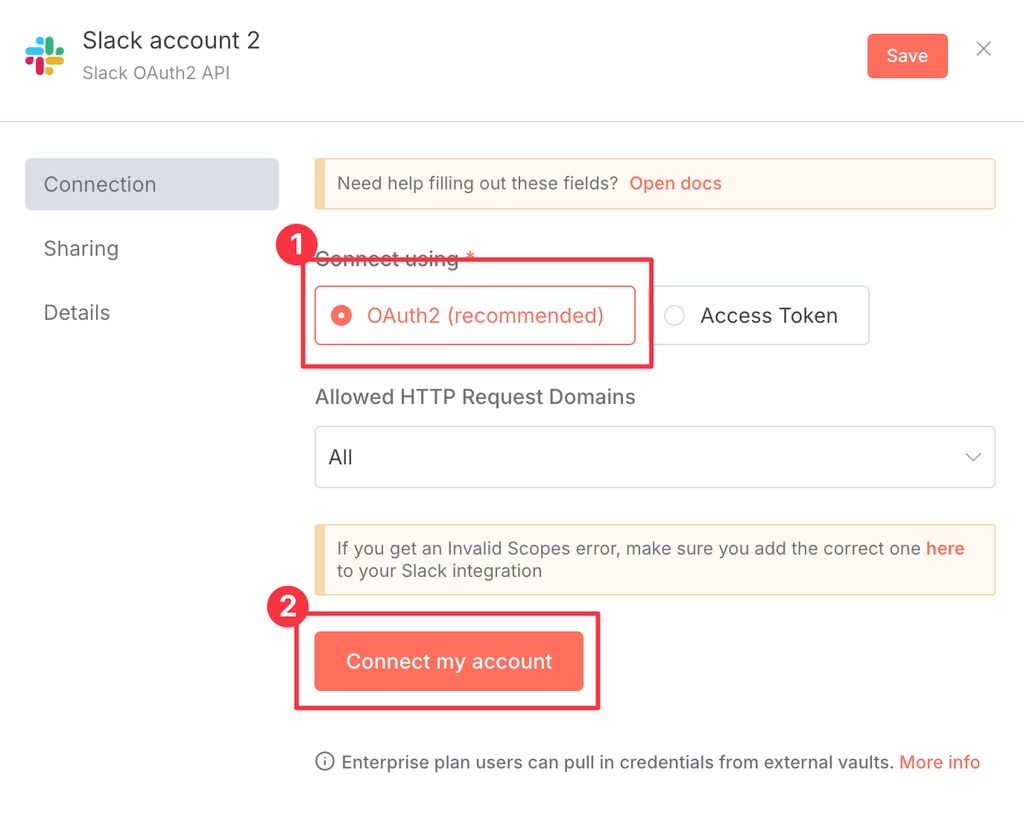
Choose “Send message to”: Channel, and type your channel name (or select from the list)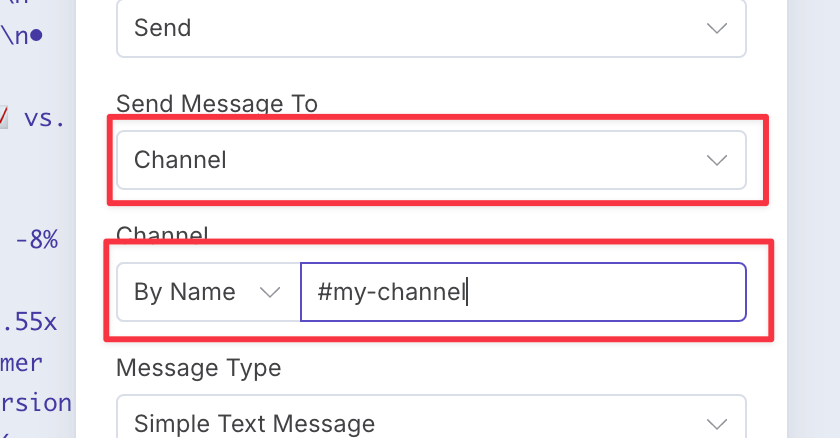
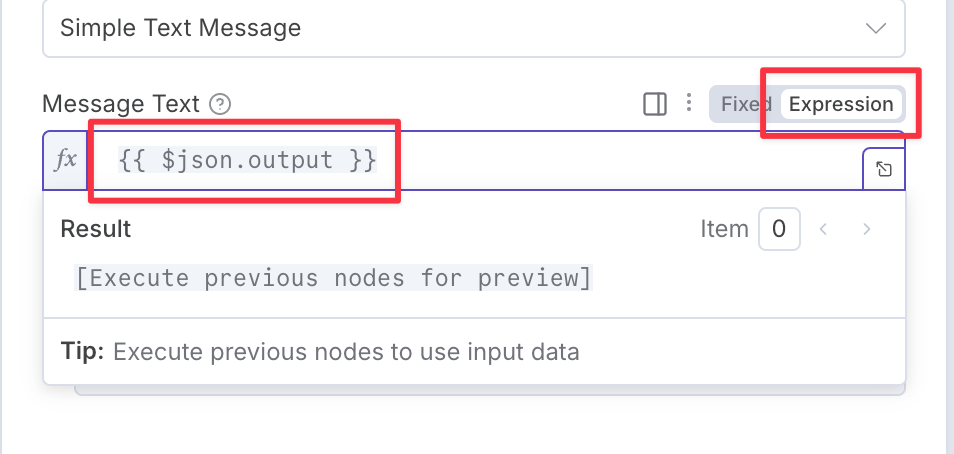
In the Message Text change it to “Expression” and set the value#{{ $json.output }}
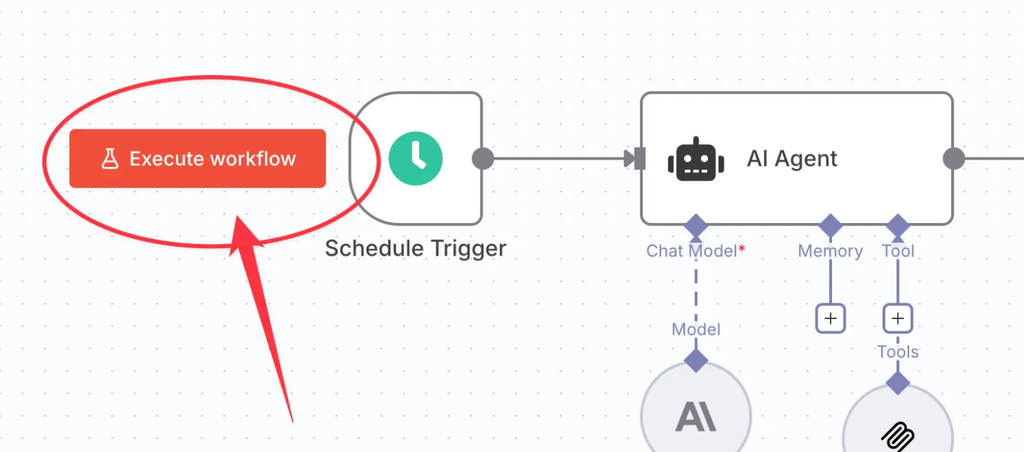
6. Run your workflow to testClick “Execute workflow”
Check the message appeared in Slack:
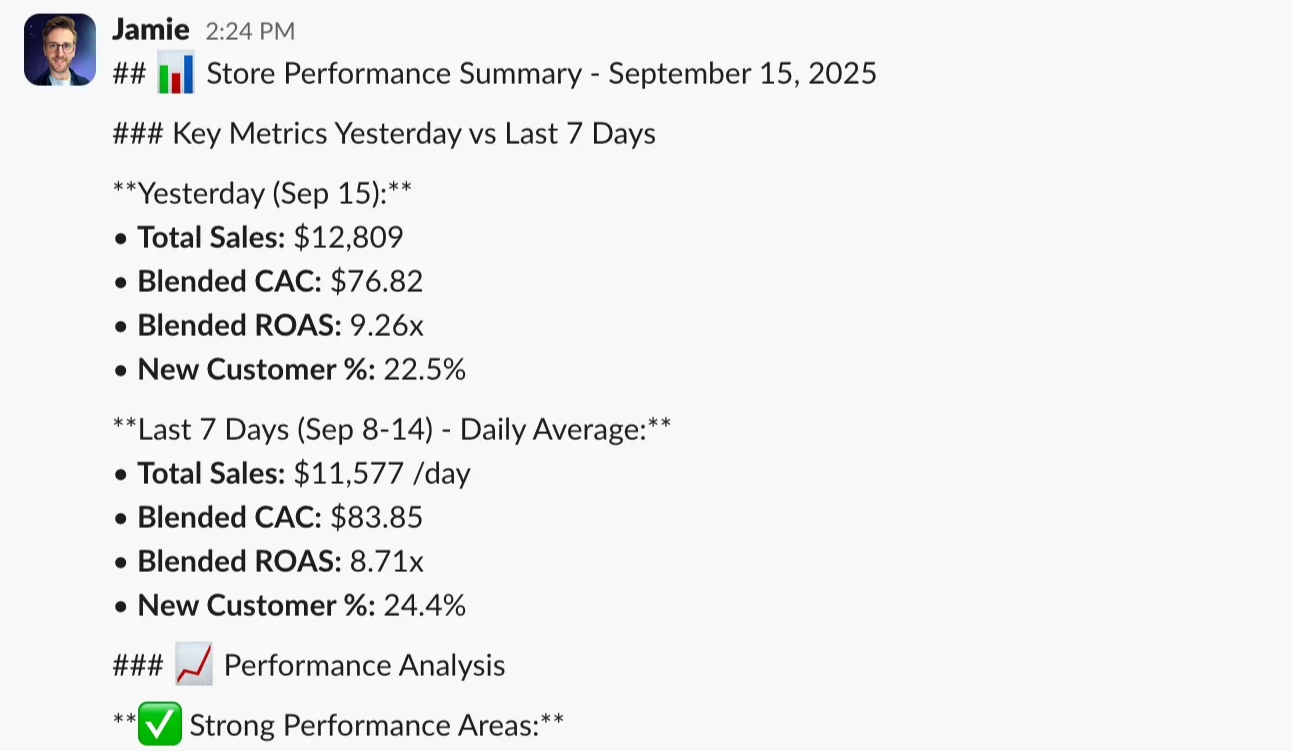
7. Set it Live
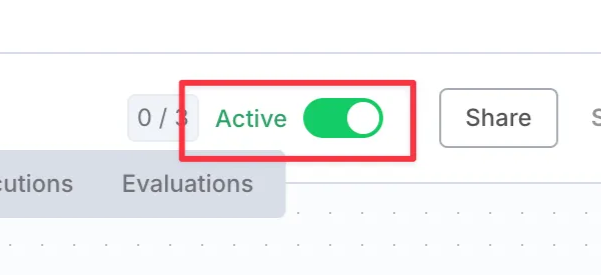
Set your workflow to “Active” at the top of the screen.
Whole workflow as JSONYou can copy and paste this directly into n8n to avoid building it yourself:
{

  "nodes": [

    {

      "parameters": {

        "rule": {

          "interval": [

            {

              "triggerAtHour": 6

            }

          ]

        }

      },

      "type": "n8n-nodes-base.scheduleTrigger",

      "typeVersion": 1.2,

      "position": [

        0,

        0

      ],

      "id": "d4e15fb6-a97a-44a6-9325-562d87e63372",

      "name": "Schedule Trigger"

    },

    {

      "parameters": {

        "promptType": "define",

        "text": "=The current date and time is: #{{ $now }}.\n\nInspect store performance for yesterday.\nSummarise the key metrics (sales, cac, roas, new customer %)\ncompared to last 7 days,\nand then generate some commentary to recommend actions or insights.\n\nOutput Slack's simplified `mrkdwn` format suitable to be sent in a slack message. (`mrkdwn` does not support headings or lists, and is styled with: _italic_ *bold* ~strike~, >blockquote and ```codeblock``` )\n\nDo not explain what you are doing or ask for a rating afterwards,\noutput only the message which will be sent directly.",

        "options": {}

      },

      "type": "@n8n/n8n-nodes-langchain.agent",

      "typeVersion": 2.2,

      "position": [

        208,

        0

      ],

      "id": "75b54b42-3305-4307-9a12-97136fb3ba0b",

      "name": "AI Agent"

    },

    {

      "parameters": {

        "model": {

          "__rl": true,

          "value": "claude-opus-4-1-20250805",

          "mode": "list",

          "cachedResultName": "Claude Opus 4.1"

        },

        "options": {}

      },

      "type": "@n8n/n8n-nodes-langchain.lmChatAnthropic",

      "typeVersion": 1.3,

      "position": [

        208,

        192

      ],

      "id": "829fe02a-15a5-45b9-bda4-b821a017b7f7",

      "name": "Anthropic Chat Model",

      "credentials": {

        "anthropicApi": {

          "id": "bJw9JkTyJ6T8628H",

          "name": "Anthropic account"

        }

      }

    },

    {

      "parameters": {

        "endpointUrl": "https://api.polaranalytics.com/mcp",

        "serverTransport": "httpStreamable",

        "authentication": "bearerAuth",

        "options": {}

      },

      "type": "@n8n/n8n-nodes-langchain.mcpClientTool",

      "typeVersion": 1.1,

      "position": [

        352,

        208

      ],

      "id": "16eaa03e-b5fc-4270-b195-7f81b023ea08",

      "name": "Polar MCP",

      "credentials": {

        "httpBearerAuth": {

          "id": "21QokhLHTqcS2UHf",

          "name": "Bearer Auth account"

        }

      }

    },

    {

      "parameters": {

        "authentication": "oAuth2",

        "select": "channel",

        "channelId": {

          "__rl": true,

          "value": "#put-your-channel-here",

          "mode": "name"

        },

        "text": "= #{{ $json.output }}",

        "otherOptions": {}

      },

      "type": "n8n-nodes-base.slack",

      "typeVersion": 2.3,

      "position": [

        560,

        0

      ],

      "id": "3415ccf8-d413-4ec4-90b3-6a8488556445",

      "name": "Send a message",

      "webhookId": "65523a9c-18dd-4363-9c7c-b0ca4e7008da",

      "credentials": {

        "slackOAuth2Api": {

          "id": "pz3BpkgfcoPBSdFe",

          "name": "Slack account"

        }

      }

    }

  ],

  "connections": {

    "Schedule Trigger": {

      "main": [

        [

          {

            "node": "AI Agent",

            "type": "main",

            "index": 0

          }

        ]

      ]

    },

    "AI Agent": {

      "main": [

        [

          {

            "node": "Send a message",

            "type": "main",

            "index": 0

          }

        ]

      ]

    },

    "Anthropic Chat Model": {

      "ai_languageModel": [

        [

          {

            "node": "AI Agent",

            "type": "ai_languageModel",

            "index": 0

          }

        ]

      ]

    },

    "Polar MCP": {

      "ai_tool": [

        [

          {

            "node": "AI Agent",

            "type": "ai_tool",

            "index": 0

          }

        ]

      ]

    }

  },

  "pinData": {},

  "meta": {

    "templateCredsSetupCompleted": true,

    "instanceId": "ce0c989b9244d7f82bca36af8201c7e764dbba42c6b965519008b3c1fcda3605"

  }

}
Once your workflow is activated, n8n will automatically pull KPI data from Polar, analyze store performance using Claude, format the results in Slack-friendly mrkdwn, and send the report straight to your selected Slack channel every morning. This setup gives you a reliable, hands-off way to monitor daily performance and surface actionable insights to your team.You can extend this workflow at any time by adding additional data sources, new KPIs, conditional alerts, or more advanced formatting. And if you need help connecting MCP, configuring models, or troubleshooting errors, our support team is always here to assist you.