New Features at Polar
Last updated: September 17, 2026
Discover the new features we've released at Polar to improve your experience with getting actionable insights effortlessly.
At Polar Analytics, we're dedicated to helping brands get actionable insights effortlessly, and save hours worth of time on manual reporting. Explore the features we've released recently to ensure pioneering brands receive a top-notch e-commerce analytics experience.
Attribution
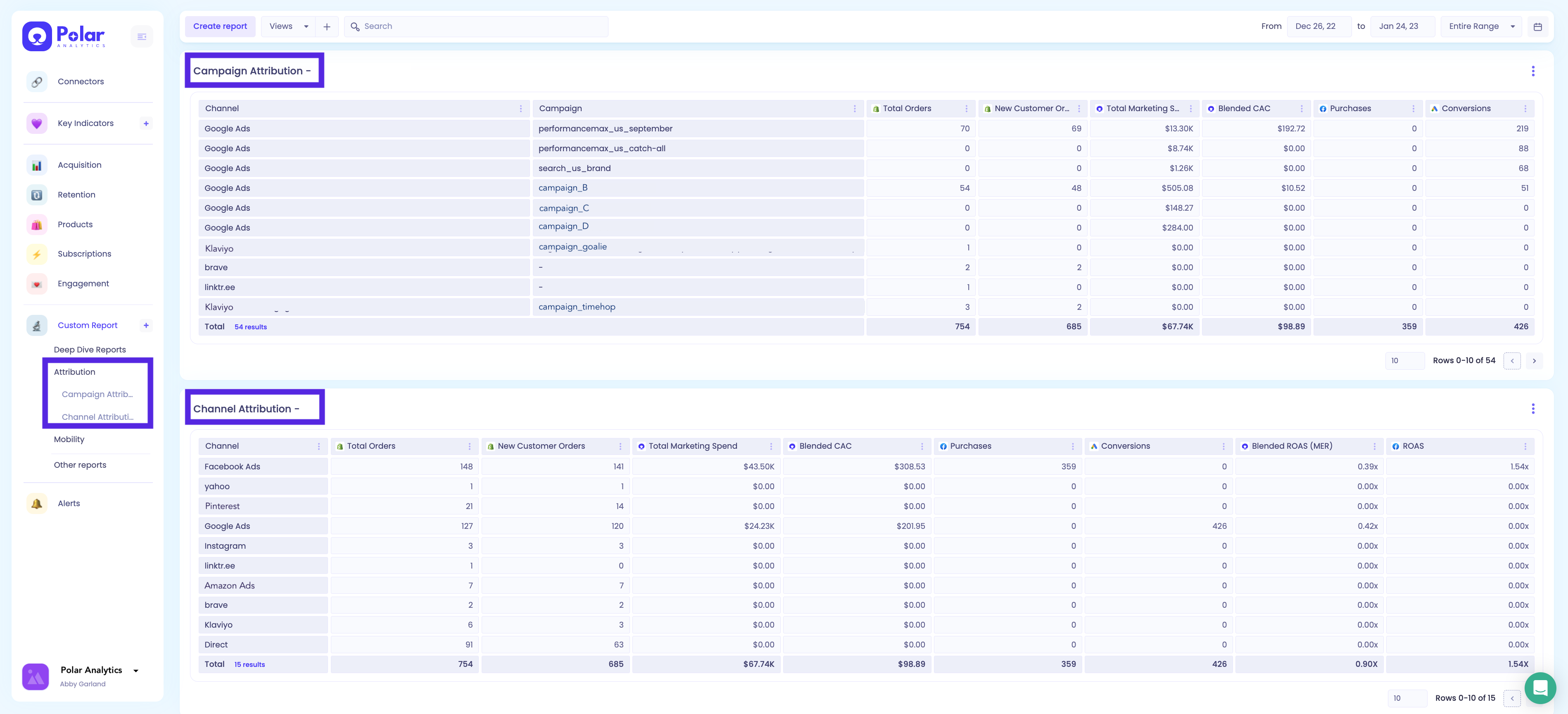
We know how important it is to be able to see what works and what doesn't. That's why we've launched the Polar Pixel, a new feature that will allow you to get a true attribution model with server-side tracking (and it works with iOS 14 - no need for cookies)!
With the Polar Pixel, you'll be able to:
Improve your attribution accuracy using a server-side, first-party tracking system with a custom attribution window, giving you more data to make confident decisions with.
Deduplicate conversions from multiple ad platforms, and calculate metrics like CAC and ROAS by channel and campaign.
Upon request, we can send profit data back to the ads platform via the Conversion API to improve algorithm training. If you need this, reach out to our Support Team via the in-app live chat and we can manually set this up on an ad-hoc basis.
Custom Dimensions
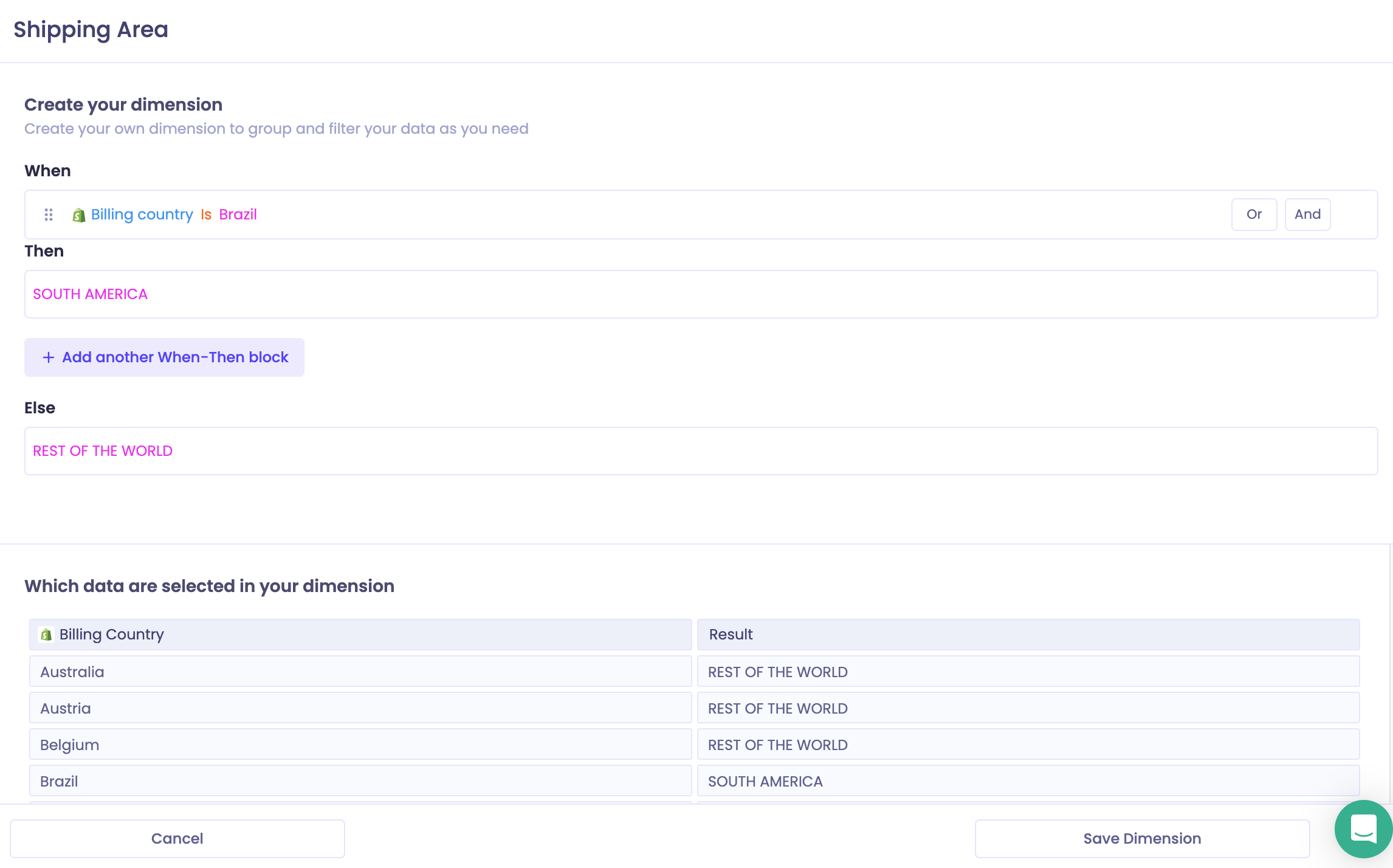
Custom Dimensions enable you to create and define your own Breakdowns and Filters within Polar, giving you more flexibility with how you can segment your data. The Custom Dimensions builder allows you to create conditions and effects that follow the logic:
“When , Then , Else ”
Targets
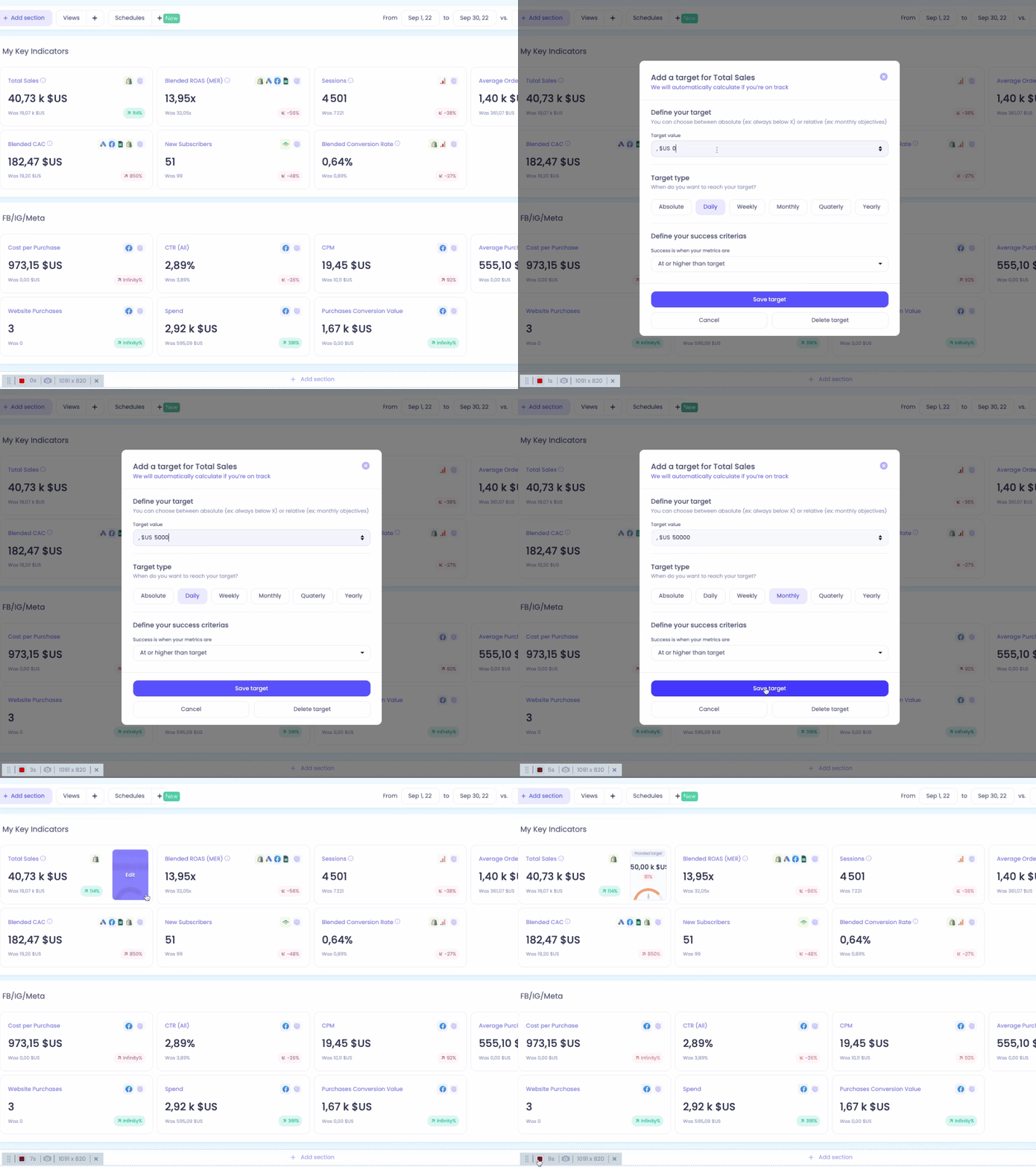
You can easily keep track of your personalized performance goals with Targets. By enabling you to set goals and visualize your progress for each metric, this feature makes it easy for you to align your team on objectives and ensure you're growing in the right direction.
Custom Reports & Metrics
With Custom Reports, you can easily create your own personalized reports and dashboards that best suit your data needs. If you'd like to have more control over how you metrics are filtered and calculated, you can create your own Custom Metrics, which allow you to create your own formulas for personalized insights.
You have full flexibility within Custom Reports to access raw data from any of the channels you're connected to in Polar Analytics.
Schedules
If you'd like to receive automated, customized reports from Polar on an ongoing cadence, you can create Schedules directly from the Key Indicators tab to fully customize the reports sent directly to your email or Slack. The Schedules feature allows you to customize:
Which information is included in your reports
Where your reports are sent
When, and how often, your reports are sent
Who receives your reports
How many reports you receive (spoiler: you can set up as many Schedules as you'd like!)
Views
Views enable you to seamlessly map several data sources together and create custom filters for your dashboards. Once you've created a View, you can apply it on your Key Indicators, Acquisition, Retention, Products, or Custom Reports dashboards. Some of our most successful customers use Views to easily filter their dashboards by:
Store (if you have multiple Shopify stores)
Country or region
Product
Sales Channel
And much more - the options are endless!
Google Analytics 4
Polar Analytics now supports both Google Analytics and Google Analytics 4 (GA4) as connectors depending on which version you currently use. If you're migrating to GA4, you can add it as a connector and disable your original Google Analytics connector in order to retain the historical data.
