Can I filter or breakdown my data by SKU?
Last updated: September 29, 2026
You can both breakdown and filter your data in Polar by SKU.
To add SKU as a breakdown within your reports, select "Breakdowns" and search "SKU". This will automatically break down your data by SKU in the leftmost column of your table.
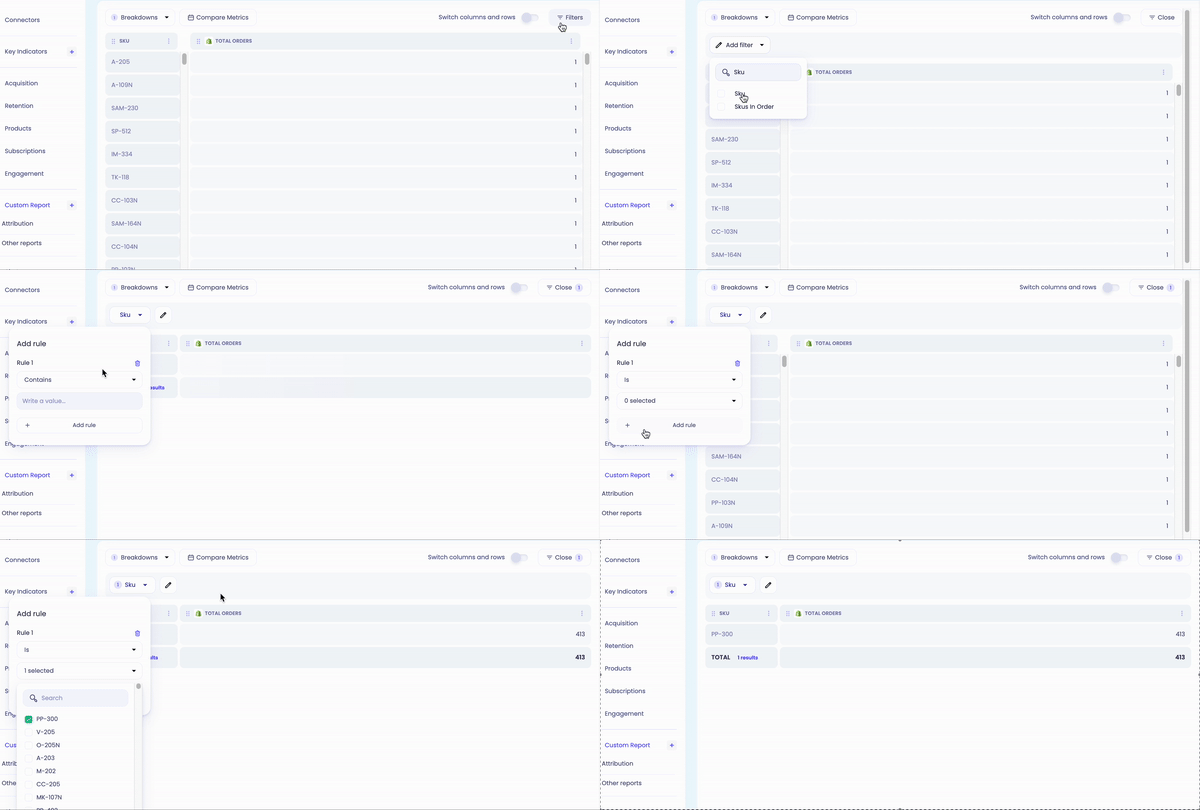
To filter your data by a certain SKU, select "Filters" and "Add filter". From there, search "SKU" and select. You can filter by a certain SKU by clicking on the filter and adjusting the dropdown to "is" instead of "contains", and checking the SKU you need.